
Speech to Text
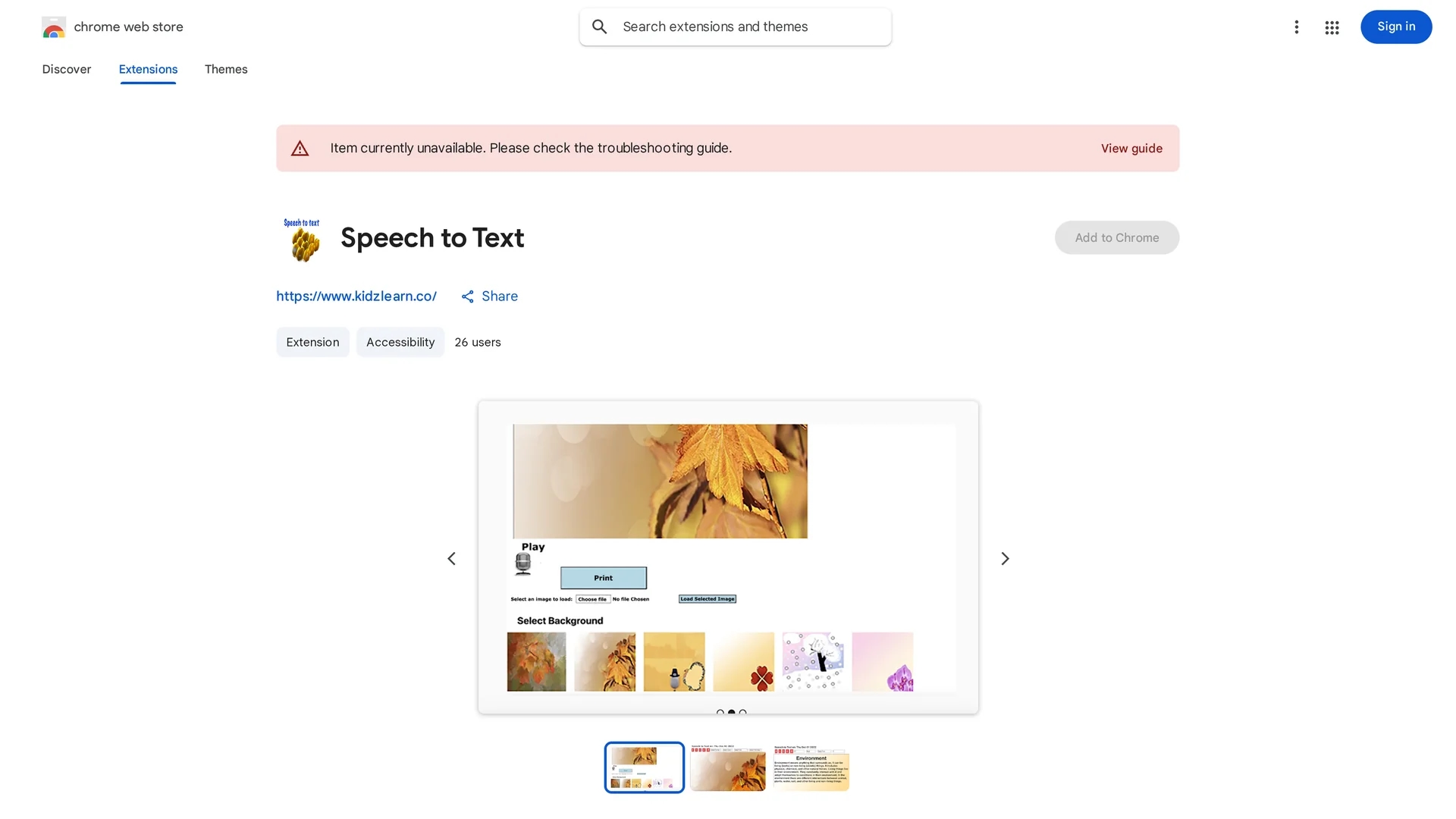
Chrome extension that converts speech or pasted text into customizable notes with background and font options, ready for printing.
Disclaimer: Visionary Hub is not affiliated with, endorsed by, or the operator of this tool. All trademarks, logos, and content are the property of their respective owners. Full disclaimer available here
Key Features
Speech-to-Text
Transforms spoken language into text for note creation.
Text Pasting
Allows pasting of existing text to create notes.
Background Images
Supports selecting or uploading custom backgrounds.
Print Functionality
Enables printing of notes with chosen styles on A4 paper.
Get Started
Share & Save
Share on Social Media
Why Choose Speech to Text
Speech Input:
Convert spoken words directly into editable text notes.Customization:
Choose or upload background images and select fonts for personalized notes.Print Ready:
Designed to print notes on standard A4 paper with background support.
Pricing
This Chrome extension is available for free on the Chrome Web Store.
About Speech to Text
Chrome extension that converts speech or pasted text into customizable notes with background and font options, ready for printing.
What Speech to Text Does
Speech to Text allows users to create notes by speaking into a microphone or pasting text directly into the extension. This functionality helps users quickly capture ideas or messages without typing.
The extension offers features such as selecting or uploading background images, choosing fonts, and printing notes formatted for standard A4 paper. It uses browser-based speech recognition to convert voice to text efficiently.
Ideal for educational, festive, or casual note-taking scenarios, it supports creating themed notes for occasions like Thanksgiving or general writing exercises.
Pros & Cons
Easy Note Creation
Quickly generate notes via speech or text input.
Visual Customization
Offers background and font options for personalized notes.
Limited Platform
Available only as a Chrome browser extension.
Basic Features
Lacks advanced editing or cloud sync capabilities.
Frequently Asked Questions
The extension is designed with settings for standard A4 size paper.
Ensure your printer settings allow printing of background images.
Yes, Speech to Text is available for free on the Chrome Web Store.
Yes, users can upload custom images as backgrounds for their notes.
It was developed by KidzLearn, accessible via their website and email.
Similar Tools You Might Like
Discover more AI-powered tools that complement your workflow
List Your AI Tool & Reach Thousands of Users
Join 500+ AI innovators already thriving on our platform. Get visibility, feedback, and boost your conversions.
Expand Your Audience
Connect with over 50,000 AI enthusiasts actively looking for tools like yours.
Boost Your Authority
Get verified reviews and ratings to build credibility in the AI marketplace.
Drive Conversions
Our premium placements and targeted audience deliver quality leads and sign-ups.