Ddict
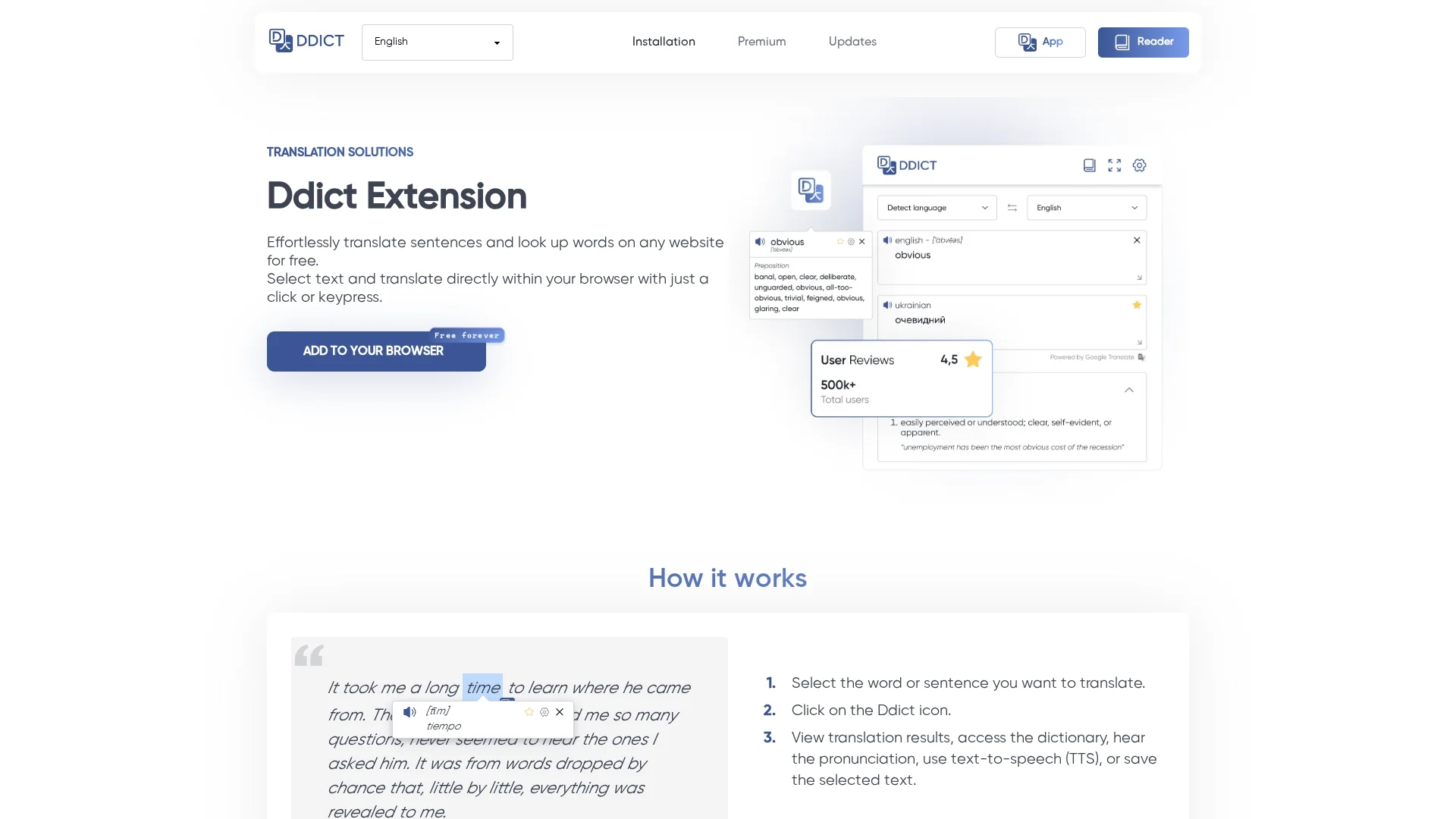
Ddict is an AI-powered translation and writing assistant browser extension that enables instant sentence translation, word lookup, and document summarization across popular browsers.
Disclaimer: Visionary Hub is not affiliated with, endorsed by, or the operator of this tool. All trademarks, logos, and content are the property of their respective owners. Full disclaimer available here
Key Features
AI Translation
Provides instant, accurate translations of selected text on websites.
Writing Improvement
Enhances clarity and impact with AI-powered writing assistance.
Grammar & Spelling Check
Detects and corrects grammar and spelling errors in text.
Document Translation
Supports translating PDF, DOCX, and EPUB documents within the browser.
Get Started
Share & Save
Share on Social Media
Why Choose Ddict
Instant Translation:
Translate sentences and look up words directly on any website with one click.Multi-Browser Support:
Compatible with Chrome, Edge, Opera, Brave, and other popular browsers.Comprehensive Tools:
Includes summarization, writing improvement, grammar, and spelling checks.
Pricing
Ddict offers a Freemium pricing model: a free plan with basic AI features available forever, a Premium plan at $0.99 for the first month then $3.99/month with advanced AI capabilities, and a Business plan with custom pricing for teams and higher usage limits.
About Ddict
Ddict is an AI-powered translation and writing assistant browser extension that enables instant sentence translation, word lookup, and document summarization across popular browsers.
What Ddict Does
Ddict enables users to instantly translate sentences and look up words on any website with a simple click or keypress, improving comprehension and language learning. It also offers AI-powered summarization and writing improvement tools, plus grammar and spelling checks.
The extension supports popular browsers and document formats like PDF, DOCX, and EPUB. It uses AI models to provide accurate translations, helpful tooltips, and text-to-speech functionality, enhancing user interaction with multilingual content.
Users such as students, researchers, writers, and professionals benefit from Ddict by breaking down language barriers and improving communication across various industries and academic fields.
Pros & Cons
Ease of Use
Simple installation and instant access via mouse click or keypress.
Cross-Platform
Works across multiple browsers and supports various document formats.
Character Limit
Each translation request is limited to 5,000 characters.
AI Feature Availability
AI translation may not appear for dictionary entries; summaries only for longer texts.
Frequently Asked Questions
Cancel anytime via your account page and customer portal with a straightforward process.
No free trial is offered; however, a free plan with basic features is available forever.
AI Translate may not show for dictionary entries; AI Summary appears only for longer texts.
Usage is unlimited for free users; Premium plans have rate limits to prevent abuse.
Ddict supports popular browsers including Chrome, Edge, Opera, and Brave.
Similar Tools You Might Like
Discover more AI-powered tools that complement your workflow
List Your AI Tool & Reach Thousands of Users
Join 500+ AI innovators already thriving on our platform. Get visibility, feedback, and boost your conversions.
Expand Your Audience
Connect with over 50,000 AI enthusiasts actively looking for tools like yours.
Boost Your Authority
Get verified reviews and ratings to build credibility in the AI marketplace.
Drive Conversions
Our premium placements and targeted audience deliver quality leads and sign-ups.