
PopPop AI Sound Effect
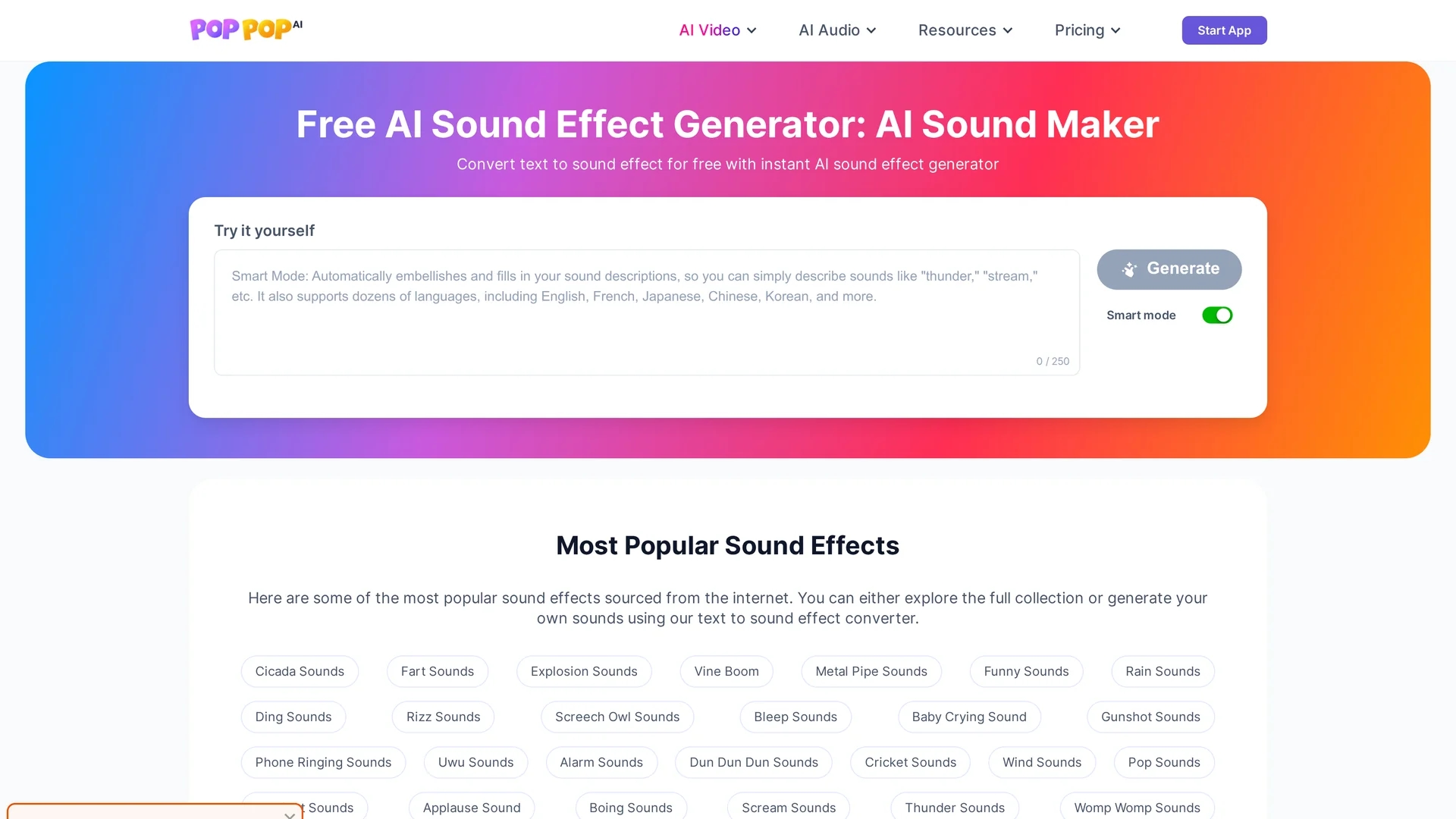
PopPop AI Sound Effect converts text into diverse high-quality sound effects in WAV format, supporting multiple platforms for seamless sound design in multimedia projects.
Disclaimer: Visionary Hub is not affiliated with, endorsed by, or the operator of this tool. All trademarks, logos, and content are the property of their respective owners. Full disclaimer available here
Key Features
Text-to-Sound
Converts descriptive text into diverse sound effects instantly.
Extensive Library
Includes ambient, action, nature, instrument, and human sound categories.
WAV Output
Exports high-quality, lossless audio files for professional use.
Cross-Platform
Compatible with multiple operating systems and popular web browsers.
Get Started
Share & Save
Share on Social Media
Why Choose PopPop AI Sound Effect
High Quality:
Generates lossless WAV sound effects ensuring clear, detailed audio output.Wide Compatibility:
Works on Windows, macOS, Android, iOS, and major web browsers.No Signup:
Free to use online without requiring user registration or account creation.
Pricing
The AI sound effect generator is free to use online with no signup required. For detailed pricing on related audio tools, visit the official pricing page linked on the homepage.
About PopPop AI Sound Effect
PopPop AI Sound Effect converts text into diverse high-quality sound effects in WAV format, supporting multiple platforms for seamless sound design in multimedia projects.
What PopPop AI Sound Effect Does
PopPop AI Sound Effect converts user-entered text into a wide range of sound effects, from ambient noises to dramatic action sounds, providing instant audio outputs. This functionality benefits content creators by simplifying sound design workflows.
The tool features a robust library of sound categories and outputs high-quality WAV files compatible with multiple operating systems and browsers. It uses AI to interpret descriptive text and generate corresponding sound effects quickly, allowing users to preview and download results seamlessly.
It is suitable for video production, gaming, podcasting, and virtual reality projects, enabling creators to enhance their media with custom audio effects without extensive sound engineering knowledge.
Pros & Cons
Ease of Use
Simple interface allows quick sound generation and downloading.
Versatility
Supports a wide variety of sound effect types for different projects.
Limited Duration
Sound effects range from 10 to 60 seconds, limiting longer audio needs.
File Size
WAV format files can be large, requiring more download time.
Frequently Asked Questions
It supports Windows, macOS, Android, iOS, and works on major web browsers.
The tool is free to use online with no signup required.
Sound effects are exported in high-quality WAV format.
Generated sounds can be up to 60 seconds long.
Yes, Smart Mode enhances descriptions to produce richer, detailed sounds.
Similar Tools You Might Like
Discover more AI-powered tools that complement your workflow



List Your AI Tool & Reach Thousands of Users
Join 500+ AI innovators already thriving on our platform. Get visibility, feedback, and boost your conversions.
Expand Your Audience
Connect with over 50,000 AI enthusiasts actively looking for tools like yours.
Boost Your Authority
Get verified reviews and ratings to build credibility in the AI marketplace.
Drive Conversions
Our premium placements and targeted audience deliver quality leads and sign-ups.