
JoyFusion - AI Generation
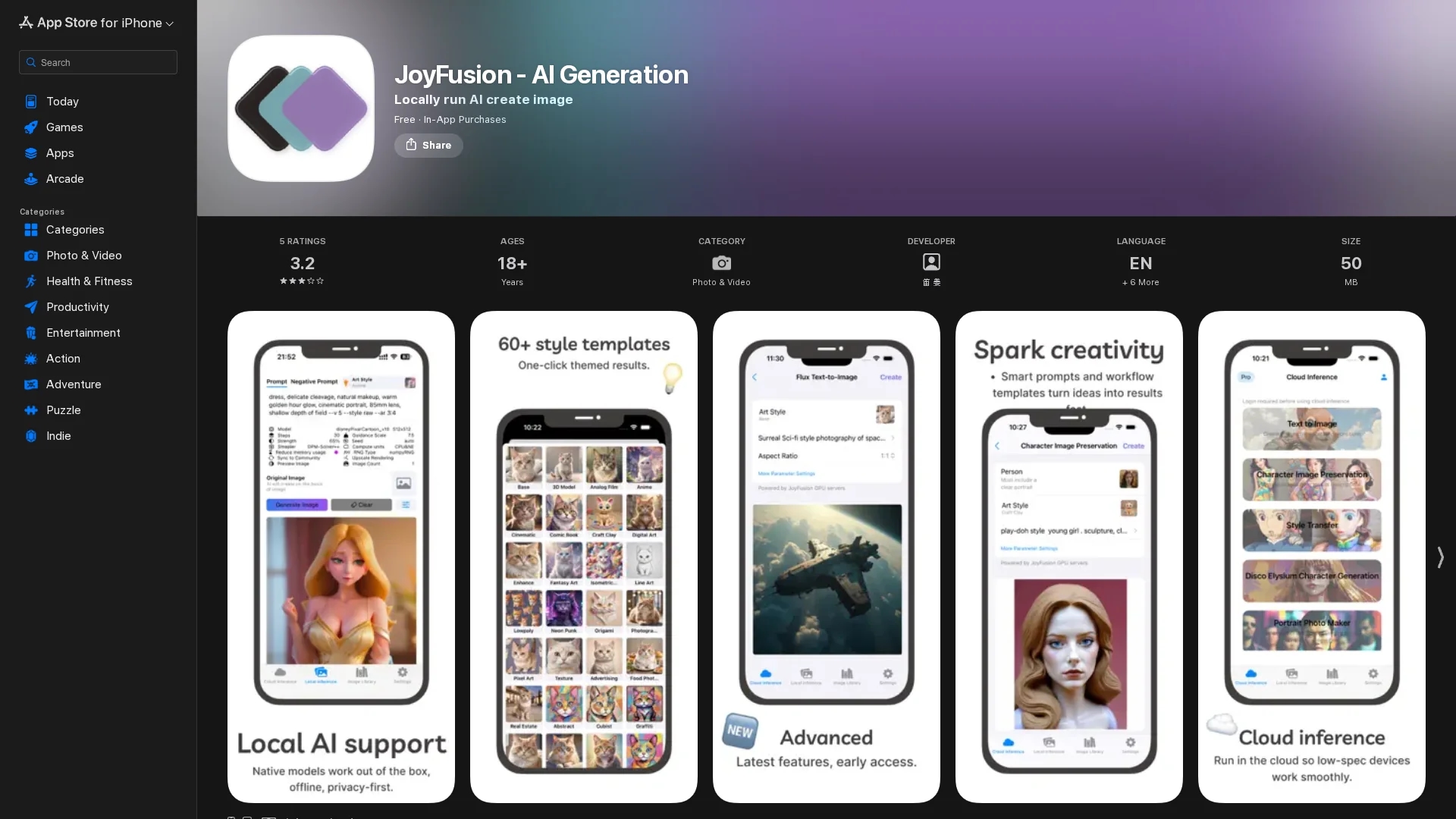
JoyFusion is a local AI drawing app for iPhone, iPad, and Mac that generates high-quality images from keywords or concepts with ease.
Disclaimer: Visionary Hub is not affiliated with, endorsed by, or the operator of this tool. All trademarks, logos, and content are the property of their respective owners. Full disclaimer available here
Key Features
Local AI Generation
Runs AI models locally without internet, protecting user data privacy.
Keyword-Based Input
Creates images from simple keywords or concepts with adjustable prompts.
Apple Silicon Support
Optimized for Apple Silicon devices to enhance speed and image quality.
Multiple Style Templates
Includes 60+ style templates for quick and varied image stylization.
Get Started
Share & Save
Share on Social Media
Why Choose JoyFusion - AI Generation
Local Processing:
Generates images entirely on-device, ensuring user privacy and offline access.Apple Silicon Optimized:
Supports Apple Silicon for improved performance and faster image generation.Flexible Models:
Offers multiple local AI models and style templates for diverse creative needs.
Pricing
JoyFusion offers a freemium model with in-app purchases. Premium plans include a Lifetime Premium one-time purchase at $7.99 and a Monthly Premium subscription at $1.99. Subscriptions auto-renew unless canceled 24 hours before period end.
About JoyFusion - AI Generation
JoyFusion is a local AI drawing app for iPhone, iPad, and Mac that generates high-quality images from keywords or concepts with ease.
What JoyFusion - AI Generation Does
JoyFusion generates high-quality images locally on Apple devices by processing user-input keywords or concepts. It benefits users by providing privacy and offline functionality without relying on cloud services.
The app supports multiple local AI models, including Stable Diffusion, and offers adjustable parameters and style templates to fine-tune image outputs. It is optimized for Apple Silicon devices to enhance speed and quality.
JoyFusion is suitable for creating visuals for social media posts, marketing materials, and creative projects, serving designers, artists, and marketers who require professional-grade images generated securely on their devices.
Pros & Cons
Privacy
All image generation occurs locally, keeping user data secure.
Device Compatibility
Supports iPhone, iPad, and Mac with Apple Silicon optimization.
Resource Intensive
AI drawing requires significant memory and processing power on devices.
Storage Usage
Model files consume substantial storage without customizable location options.
Frequently Asked Questions
Choose the split-einsum model for lower performance requirements; original model needs higher specs like M1 Max 32GB.
Enable 'Reduce Memory Usage', lower iteration steps to around 10, and close other apps to free memory.
Model files are large, and download speed may vary by region.
Local AI drawing is resource-heavy; speed improves after the model loads.
Use the original model, adjust parameters and prompts, learn prompt tuning, or try different models.
Similar Tools You Might Like
Discover more AI-powered tools that complement your workflow


List Your AI Tool & Reach Thousands of Users
Join 500+ AI innovators already thriving on our platform. Get visibility, feedback, and boost your conversions.
Expand Your Audience
Connect with over 50,000 AI enthusiasts actively looking for tools like yours.
Boost Your Authority
Get verified reviews and ratings to build credibility in the AI marketplace.
Drive Conversions
Our premium placements and targeted audience deliver quality leads and sign-ups.