
Image Editor Online
Image Editor Online is an AI-powered photo editing tool that uses natural language prompts to remove backgrounds, adjust poses, transfer styles, and refine images continuously in one platform.
Disclaimer: Visionary Hub is not affiliated with, endorsed by, or the operator of this tool. All trademarks, logos, and content are the property of their respective owners. Full disclaimer available here
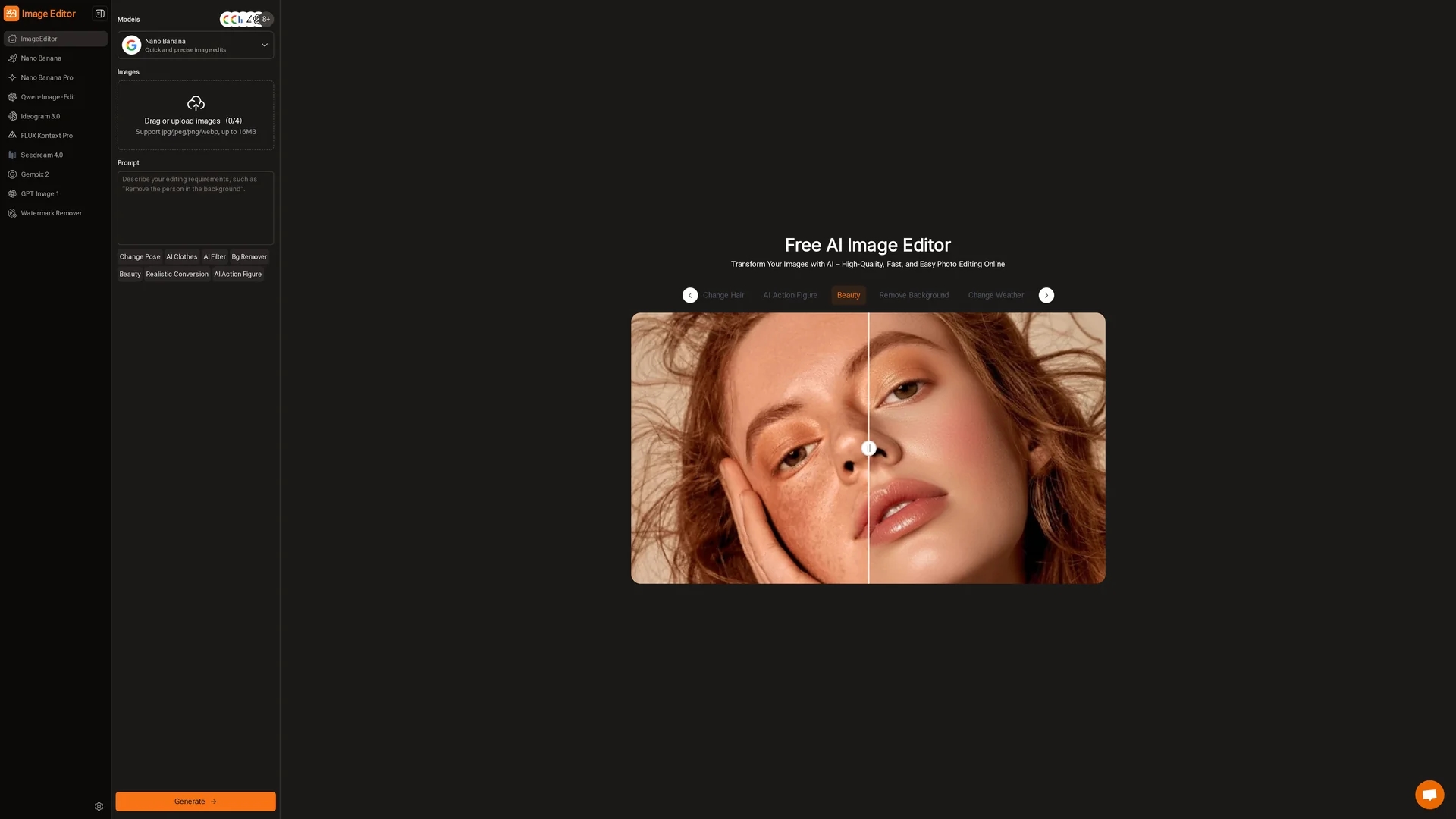
Key Features
Background Removal
Automatically remove image backgrounds for clean visuals.
Pose Adjustments
Modify subject poses using AI-powered editing.
Style Transfers
Apply artistic styles to images with AI models.
Preset Prompts
Use ready-made prompts for social media and educational visuals.
Get Started
Share & Save
Share on Social Media
Why Choose Image Editor Online
Natural Language:
Edit images easily using simple text prompts without design skills.Multiple AI Models:
Choose from diverse AI models tailored for different editing tasks.Continuous Editing:
Refine images repeatedly in one place without switching tools.
Pricing
Image Editor Online offers free access to its core features, including high-quality downloads. Some advanced features or higher resolution options may be limited. For detailed pricing, visit the official website.
About Image Editor Online
Image Editor Online is an AI-powered photo editing tool that uses natural language prompts to remove backgrounds, adjust poses, transfer styles, and refine images continuously in one platform.
What Image Editor Online Does
Image Editor Online allows users to edit and enhance photos quickly using AI models and natural language prompts. It benefits users by simplifying complex editing tasks such as background removal and style transfers without requiring professional skills.
The tool supports file uploads in JPG, PNG, and WEBP formats up to 16MB and offers multiple AI models including Nano Banana and Flux Kontext. Users can apply preset prompts or custom instructions to adjust poses, remove backgrounds, and transfer styles. Continuous editing enables iterative refinement of images within a single interface.
Ideal for social media content, marketing materials, educational visuals, and e-commerce product photos, Image Editor Online adapts to diverse creative and professional needs, streamlining workflows for digital marketers, designers, and content creators.
Pros & Cons
User-Friendly
No advanced editing skills required due to natural language interface.
Free Access
Core features and high-quality downloads are available for free.
File Size Limit
Supports image uploads only up to 16MB.
Advanced Features
Some advanced options may be limited in the free version.
Frequently Asked Questions
It supports JPG, PNG, and WEBP formats with a maximum file size of 16MB.
Yes, core features are free, including high-quality downloads; some advanced features may have limitations.
No, the tool uses natural language prompts, making it accessible to users without design experience.
Models include Nano Banana, Flux Kontext, Seedream, and GPT for various editing tasks.
Yes, users can download high-quality, high-resolution edited images.
Similar Tools You Might Like
Discover more AI-powered tools that complement your workflow

List Your AI Tool & Reach Thousands of Users
Join 500+ AI innovators already thriving on our platform. Get visibility, feedback, and boost your conversions.
Expand Your Audience
Connect with over 50,000 AI enthusiasts actively looking for tools like yours.
Boost Your Authority
Get verified reviews and ratings to build credibility in the AI marketplace.
Drive Conversions
Our premium placements and targeted audience deliver quality leads and sign-ups.