
DocuClipper
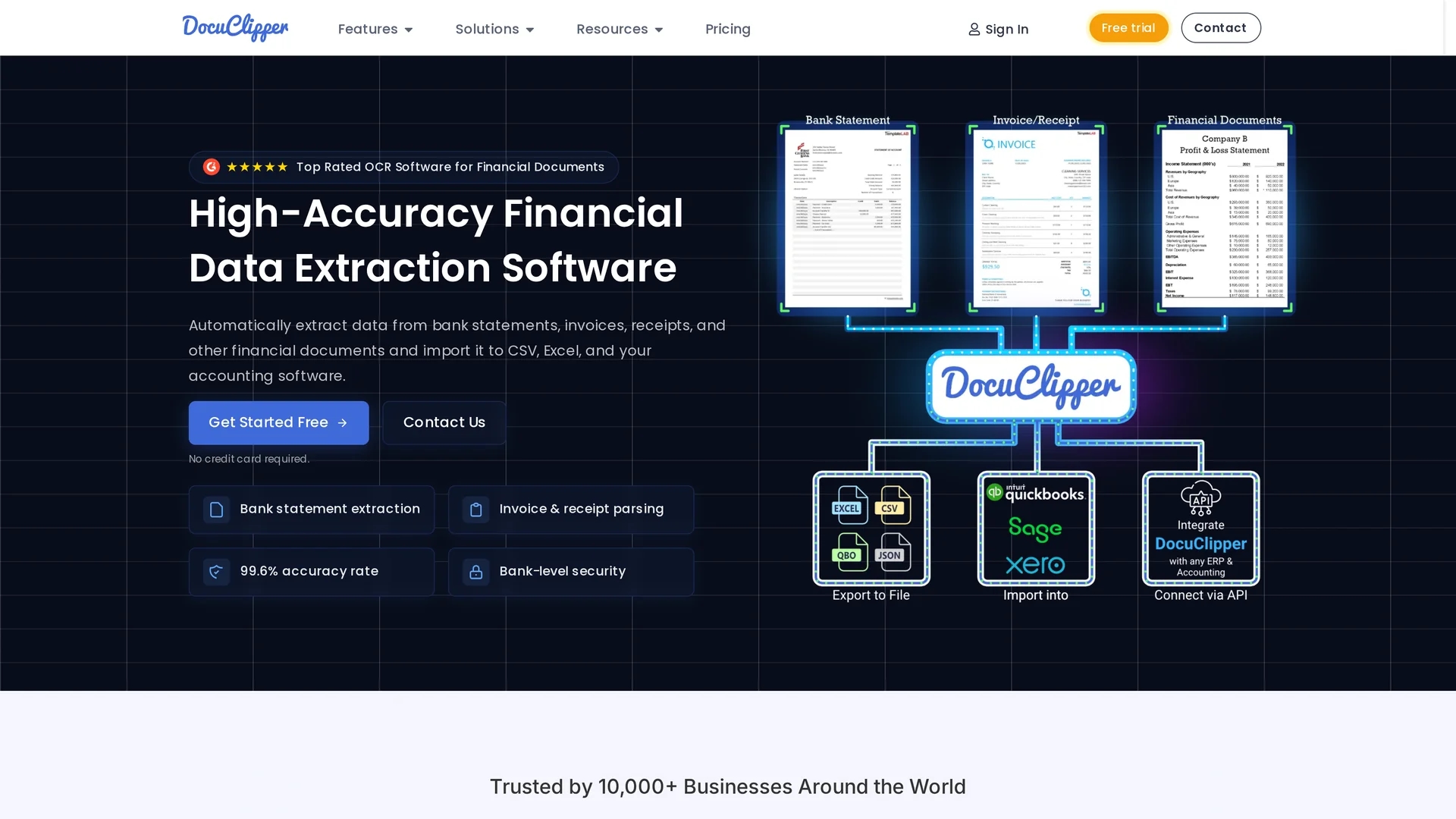
DocuClipper is an AI-powered OCR tool that converts financial documents into structured Excel or CSV formats, featuring automated bank statement reconciliation and transaction categorization for efficient bookkeeping.
Disclaimer: Visionary Hub is not affiliated with, endorsed by, or the operator of this tool. All trademarks, logos, and content are the property of their respective owners. Full disclaimer available here
Key Features
OCR Conversion
Converts bank statements, invoices, and receipts into Excel, CSV, or QBO formats.
Bank Reconciliation
Automatically reconciles bank statements to ensure error-free records.
Transaction Categorization
Categorizes transactions based on customizable rules for streamlined bookkeeping.
Accounting Integrations
Supports QuickBooks, Xero, Sage, and other ERP software for direct data import.
Get Started
Share & Save
Share on Social Media
Why Choose DocuClipper
High Accuracy:
Extracts financial data with 99.6% precision using advanced OCR algorithms.Automation:
Automates reconciliation and categorization to reduce manual bookkeeping tasks.Integrations:
Seamlessly connects with popular accounting and ERP software for data import.
Pricing
DocuClipper offers a 14-day free trial. Paid plans include Starter ($27-$39/mo), Professional ($52-$74/mo), Business ($111-$159/mo), and Enterprise (starting at $399/mo). Pricing details are subject to change; visit the official pricing page for updates.
About DocuClipper
DocuClipper is an AI-powered OCR tool that converts financial documents into structured Excel or CSV formats, featuring automated bank statement reconciliation and transaction categorization for efficient bookkeeping.
What DocuClipper Does
DocuClipper automates the extraction and conversion of financial documents such as bank statements, invoices, and receipts into structured formats like Excel, CSV, and QBO. This reduces manual data entry and accelerates bookkeeping workflows.
It uses advanced OCR technology combined with specialized algorithms to accurately capture data from both scanned and digital PDFs. Key features include automated bank statement reconciliation, transaction categorization by custom rules, and integration with accounting platforms like QuickBooks, Xero, and Sage.
Industries such as accounting, finance, e-commerce, and business management benefit from DocuClipper’s ability to streamline financial reporting, detect anomalies, and improve data accessibility.
Pros & Cons
Time-Saving
Eliminates manual data entry by automating document processing.
Security
Ensures data protection with SOC 2 compliance and AES 256-bit encryption.
Pricing
Higher-tier plans may be costly for small businesses or freelancers.
Learning Curve
Users may require time to set up custom templates and rules effectively.
Frequently Asked Questions
It processes bank statements, invoices, receipts, tax forms, and other financial documents.
Yes, there is a 14-day free trial available with no credit card required.
It integrates with QuickBooks, Xero, Sage, Quicken, NetSuite, Dynamics 365, and SAP.
Yes, it uses SOC 2 certified infrastructure and AES 256-bit encryption for data security.
Yes, users can create custom templates and rules for precise data extraction and categorization.
Similar Tools You Might Like
Discover more AI-powered tools that complement your workflow

List Your AI Tool & Reach Thousands of Users
Join 500+ AI innovators already thriving on our platform. Get visibility, feedback, and boost your conversions.
Expand Your Audience
Connect with over 50,000 AI enthusiasts actively looking for tools like yours.
Boost Your Authority
Get verified reviews and ratings to build credibility in the AI marketplace.
Drive Conversions
Our premium placements and targeted audience deliver quality leads and sign-ups.