
Detail
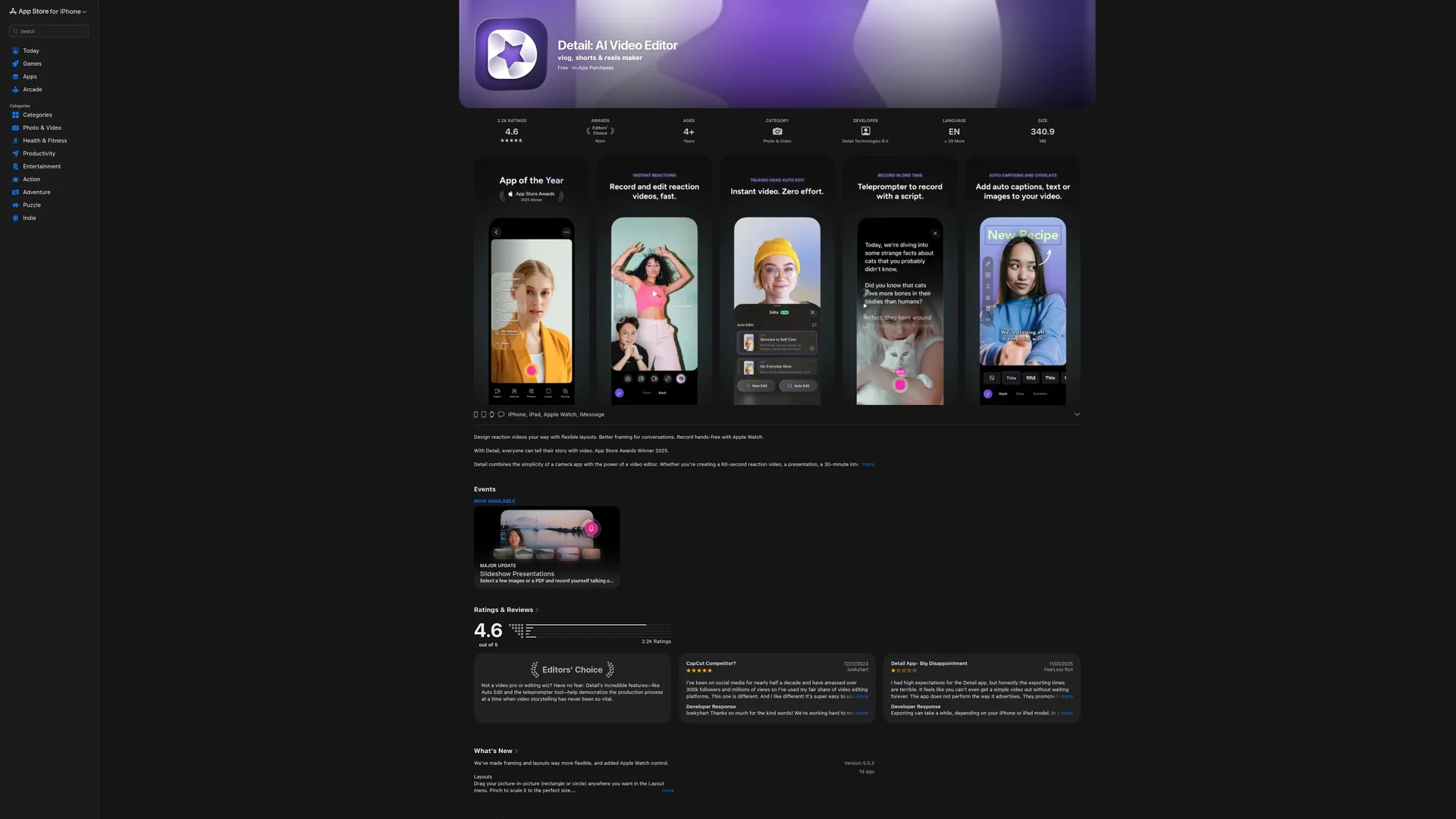
Detail is an AI-powered video and podcast recording and editing platform for iOS and macOS, featuring auto-editing, teleprompter, multi-camera streaming, and automatic captions.
Disclaimer: Visionary Hub is not affiliated with, endorsed by, or the operator of this tool. All trademarks, logos, and content are the property of their respective owners. Full disclaimer available here
Key Features
Teleprompter
Integrated teleprompter with AI Director guides users during recording.
Podcast Auto Edit
AI-powered editing tailored for podcast recordings to streamline production.
Live Streaming
Stream to platforms like YouTube, Twitch, and Instagram with overlays and layouts.
Green Screen Editor
Apply live green screen effects with Chroma Key for professional visuals.
Get Started
Share & Save
Share on Social Media
Why Choose Detail
AI Auto Edit:
Automatically creates polished videos by removing silences and adding transitions.Multi-Camera:
Supports easy multi-camera recording and streaming for professional quality.Automatic Captions:
Generates captions in multiple styles and languages to enhance accessibility.
Pricing
Detail offers a Basic free plan with unlimited recording, editing, captions, and multi-camera support. The Pro plan costs €4.99/month or €59.99/year, adding watermark-free exports, advanced AI features, and podcast auto-editing. Visit the pricing page for details.
About Detail
Detail is an AI-powered video and podcast recording and editing platform for iOS and macOS, featuring auto-editing, teleprompter, multi-camera streaming, and automatic captions.
What Detail Does
Detail enables users to record, edit, and share videos and podcasts using AI-powered tools on iOS and macOS devices. It streamlines content creation by combining recording and editing in a single platform.
Key features include AI Auto Edit that removes silences and adds transitions, a teleprompter with AI Director for guided recording, multi-camera streaming for professional setups, and automatic caption generation in multiple styles and languages.
It is ideal for podcasters, social media marketers, educators, and streamers who want to create polished video content, reaction videos, live streams, and podcasts efficiently.
Pros & Cons
Integrated Workflow
Combines recording and editing in one app for faster content creation.
AI Enhancements
Uses AI to automate editing tasks, saving time and effort.
Export Speed
Video exporting can be slow or occasionally freeze on some devices.
Platform Limit
Available only on iOS and macOS, limiting cross-platform use.
Frequently Asked Questions
No, the iOS PRO and macOS PRO subscriptions are separate and must be purchased individually.
Basic plan offers unlimited recording, editing, watermark exports, multi-camera, captions, teleprompter, and live green screen editor.
Requires iOS 16.0 or later with A12 Bionic chip or newer; macOS 13.0 or later with Apple M1 chip or newer.
Yes, Detail supports live streaming to YouTube, Twitch, Instagram, LinkedIn, Kick, and Facebook via RTMP.
Yes, Detail generates automatic captions in multiple languages with customizable styles.
Similar Tools You Might Like
Discover more AI-powered tools that complement your workflow


List Your AI Tool & Reach Thousands of Users
Join 500+ AI innovators already thriving on our platform. Get visibility, feedback, and boost your conversions.
Expand Your Audience
Connect with over 50,000 AI enthusiasts actively looking for tools like yours.
Boost Your Authority
Get verified reviews and ratings to build credibility in the AI marketplace.
Drive Conversions
Our premium placements and targeted audience deliver quality leads and sign-ups.