
Cursor
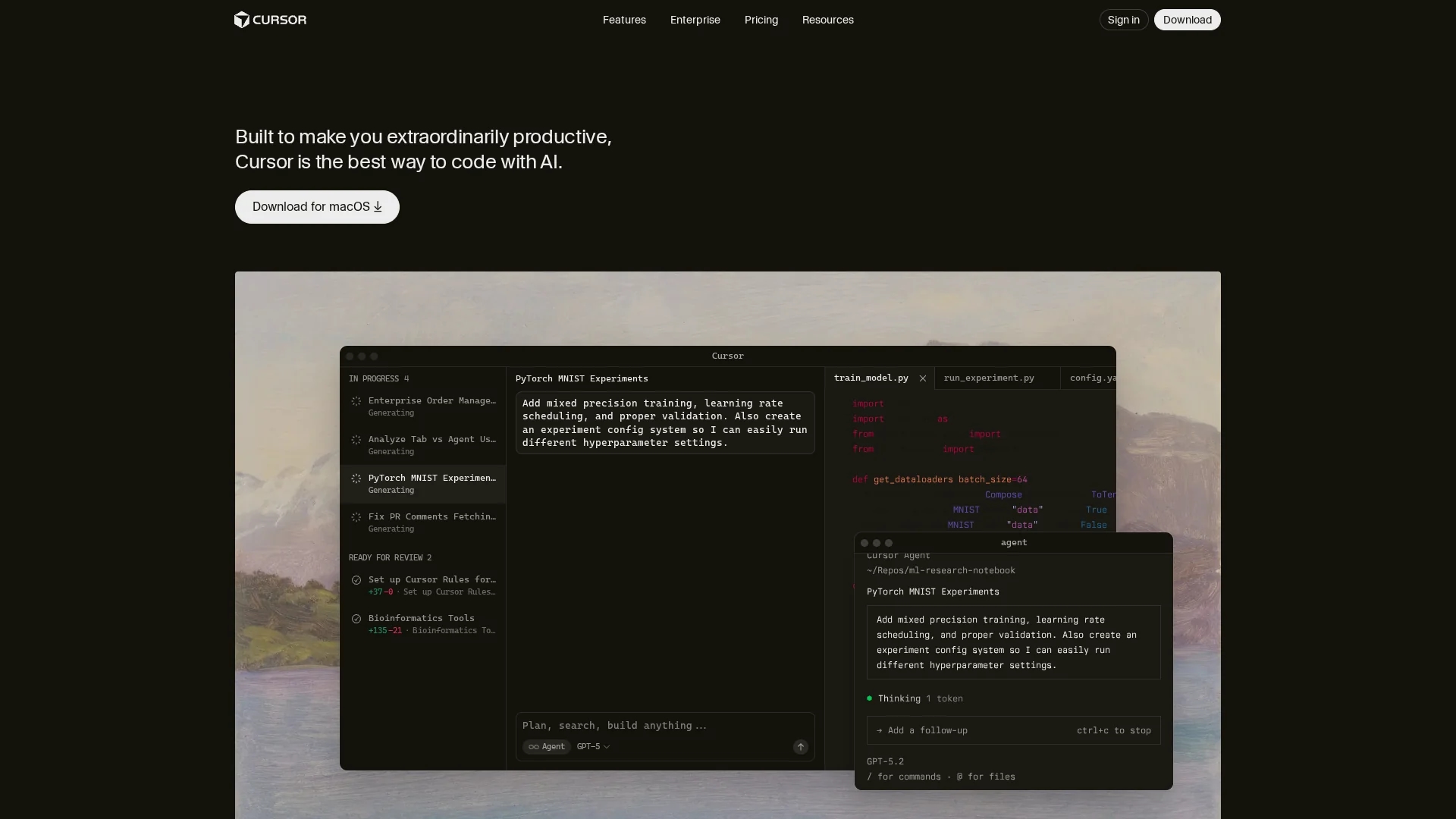
AI-powered code editor built on a VS Code fork that embeds multi-model AI and autonomous agents to accelerate development, reduce bugs, and scale from individual developers to enterprise engineering teams.
Disclaimer: Visionary Hub is not affiliated with, endorsed by, or the operator of this tool. All trademarks, logos, and content are the property of their respective owners. Full disclaimer available here
Key Features
Tab model completion
Fast, context-aware autocomplete that predicts next actions to speed coding and reduce keystrokes.
Autonomous agents
Agents run locally to build, test, and demo features end-to-end for developer review.
Multi-model support
Switch between GPT-4, Claude, Gemini, and cursor-small; Auto mode selects cost-efficient models.
Natural commands
Plain-language instructions execute complex tasks like refactors or feature changes directly in-editor.
Cross-tool collaboration
Reviews PRs in GitHub, integrates with Slack, and executes commands in terminals for team workflows.
Codebase context
Understands project structure to produce accurate, architecture-aware suggestions and refactors.
Error detection
Automatically identifies and corrects bugs to reduce manual debugging time.
Docs generation
Drafts project documentation from code to lower maintenance overhead and improve onboarding.
Get Started
Share & Save
Share on Social Media
Why Choose Cursor
Enterprise Trust:
Used by over half the Fortune 500 with SOC 2 and enterprise compliance features for secure large-scale deployments.Proprietary Models:
In-house models plus multi-model support let teams optimize for cost or capability per task.Productivity Gains:
Benchmarks show substantial cycle-time and shipping speed improvements across teams and individuals.Workflow Integration:
Integrates with GitHub, Slack, terminals, and JetBrains IDEs to minimize context switching.Dual GTM Approach:
Product-led adoption plus dedicated technical AI advisors for enterprise onboarding and support.
Pricing
Cursor uses a credit-based billing system introduced June 2025. Plans range from Hobby (free) to Ultra ($200/month). Pro is $20/month ($16 billed annually), Pro+ $60 ($48 annual), Teams $40/user ($32 annual); Enterprise pricing is custom. Annual billing saves 20%.
About Cursor
AI-powered code editor built on a VS Code fork that embeds multi-model AI and autonomous agents to accelerate development, reduce bugs, and scale from individual developers to enterprise engineering teams.
What Cursor Does
Cursor is an AI-powered code editor that embeds model-driven completions and autonomous agents directly into the editor to accelerate coding, refactoring, and debugging while preserving full project context.
The platform supports multiple models (GPT-4, GPT-4 Turbo, Claude, Gemini, and cursor-small), offers Auto mode for cost-efficient selections, and runs agents that can build, test, and demo features on developers' machines.
Use cases include single-developer productivity, team collaboration with shared context, PR reviews in GitHub, Slack integration, and large-scale enterprise adoption with compliance and centralized billing.
Pros & Cons
Enterprise adoption
Over half of Fortune 500 companies use Cursor, driving strong revenue and enterprise traction.
High productivity
Benchmarks report large reductions in development time and lower bug rates with Cursor usage.
Model flexibility
Support for multiple models and proprietary models maximizes capability and cost control.
Deep integrations
Embeds across development workflows—GitHub, Slack, terminals, and major IDEs.
Credit billing
Credit-based pricing shifts cost unpredictability to users compared with fixed request limits.
Community churn
Some individual developers have migrated to competing tools amid recent changes.
Per-task variance
Complex tasks consume more credits, making per-task costs less predictable for power users.
Frequently Asked Questions
Cursor uses a credit pool tied to your monthly plan; premium model usage depletes credits based on API pricing. Auto mode is unlimited and doesn't use credits. When credits run out you can enable pay-as-you-go overages or upgrade plans.
Auto mode selects cost-efficient models automatically and is unlimited. Manual selection lets you pick premium models (Claude, GPT-4, Gemini, etc.) that draw from your credit pool for higher capability tasks.
Cursor benchmarks show meaningful gains: typical users see 20–100% improvements, with advanced users reporting 2x–6x shipping speed and industry studies noting reductions in development time and bug rates.
Cursor supports GPT-4, GPT-4 Turbo, Claude (including Sonnet), Gemini, and a proprietary cursor-small model, plus in-house models that generate substantial code volume.
Yes. Cursor continues active development with regular releases, a Cursor Marketplace for plugins, JetBrains integrations, and ongoing feature expansions and security updates.
Over half of the Fortune 500 use Cursor to accelerate development, with specific enterprise case studies showing measurable cycle-time and quality improvements.
Similar Tools You Might Like
Discover more AI-powered tools that complement your workflow



List Your AI Tool & Reach Thousands of Users
Join 500+ AI innovators already thriving on our platform. Get visibility, feedback, and boost your conversions.
Expand Your Audience
Connect with over 50,000 AI enthusiasts actively looking for tools like yours.
Boost Your Authority
Get verified reviews and ratings to build credibility in the AI marketplace.
Drive Conversions
Our premium placements and targeted audience deliver quality leads and sign-ups.