Checkget AI
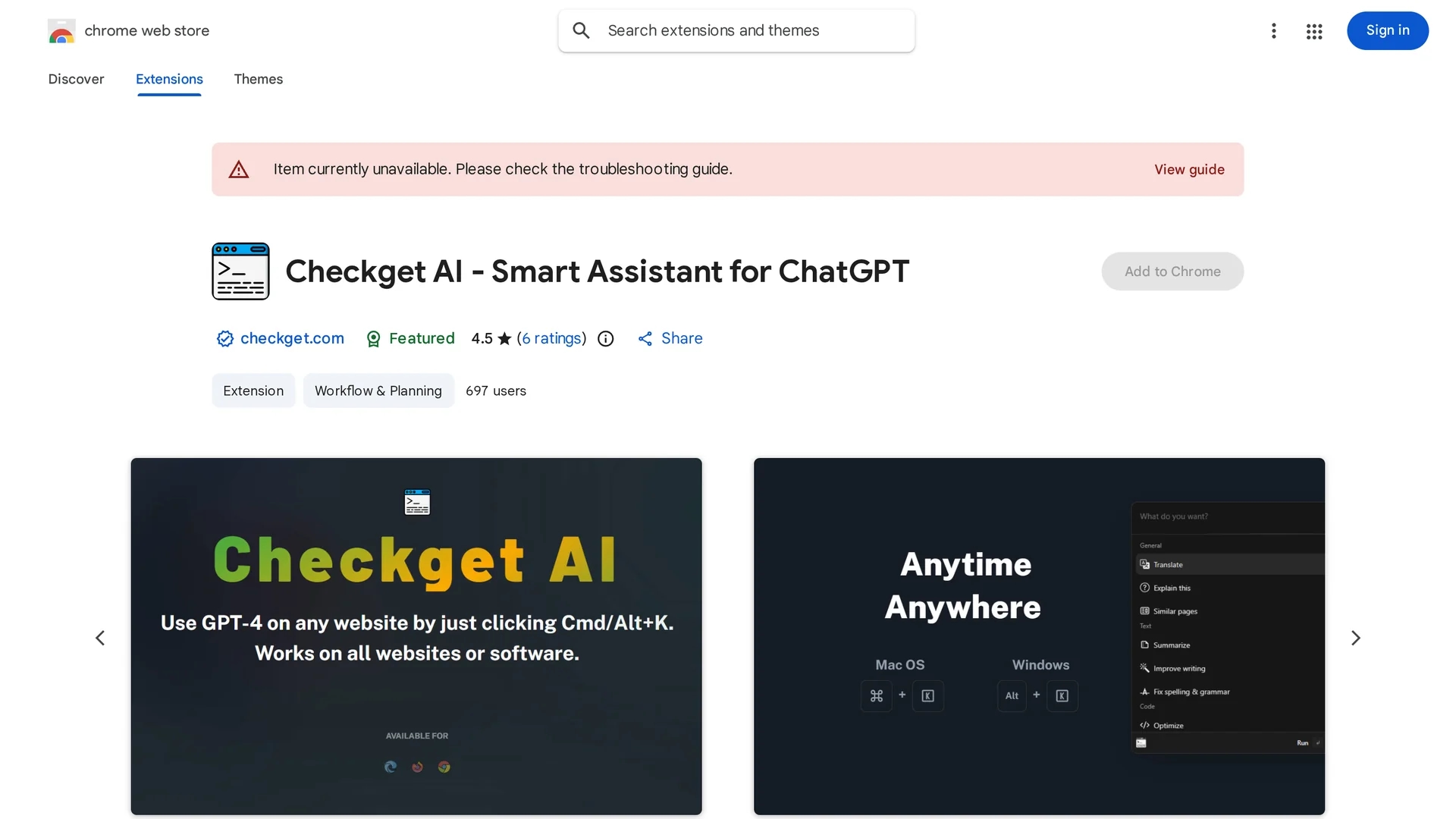
Checkget AI is a GPT-4 powered browser extension that enables translation, email replies, code generation, and more on any website without copying and pasting.
Disclaimer: Visionary Hub is not affiliated with, endorsed by, or the operator of this tool. All trademarks, logos, and content are the property of their respective owners. Full disclaimer available here
Key Features
Shortcut Activation
Access AI features instantly via Cmd/Alt+K on any webpage.
Email Assistance
Compose and improve emails efficiently within the browser.
Text Editing
Correct grammar, adjust tone, and modify text length easily.
Code Support
Generate, optimize, and explain code snippets quickly.
Get Started
Share & Save
Share on Social Media
Why Choose Checkget AI
Universal Access:
Works on any website or software with a simple shortcut or icon click.Multi-Functionality:
Supports translation, email replies, code generation, and writing improvements.Privacy Mode:
Offers local mode using API key for secure, direct ChatGPT communication.
Pricing
Checkget AI offers a freemium pricing model. For detailed pricing and plan information, visit the official extension page on the Chrome Web Store.
About Checkget AI
Checkget AI is a GPT-4 powered browser extension that enables translation, email replies, code generation, and more on any website without copying and pasting.
What Checkget AI Does
Checkget AI functions as an intelligent browser extension that allows users to access GPT-4 powered AI capabilities on any website. It enables translation, email replies, code generation, text improvement, and tone adjustment without switching apps or copying text.
Users activate the tool via keyboard shortcuts (Cmd/Alt+K) or by clicking the extension icon. It recognizes context automatically, offering grammar correction, text shortening or lengthening, and code explanation or optimization. A local mode is available for privacy-conscious users who want direct communication with ChatGPT using their API key.
This tool is useful across industries including software development, content creation, email marketing, social media management, and academic research, enhancing productivity and communication efficiency.
Pros & Cons
Ease of Use
Seamless integration with any website via keyboard shortcut or icon.
Language Support
Supports eight major languages for diverse user needs.
Limited Pricing Info
Detailed pricing plans are not clearly specified in the extension listing.
No Direct Signup
No dedicated signup URL; users install via Chrome Web Store.
Frequently Asked Questions
Press ⌘+K (Mac) or Alt+K (Windows) on any website or click the extension icon.
Yes, local mode allows direct ChatGPT communication after setting your API key.
It supports Deutsch, English, Français, español, русский, 中文, 日本語, and 한국어.
Checkget AI uses a freemium model; details are available on the Chrome Web Store page.
The tool is developed by the team behind checkget.com, contactable via [email protected].
Similar Tools You Might Like
Discover more AI-powered tools that complement your workflow
List Your AI Tool & Reach Thousands of Users
Join 500+ AI innovators already thriving on our platform. Get visibility, feedback, and boost your conversions.
Expand Your Audience
Connect with over 50,000 AI enthusiasts actively looking for tools like yours.
Boost Your Authority
Get verified reviews and ratings to build credibility in the AI marketplace.
Drive Conversions
Our premium placements and targeted audience deliver quality leads and sign-ups.