YoutubeDigest
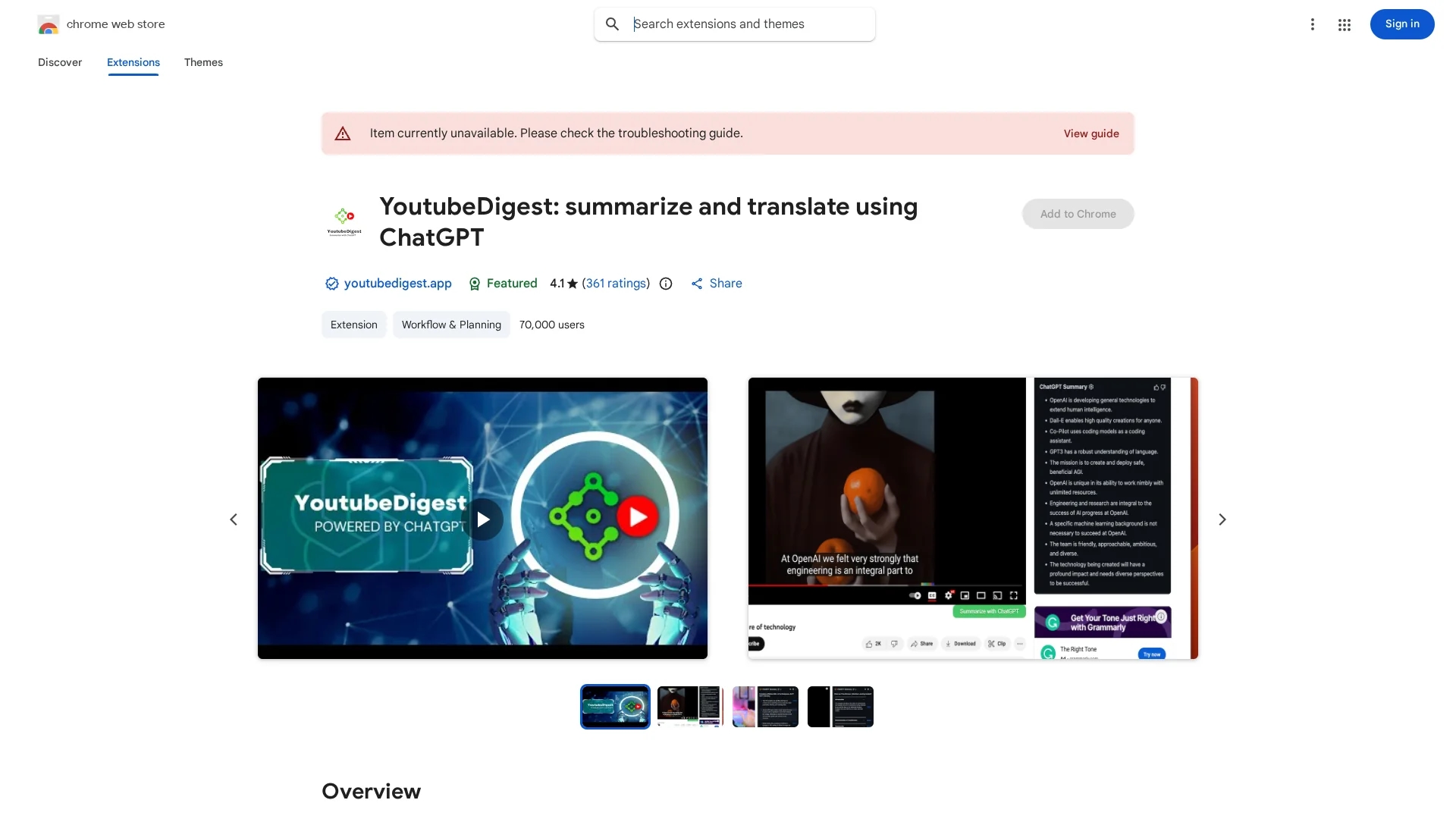
YoutubeDigest is a free Chrome extension that uses ChatGPT to summarize and translate YouTube videos, providing quick article or key point summaries in multiple formats.
Disclaimer: Visionary Hub is not affiliated with, endorsed by, or the operator of this tool. All trademarks, logos, and content are the property of their respective owners. Full disclaimer available here
Key Features
ChatGPT Summarization
Uses ChatGPT AI to generate concise video summaries.
Translation
Translates summaries into 25+ languages for global users.
Export Options
Exports summaries as PDF, DOCX, or text files.
Multiple Summary Styles
Provides single paragraph, bullet points, and layered bullet points.
Get Started
Share & Save
Share on Social Media
Why Choose YoutubeDigest
Free Access:
Available at no cost as a Chrome extension for easy installation.Multilingual Support:
Translates summaries into multiple languages for wider accessibility.Flexible Summaries:
Offers various summary formats including articles and bullet points.
Pricing
YoutubeDigest is available as a free Chrome extension. No paid plans or trials are currently offered.
About YoutubeDigest
YoutubeDigest is a free Chrome extension that uses ChatGPT to summarize and translate YouTube videos, providing quick article or key point summaries in multiple formats.
What YoutubeDigest Does
YoutubeDigest summarizes YouTube videos using ChatGPT AI, allowing users to quickly understand video content without watching the entire video. It generates summaries as single paragraphs, bullet points, layered bullet points with video chapters, or full articles.
The extension also translates summaries into different languages and supports exporting them as PDF, DOCX, or text files. It requires a ChatGPT account to function and currently works only on videos with transcripts.
This tool is useful for students, researchers, and professionals who want to save time and improve comprehension across various languages and video topics.
Pros & Cons
Time-saving
Allows quick understanding of video content without full viewing.
User-friendly
Easy Chrome extension installation and use with ChatGPT integration.
Transcript Required
Only works on videos that have transcripts available.
ChatGPT Account
Requires users to have an active ChatGPT account.
Frequently Asked Questions
Yes, a ChatGPT account is required for the extension to function.
It is designed for Chrome; for Brave browser, specific settings must be adjusted.
No, currently the video must have a transcript for summarization.
Yes, currently it only supports YouTube videos but may expand in the future.
You can request additional languages via the support tab of the extension.
Similar Tools You Might Like
Discover more AI-powered tools that complement your workflow


List Your AI Tool & Reach Thousands of Users
Join 500+ AI innovators already thriving on our platform. Get visibility, feedback, and boost your conversions.
Expand Your Audience
Connect with over 50,000 AI enthusiasts actively looking for tools like yours.
Boost Your Authority
Get verified reviews and ratings to build credibility in the AI marketplace.
Drive Conversions
Our premium placements and targeted audience deliver quality leads and sign-ups.