web2llm
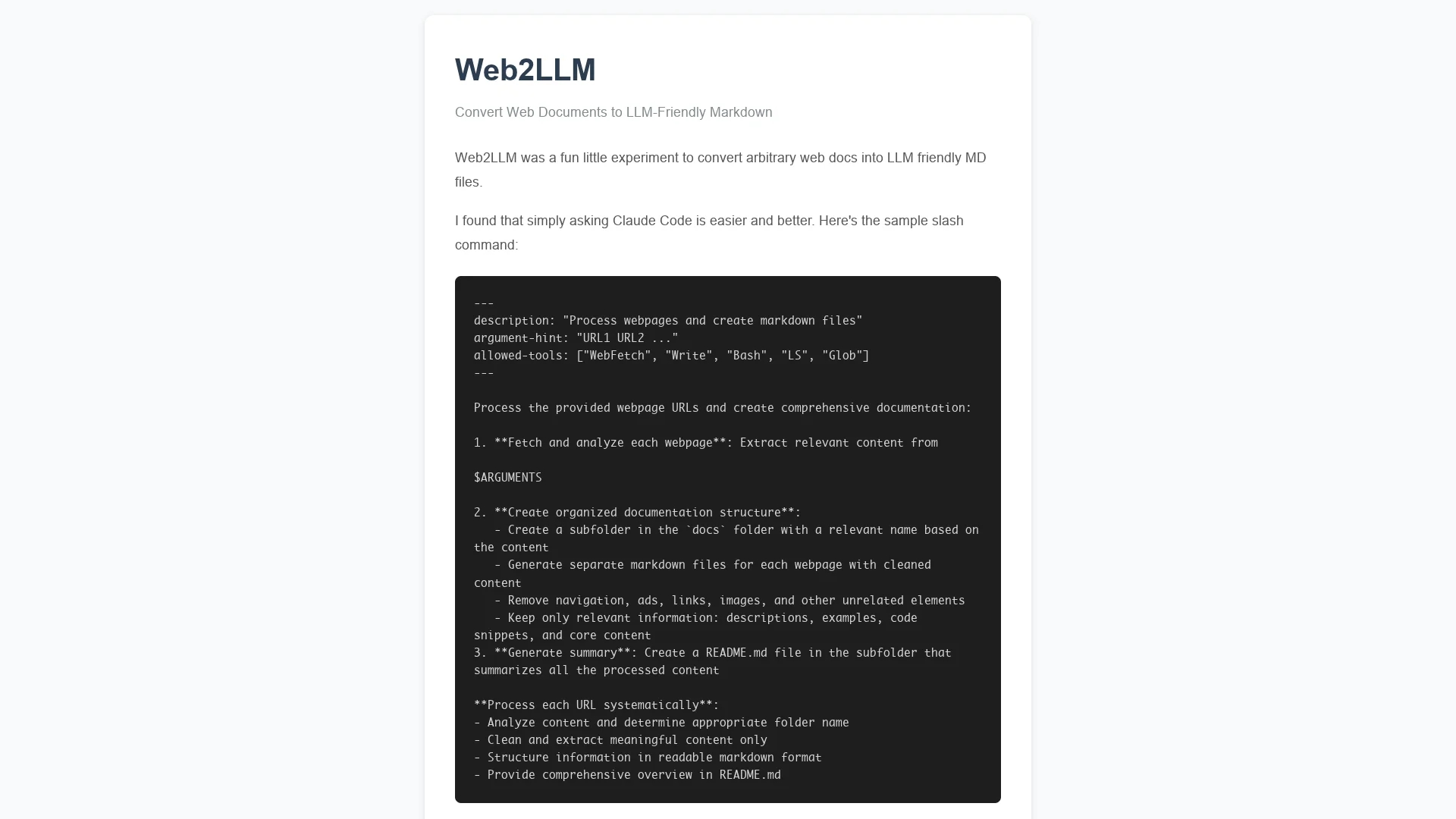
Web2llm converts multiple web documents into clean, structured Markdown files by extracting relevant content and omitting ads, navigation, and images, organizing them into a dedicated 'docs' folder with summaries.
Disclaimer: Visionary Hub is not affiliated with, endorsed by, or the operator of this tool. All trademarks, logos, and content are the property of their respective owners. Full disclaimer available here
Key Features
Web Document Conversion
Transforms web pages into LLM-friendly Markdown files.
Multi-URL Processing
Handles multiple URLs in one session for batch documentation.
Markdown Generation
Creates clean, readable Markdown files for each webpage.
Content Summarization
Produces a README.md summary file of all processed content.
Get Started
Share & Save
Share on Social Media
Why Choose web2llm
Content Filtering:
Removes ads, navigation, and images to keep only relevant webpage content.Multi-URL Support:
Processes multiple webpages simultaneously for comprehensive documentation.Structured Output:
Generates organized Markdown files with summary README for easy access.
Pricing
For current prices, visit the official page.
About web2llm
Web2llm converts multiple web documents into clean, structured Markdown files by extracting relevant content and omitting ads, navigation, and images, organizing them into a dedicated 'docs' folder with summaries.
What web2llm Does
Web2llm converts web pages into organized Markdown files, extracting essential content while filtering out ads, navigation, and images. This helps users compile clean, readable documentation from multiple web sources.
The tool fetches and analyzes each webpage, then creates a dedicated 'docs' folder containing individual Markdown files for each URL. It retains descriptions, code snippets, and examples, and generates a README.md summary file for an overview.
Web2llm is useful for developers gathering code examples, content creators summarizing tutorials, and analysts organizing research materials efficiently.
Pros & Cons
Efficient Documentation
Simplifies compiling and organizing web content into Markdown.
Clean Output
Removes irrelevant elements for focused and readable files.
Limited Developer Info
No clear developer or company details available.
No Pricing Details
Pricing information is not publicly disclosed.
Frequently Asked Questions
It extracts descriptions, code snippets, examples, and core webpage content.
Yes, it accepts multiple URLs and processes them systematically.
Pricing details are not provided; check the official site for updates.
Yes, it filters out ads, navigation links, and images for clean output.
It outputs content as organized Markdown files within a 'docs' folder.
Similar Tools You Might Like
Discover more AI-powered tools that complement your workflow
List Your AI Tool & Reach Thousands of Users
Join 500+ AI innovators already thriving on our platform. Get visibility, feedback, and boost your conversions.
Expand Your Audience
Connect with over 50,000 AI enthusiasts actively looking for tools like yours.
Boost Your Authority
Get verified reviews and ratings to build credibility in the AI marketplace.
Drive Conversions
Our premium placements and targeted audience deliver quality leads and sign-ups.