
Merry Christmas Video Generator
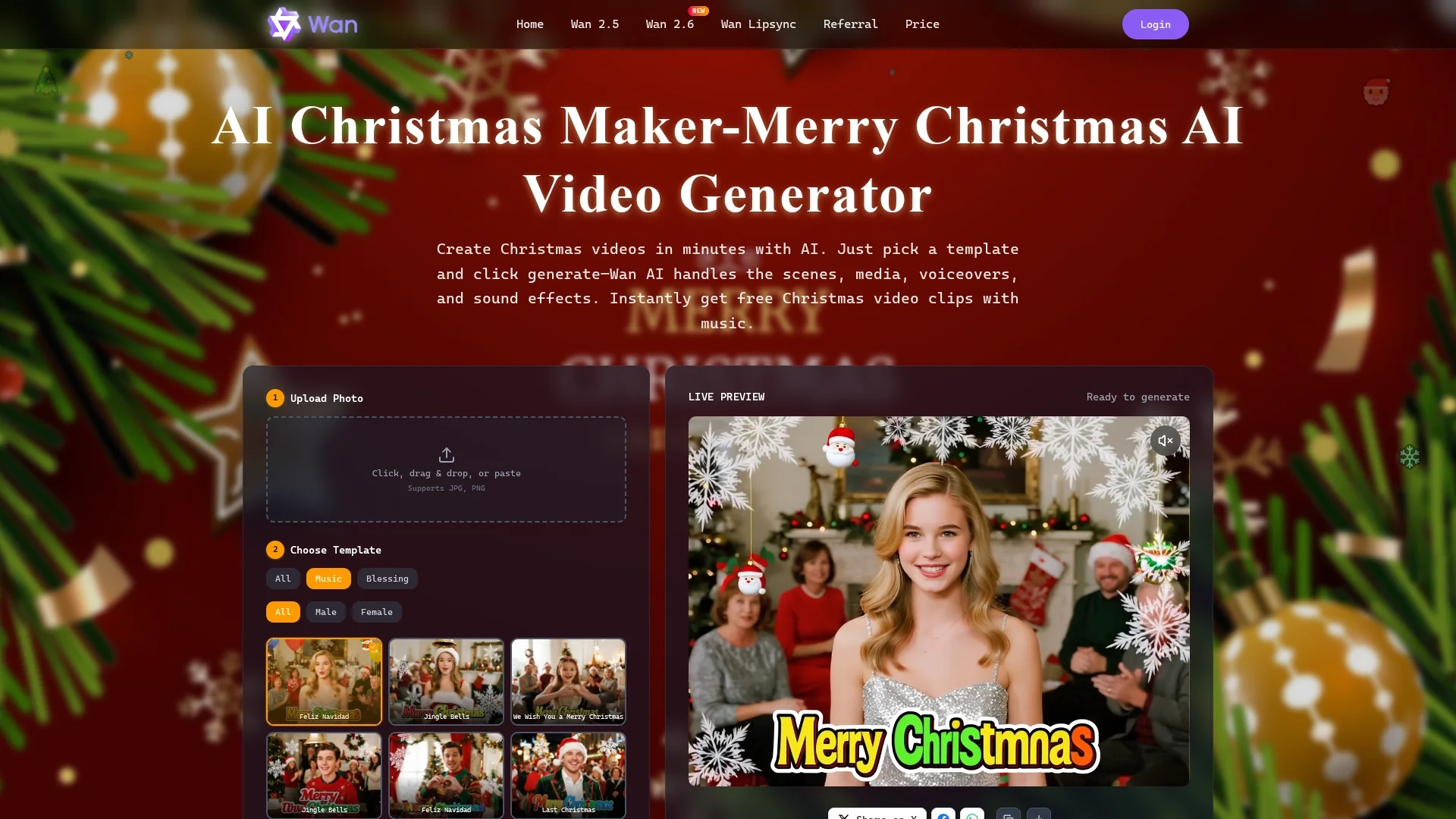
Merry Christmas AI Video Generator creates festive videos from photos and audio using customizable templates with live preview and auto-synced scenes and music.
Disclaimer: Visionary Hub is not affiliated with, endorsed by, or the operator of this tool. All trademarks, logos, and content are the property of their respective owners. Full disclaimer available here
Key Features
Photo and Audio Upload
Supports JPG/PNG images and MP3/WAV audio via drag-and-drop or paste.
Customizable Templates
Provides festive templates with editable scenes and sound effects.
Auto Scene Assembly
Automatically arranges scenes, voiceovers, and music to match audio.
Export Options
Exports videos at 480p or 720p with one-click generation.
Get Started
Share & Save
Share on Social Media
Why Choose Merry Christmas Video Generator
Template Variety:
Offers multiple customizable holiday templates for diverse video styles.Audio Sync:
Automatically matches video duration to uploaded audio length.Live Preview:
Enables real-time editing review before exporting videos.
Pricing
The platform offers a free trial for creating Christmas videos. For detailed pricing plans, visit the official pricing page.
About Merry Christmas Video Generator
Merry Christmas AI Video Generator creates festive videos from photos and audio using customizable templates with live preview and auto-synced scenes and music.
What Merry Christmas Video Generator Does
Merry Christmas AI Video Generator creates personalized holiday videos by converting user-uploaded photos and audio into cohesive clips using festive templates. It benefits users by simplifying video production for social media, e-cards, and promotions.
The tool supports drag-and-drop or paste uploads of JPG/PNG images and MP3/WAV audio files up to 20 MB, automatically syncing audio length with video duration. Users can preview edits live and export videos in 480p or 720p resolution. Built-in seasonal music can be replaced with custom tracks, and one-click generation streamlines the workflow.
Typical use cases include creating holiday e-cards, branded promo videos for small businesses, and family greeting montages optimized for platforms like Instagram, Facebook, and WhatsApp.
Pros & Cons
User-Friendly
Simple drag-and-drop interface for quick video creation.
Flexible Audio Support
Allows custom MP3 or WAV uploads up to 20 MB.
Resolution Limit
Exports capped at 720p, not supporting higher HD resolutions.
Limited Audio Length
Maximum project audio duration is 600 seconds.
Frequently Asked Questions
The tool supports JPG and PNG for images, and MP3 or WAV for audio uploads.
Yes, a live preview feature allows you to review edits before export.
Videos can be exported in 480p or 720p resolution.
Yes, the platform offers a free trial to create Christmas videos.
Audio uploads can be up to 20 MB, with project duration up to 600 seconds.
Similar Tools You Might Like
Discover more AI-powered tools that complement your workflow



List Your AI Tool & Reach Thousands of Users
Join 500+ AI innovators already thriving on our platform. Get visibility, feedback, and boost your conversions.
Expand Your Audience
Connect with over 50,000 AI enthusiasts actively looking for tools like yours.
Boost Your Authority
Get verified reviews and ratings to build credibility in the AI marketplace.
Drive Conversions
Our premium placements and targeted audience deliver quality leads and sign-ups.