
VideoCompress.ai
VideoCompress.ai is a free online tool that reduces video file sizes by up to 80% using advanced H.265 encoding, offering real-time previews and end-to-end encryption for secure processing.
Disclaimer: Visionary Hub is not affiliated with, endorsed by, or the operator of this tool. All trademarks, logos, and content are the property of their respective owners. Full disclaimer available here
Key Features
H.265 Encoding
Uses advanced codec for efficient compression and quality.
Format Support
Handles MP4, AVI, MOV, WMV, MKV and more formats.
Cloud Compression
Processes videos on cloud servers without local resource use.
Compression Presets
Offers web, storage, and HD quality presets for ease.
Get Started
Share & Save
Share on Social Media
Why Choose VideoCompress.ai
High Compression:
Reduces video sizes up to 80% while preserving quality.Real-Time Preview:
Allows users to compare compression effects instantly.Secure Processing:
Protects files with end-to-end encryption throughout.
Pricing
VideoCompress.ai is 100% free to use with no watermarks or usage limits. Users can compress unlimited videos without any subscription or payment required.
About VideoCompress.ai
VideoCompress.ai is a free online tool that reduces video file sizes by up to 80% using advanced H.265 encoding, offering real-time previews and end-to-end encryption for secure processing.
What VideoCompress.ai Does
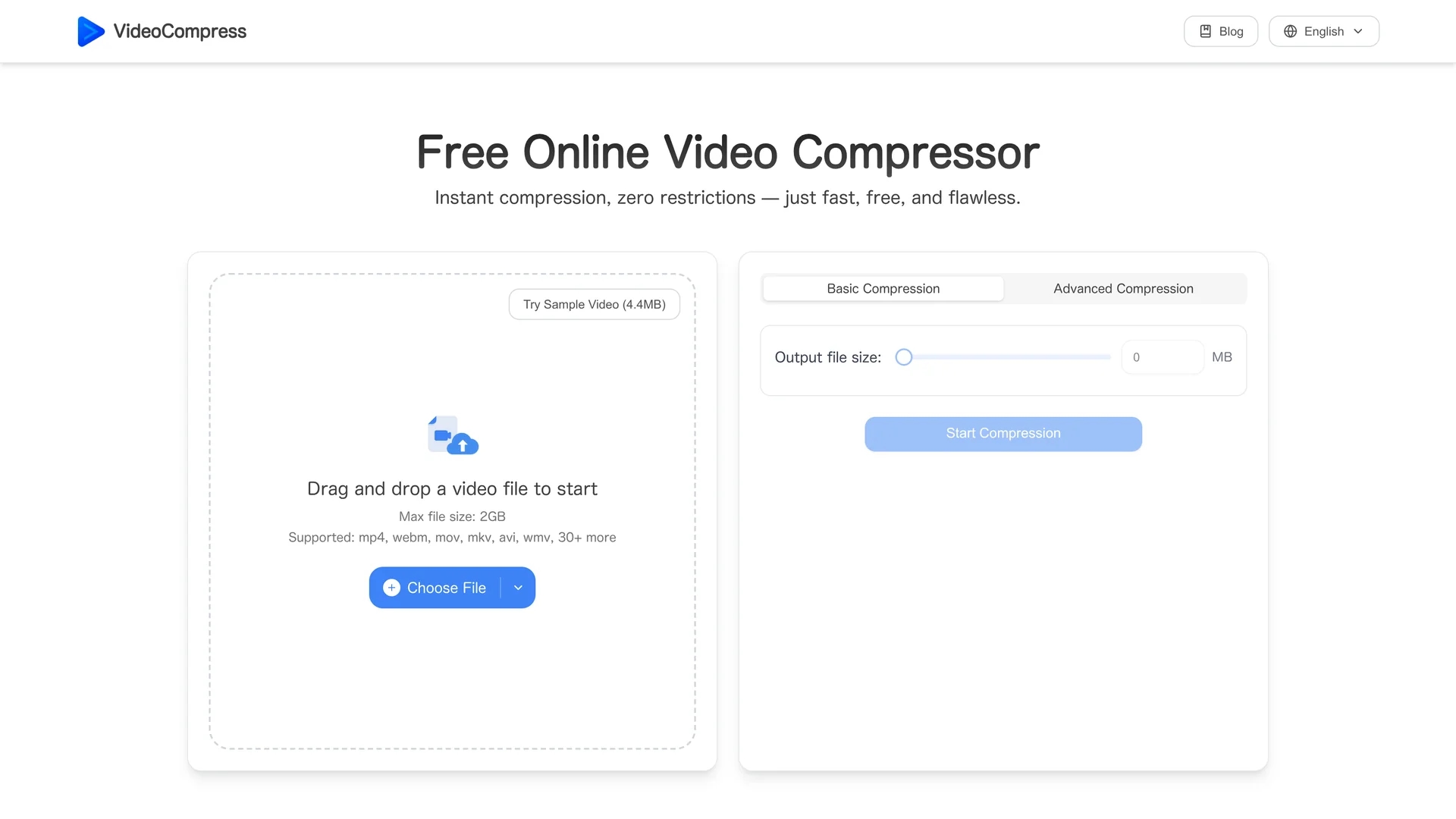
VideoCompress.ai compresses large video files to significantly smaller sizes, enabling faster uploads, easier sharing, and optimized storage without sacrificing visual quality. It benefits users by reducing bandwidth and storage costs while maintaining video clarity.
The tool employs advanced H.265/HEVC encoding technology and provides multiple compression presets tailored for web sharing, storage optimization, or HD preservation. Users can preview compression results in real time and convert between popular video formats like MP4, AVI, MOV, and WMV. Cloud-based processing ensures efficient handling of files up to 2GB, including 4K resolution videos.
Industries such as digital marketing, content creation, education, and remote collaboration leverage VideoCompress.ai to streamline video workflows, improve distribution speed, and reduce file size constraints.
Pros & Cons
No Limits
Free usage with no watermarks or file number restrictions.
Ease of Use
Simple drag-and-drop interface with instant compression.
File Size Limit
Maximum upload size capped at 2GB per video.
Internet Required
Cloud processing requires stable internet connection.
Frequently Asked Questions
Yes, it works on iPhone and Android browsers without installation.
Supports MP4, MOV, AVI, WMV, MKV, and over 30 other formats.
Yes, videos up to 2GB can be uploaded and compressed.
No installation needed; it runs entirely online via browser.
Yes, it is completely free with no watermarks or usage limits.
Similar Tools You Might Like
Discover more AI-powered tools that complement your workflow


List Your AI Tool & Reach Thousands of Users
Join 500+ AI innovators already thriving on our platform. Get visibility, feedback, and boost your conversions.
Expand Your Audience
Connect with over 50,000 AI enthusiasts actively looking for tools like yours.
Boost Your Authority
Get verified reviews and ratings to build credibility in the AI marketplace.
Drive Conversions
Our premium placements and targeted audience deliver quality leads and sign-ups.