
Ultimaps
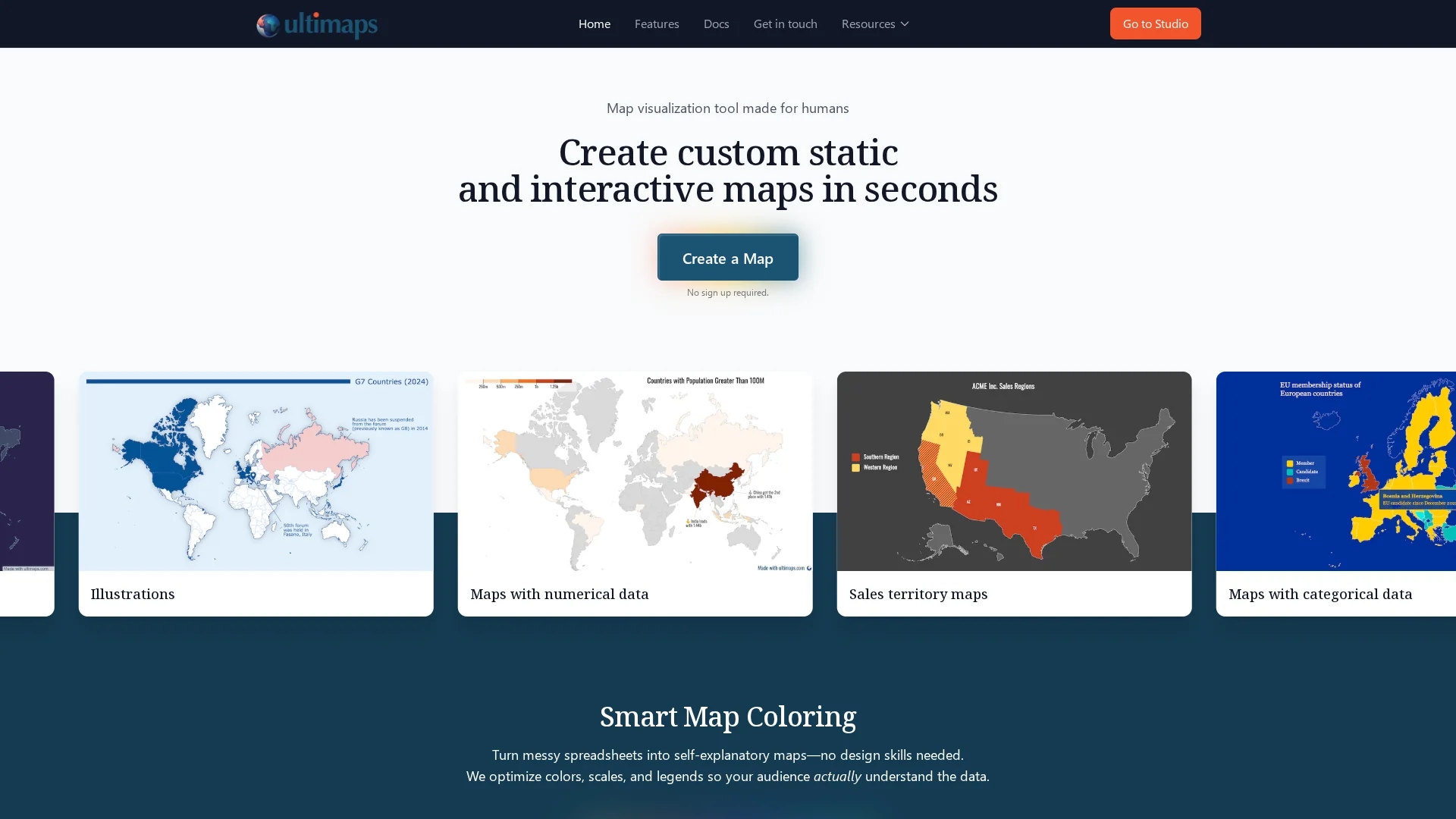
Ultimaps enables quick creation of interactive, color-coded maps with data imports from Excel, Google Sheets, or Notion, featuring pins, editable legends, and tooltips without requiring sign-up for basic use.
Disclaimer: Visionary Hub is not affiliated with, endorsed by, or the operator of this tool. All trademarks, logos, and content are the property of their respective owners. Full disclaimer available here
Key Features
Data Import
Import data easily from Excel, Google Sheets, or Notion.
Automatic Color Coding
Generates color scales and editable legends based on data.
Interactive Elements
Add tooltips, popups, pins, and annotations without coding.
Export Options
Download maps as PNG, SVG, PDF or embed interactive versions.
Get Started
Share & Save
Share on Social Media
Why Choose Ultimaps
No Sign-Up:
Use core features without creating an account, simplifying access.Smart Coloring:
Automatically optimizes colors and legends for clear data visualization.Interactive Maps:
Supports tooltips and popups for dynamic user engagement.
Pricing
Ultimaps offers a free Basic plan with unlimited maps and exports with attribution, no sign-up needed for basic use. The Pro plan costs €49/month with advanced exports, templates, and priority support. Custom enterprise plans are available on request.
About Ultimaps
Ultimaps enables quick creation of interactive, color-coded maps with data imports from Excel, Google Sheets, or Notion, featuring pins, editable legends, and tooltips without requiring sign-up for basic use.
What Ultimaps Does
Ultimaps enables users to create custom static and interactive maps by importing data from spreadsheets or databases. It transforms numerical and categorical data into visually engaging, color-coded maps that facilitate data interpretation.
The tool features smart map coloring algorithms that automatically select palettes, scales, and legends based on the data. Users can add pins, annotations, and customize fonts and colors. Interactive elements such as tooltips and popups enhance map interactivity without requiring coding skills.
Ultimaps is useful across industries including sales for territory mapping, project management for team location visualization, and education for interactive historical or cultural maps, accessible on desktop and mobile devices.
Pros & Cons
User-Friendly
Intuitive interface enables quick map creation without design skills.
Flexible Data Sources
Supports multiple data import options including spreadsheets and Notion.
Limited Free Export
Free plan exports include attribution on PNG files.
Advanced Features Paid
High-resolution exports and templates require Pro subscription.
Frequently Asked Questions
Yes, basic map creation and exports with attribution do not require sign-up.
Ultimaps supports data import from Excel, Google Sheets, and Notion.
Ultimaps offers a free Basic plan, a €49/month Pro plan, and custom enterprise plans.
Yes, Ultimaps allows embedding interactive maps with tooltips and popups.
Yes, maps created are compatible with both desktop and mobile devices.
Similar Tools You Might Like
Discover more AI-powered tools that complement your workflow

List Your AI Tool & Reach Thousands of Users
Join 500+ AI innovators already thriving on our platform. Get visibility, feedback, and boost your conversions.
Expand Your Audience
Connect with over 50,000 AI enthusiasts actively looking for tools like yours.
Boost Your Authority
Get verified reviews and ratings to build credibility in the AI marketplace.
Drive Conversions
Our premium placements and targeted audience deliver quality leads and sign-ups.