
Toolbar
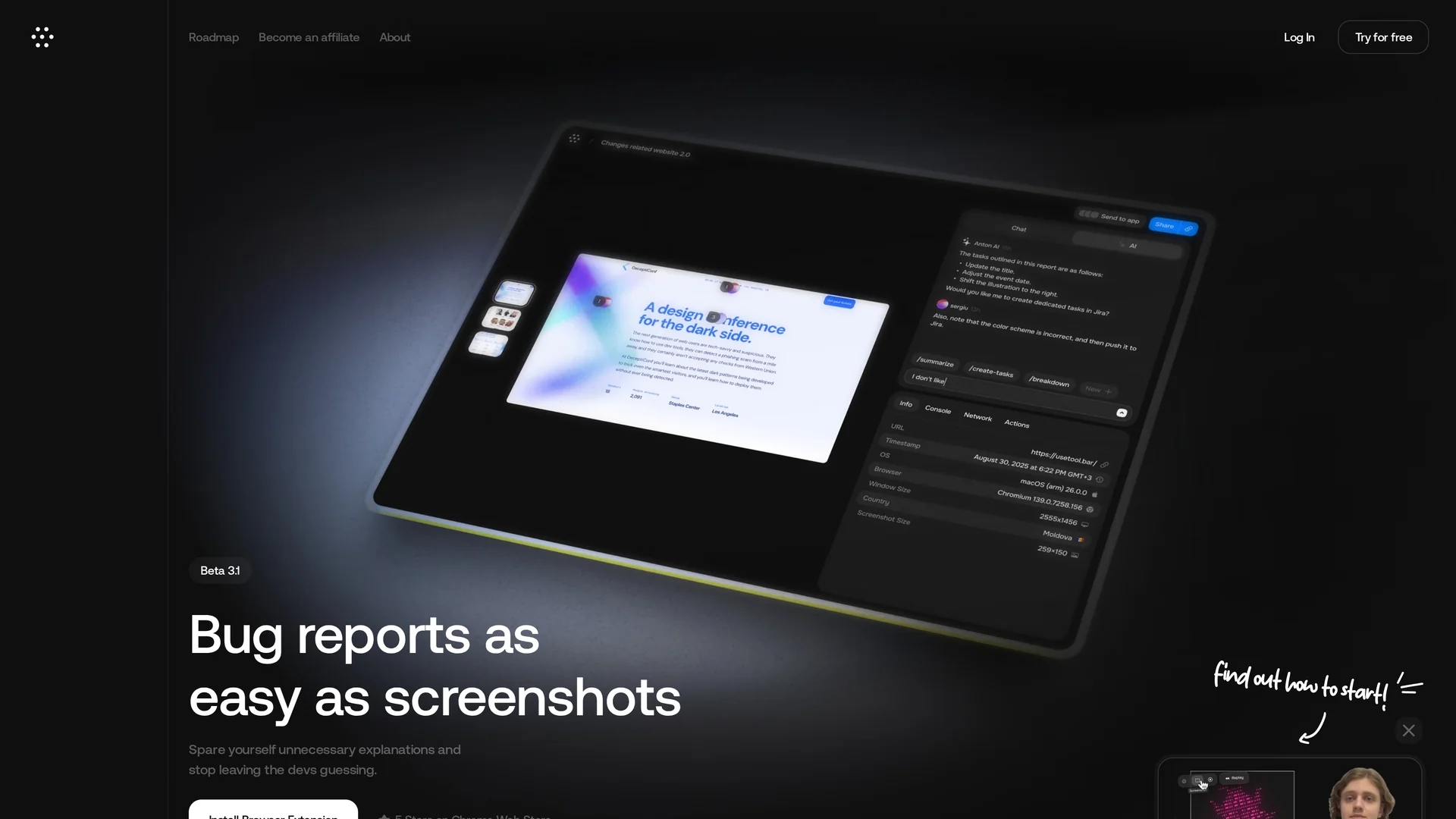
Toolbar enables real-time bug reporting directly on websites, capturing technical details and streamlining collaboration with shareable links and task management.
Disclaimer: Visionary Hub is not affiliated with, endorsed by, or the operator of this tool. All trademarks, logos, and content are the property of their respective owners. Full disclaimer available here
Key Features
Website Interface Comments
Allows commenting directly on the website for precise bug tracking.
Technical Data Capture
Automatically records viewport, device, and browser details.
Shareable Issue Links
Generates links to guide team members to specific bugs.
AI Task Management
Provides pre-filled task conditions to reduce manual input.
Get Started
Share & Save
Share on Social Media
Why Choose Toolbar
Real-time Reporting:
Report bugs directly on websites with instant technical context.AI Assistance:
Enhances task management with AI-generated pre-filled conditions.Shareable Links:
Facilitates clear communication by linking directly to issues.
Pricing
Toolbar offers a free trial via its browser extension. For detailed pricing plans, visit the official website.
About Toolbar
Toolbar enables real-time bug reporting directly on websites, capturing technical details and streamlining collaboration with shareable links and task management.
What Toolbar Does
Toolbar allows users to report bugs directly on the website interface, capturing essential technical details such as viewport, device, and browser information. This real-time reporting reduces miscommunication and accelerates issue resolution.
The tool features shareable links that direct team members and clients to specific issues, enhancing collaboration. It also provides AI-powered task management with pre-filled conditions to minimize manual input and streamline workflows.
Toolbar is suitable for digital agencies, web developers, project managers, and quality assurance teams seeking efficient bug tracking and project coordination in web development and design projects.
Pros & Cons
Improved Collaboration
Centralizes communication among developers, clients, and stakeholders.
Detailed Bug Reports
Captures comprehensive technical context for accurate fixes.
Limited Integrations
Integrations with other tools are planned but not yet available.
Browser Extension Required
Functionality depends on installing the browser extension.
Frequently Asked Questions
Toolbar operates via a browser extension compatible with major browsers.
Yes, users can try Toolbar for free through its browser extension.
Toolbar can push bug reports to task managers; integrations are expanding.
It captures viewport size, device type, browser info, and user actions.
Support and docs are available at https://docs.usetool.bar/.
Similar Tools You Might Like
Discover more AI-powered tools that complement your workflow
List Your AI Tool & Reach Thousands of Users
Join 500+ AI innovators already thriving on our platform. Get visibility, feedback, and boost your conversions.
Expand Your Audience
Connect with over 50,000 AI enthusiasts actively looking for tools like yours.
Boost Your Authority
Get verified reviews and ratings to build credibility in the AI marketplace.
Drive Conversions
Our premium placements and targeted audience deliver quality leads and sign-ups.