
sshx
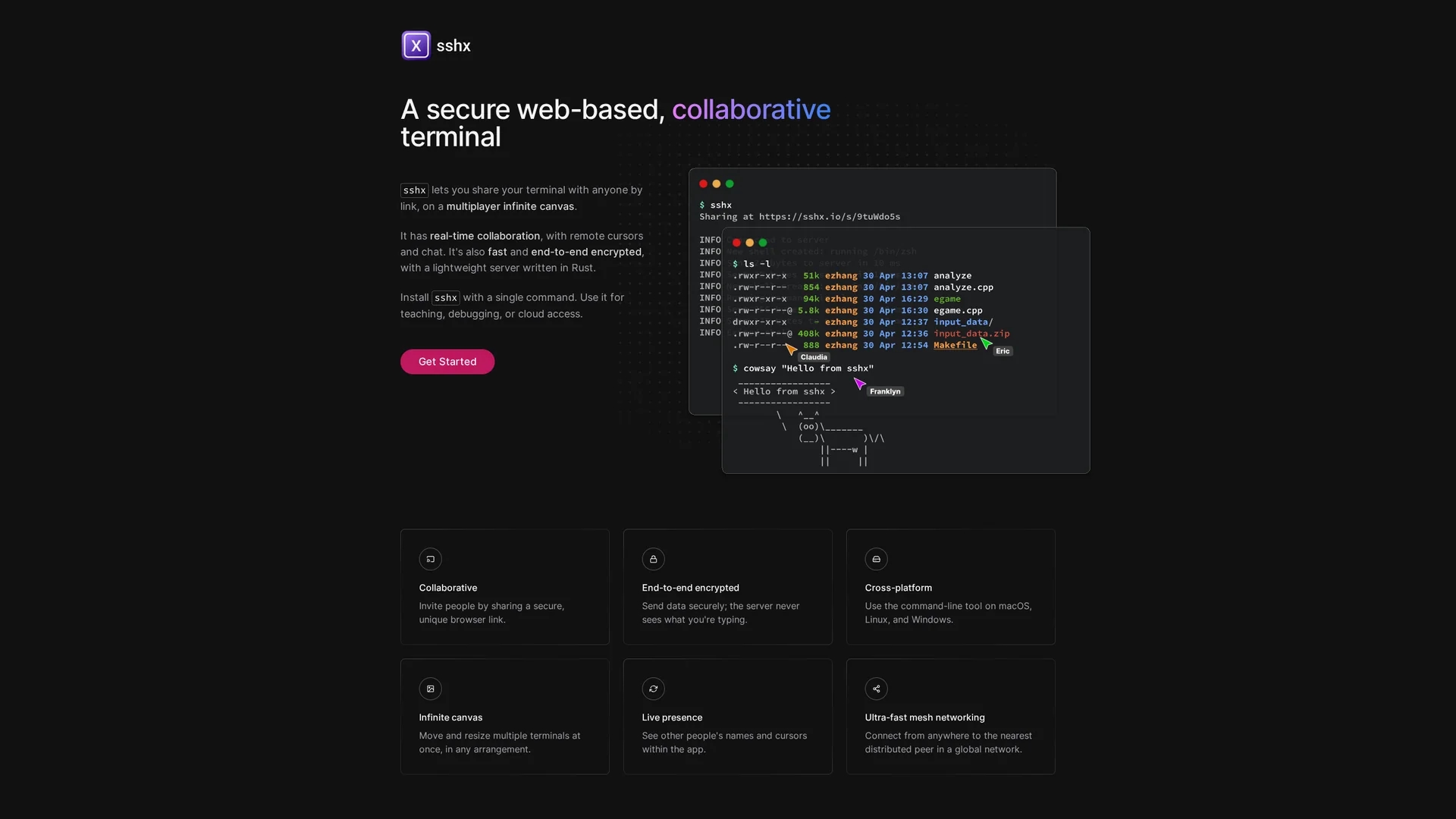
SSHX is a secure, web-based collaborative terminal with real-time teamwork features like multiplayer canvas, remote cursors, and end-to-end encryption for safe terminal sharing across platforms.
Disclaimer: Visionary Hub is not affiliated with, endorsed by, or the operator of this tool. All trademarks, logos, and content are the property of their respective owners. Full disclaimer available here
Key Features
Multiplayer Canvas
Manage multiple terminals with moveable and resizable windows in real time.
Remote Cursors
Track collaborators’ positions within the terminal for coordinated teamwork.
Ultra-Fast Networking
Connect globally via mesh networking for low-latency terminal sharing.
Lightweight Rust Server
Runs efficiently with minimal resource usage while ensuring security.
Get Started
Share & Save
Share on Social Media
Why Choose sshx
End-to-End Encryption:
Ensures terminal data is securely shared without server access to typed content.Real-Time Collaboration:
Supports multiple users interacting simultaneously with remote cursors and chat.Cross-Platform:
Runs on macOS, Linux, and Windows with easy installation and lightweight server.
Pricing
SSHX is open source and free to use. For detailed pricing or enterprise options, visit the official website.
About sshx
SSHX is a secure, web-based collaborative terminal with real-time teamwork features like multiplayer canvas, remote cursors, and end-to-end encryption for safe terminal sharing across platforms.
What sshx Does
SSHX allows multiple users to share and collaborate on terminal sessions in real time through secure browser links. This enhances teamwork by enabling simultaneous terminal access and interaction.
Key features include a multiplayer infinite canvas for managing multiple terminals, remote cursors to track collaborators, chat functionality, and end-to-end encryption to secure data. It runs on a lightweight Rust-based server and supports ultra-fast mesh networking for global peer connections.
SSHX is useful for software development, system administration, remote team collaboration, educational demonstrations, and cloud debugging, providing a versatile and secure terminal sharing environment.
Pros & Cons
Secure Sharing
End-to-end encryption guarantees privacy and data protection.
Versatile Use
Suitable for teaching, debugging, cloud access, and remote collaboration.
No Web Signup
No direct web-based signup or account creation available.
Limited GUI
Primarily command-line based; may lack advanced graphical interface features.
Frequently Asked Questions
SSHX supports macOS, Linux, and Windows with easy installation options.
Yes, SSHX is open source and free; check the official site for enterprise options.
It uses end-to-end encryption so the server never accesses your typed data.
Yes, SSHX supports real-time collaboration with multiple users and remote cursors.
No, SSHX does not offer web-based signup; collaboration is via unique secure links.
Similar Tools You Might Like
Discover more AI-powered tools that complement your workflow

List Your AI Tool & Reach Thousands of Users
Join 500+ AI innovators already thriving on our platform. Get visibility, feedback, and boost your conversions.
Expand Your Audience
Connect with over 50,000 AI enthusiasts actively looking for tools like yours.
Boost Your Authority
Get verified reviews and ratings to build credibility in the AI marketplace.
Drive Conversions
Our premium placements and targeted audience deliver quality leads and sign-ups.