
SnapDiagram
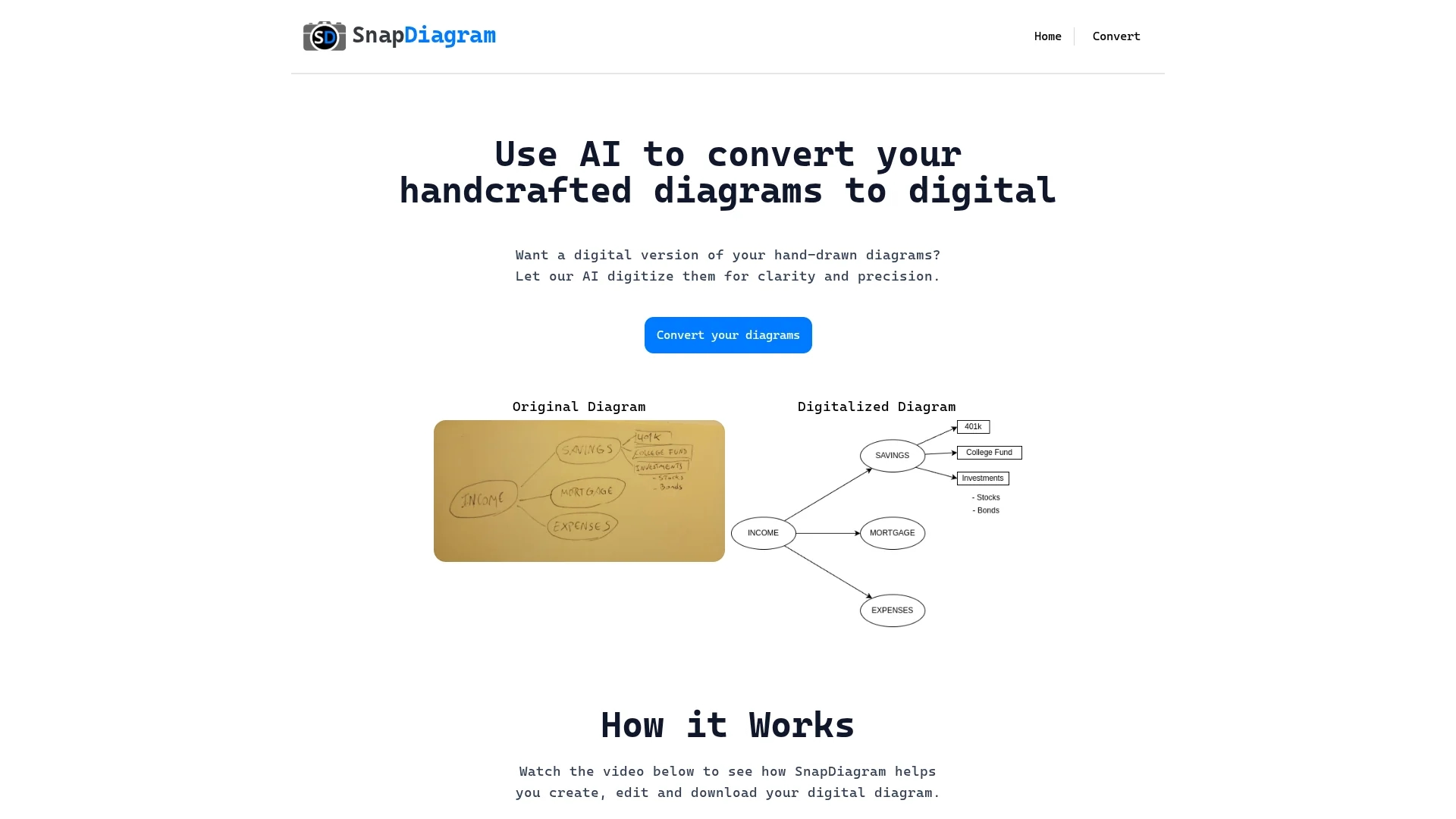
SnapDiagram uses AI to convert hand-drawn sketches into precise digital diagrams with multiple output formats including PNG, JPG, and editable files.
Disclaimer: Visionary Hub is not affiliated with, endorsed by, or the operator of this tool. All trademarks, logos, and content are the property of their respective owners. Full disclaimer available here
Key Features
Hand-drawn Conversion
Transforms handwritten sketches into digital diagrams.
Output Options
Provides PNG, JPG, and editable diagram formats.
Editing Tools
Enables creation, editing, and downloading of diagrams.
Conversion Frequency
Allows users to select conversion frequency plans.
Get Started
Share & Save
Share on Social Media
Why Choose SnapDiagram
AI Digitization:
Automatically converts sketches into precise digital diagrams.Multiple Formats:
Supports PNG, JPG, and editable file outputs.Flexible Usage:
Offers selectable conversion frequencies to fit user needs.
Pricing
SnapDiagram offers free and paid plans with varying conversion frequencies. For detailed pricing, visit the official website.
About SnapDiagram
SnapDiagram uses AI to convert hand-drawn sketches into precise digital diagrams with multiple output formats including PNG, JPG, and editable files.
What SnapDiagram Does
SnapDiagram converts hand-drawn sketches and flowcharts into accurate digital diagrams, improving clarity and usability for presentations and collaboration.
It uses AI to digitize original sketches and offers multiple output formats including PNG, JPG, and editable files. Users can create, edit, and download diagrams seamlessly.
This tool is useful for designers, engineers, project managers, and educators who need to digitize technical schematics, brainstorming notes, or flowcharts for reports and team sharing.
Pros & Cons
Ease of Use
Simple interface for quick sketch digitization.
Format Flexibility
Multiple export formats accommodate diverse needs.
Limited Pricing Details
Specific plan prices are not publicly detailed.
No Mobile App
Currently available only as a web-based tool.
Frequently Asked Questions
It exports digital diagrams in PNG, JPG, and editable file formats.
Yes, SnapDiagram offers both free and paid plans with different conversion frequencies.
Users can sign up or start converting diagrams via the website's convert page.
Yes, SnapDiagram allows users to create, edit, and download their digital diagrams.
SnapDiagram was developed by the SnapDiagram team based in Maldonado, Uruguay.
Similar Tools You Might Like
Discover more AI-powered tools that complement your workflow
List Your AI Tool & Reach Thousands of Users
Join 500+ AI innovators already thriving on our platform. Get visibility, feedback, and boost your conversions.
Expand Your Audience
Connect with over 50,000 AI enthusiasts actively looking for tools like yours.
Boost Your Authority
Get verified reviews and ratings to build credibility in the AI marketplace.
Drive Conversions
Our premium placements and targeted audience deliver quality leads and sign-ups.