
smudge.ai
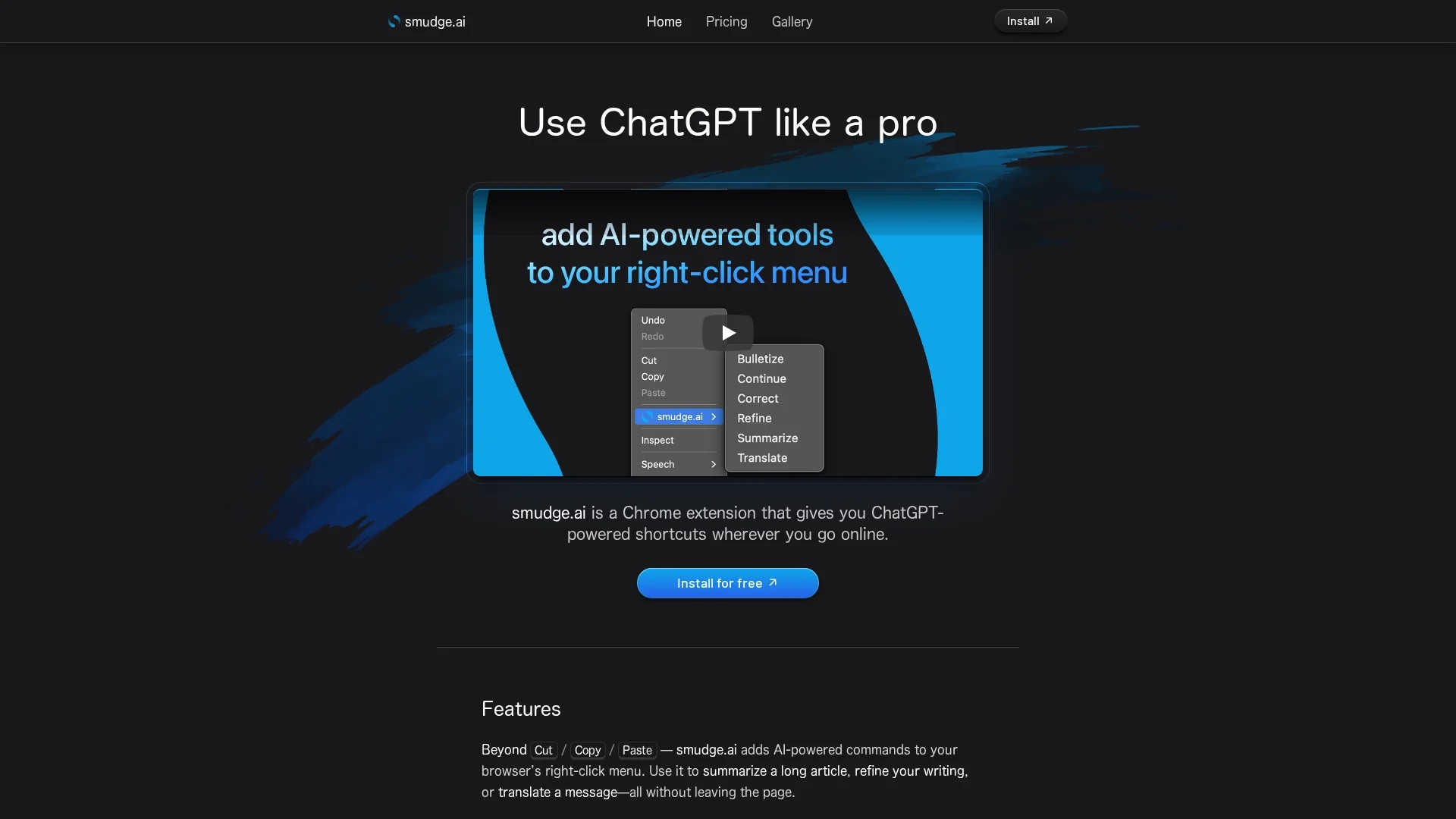
Smudge.ai is a Chrome extension that integrates ChatGPT commands into your right-click menu, enabling quick summarization, writing correction, note generation, and translation directly in your browser.
Disclaimer: Visionary Hub is not affiliated with, endorsed by, or the operator of this tool. All trademarks, logos, and content are the property of their respective owners. Full disclaimer available here
Key Features
Summarization
Briefly recaps main points of long articles or documents instantly.
Writing Correction
Fixes spelling, punctuation, and grammar mistakes efficiently.
Bullet Point Conversion
Transforms lengthy text into concise, easy-to-read bullet lists.
Translation
Translates text from nearly any language within the browser.
Get Started
Share & Save
Share on Social Media
Why Choose smudge.ai
Contextual AI:
Access AI commands directly in your browser's right-click menu for seamless workflow.Customizable:
Choose from built-in commands or create your own to fit specific needs.Privacy Focused:
Does not log or save input/output text; data streams only to OpenAI securely.
Pricing
Smudge.ai offers a free demo via the Chrome Web Store. For subscription details and license keys, users start their subscription after installation. Visit the official pricing page for current plans.
About smudge.ai
Smudge.ai is a Chrome extension that integrates ChatGPT commands into your right-click menu, enabling quick summarization, writing correction, note generation, and translation directly in your browser.
What smudge.ai Does
Smudge.ai integrates ChatGPT-powered commands into your browser’s right-click menu, allowing users to summarize long articles, correct spelling and grammar, convert text into bullet points, and translate messages instantly without leaving the page.
It offers 16 built-in commands and supports custom command creation, enabling users to automate repetitive tasks and tailor the toolset to their workflow. The extension streams input text to OpenAI for processing and returns results directly in context.
Ideal for professionals, students, and online users, Smudge.ai enhances productivity by simplifying content review, editing, and translation across various industries and use cases.
Pros & Cons
Easy Integration
Works directly in the browser without switching tabs or apps.
Flexible Commands
Supports both built-in and user-created custom commands.
Browser Limitation
Compatible only with Google Chrome browser.
Requires Subscription
Full features require starting a subscription after installation.
Frequently Asked Questions
No, Smudge.ai is compatible only with Google Chrome.
Yes, it supports professional and commercial use.
No, it does not log or save input or output text; data streams securely to OpenAI.
Yes, it supports up to approximately 150,000 words per command.
Yes, licenses and settings sync across devices via your Chrome profile.
Similar Tools You Might Like
Discover more AI-powered tools that complement your workflow


List Your AI Tool & Reach Thousands of Users
Join 500+ AI innovators already thriving on our platform. Get visibility, feedback, and boost your conversions.
Expand Your Audience
Connect with over 50,000 AI enthusiasts actively looking for tools like yours.
Boost Your Authority
Get verified reviews and ratings to build credibility in the AI marketplace.
Drive Conversions
Our premium placements and targeted audience deliver quality leads and sign-ups.