
Showmemoney
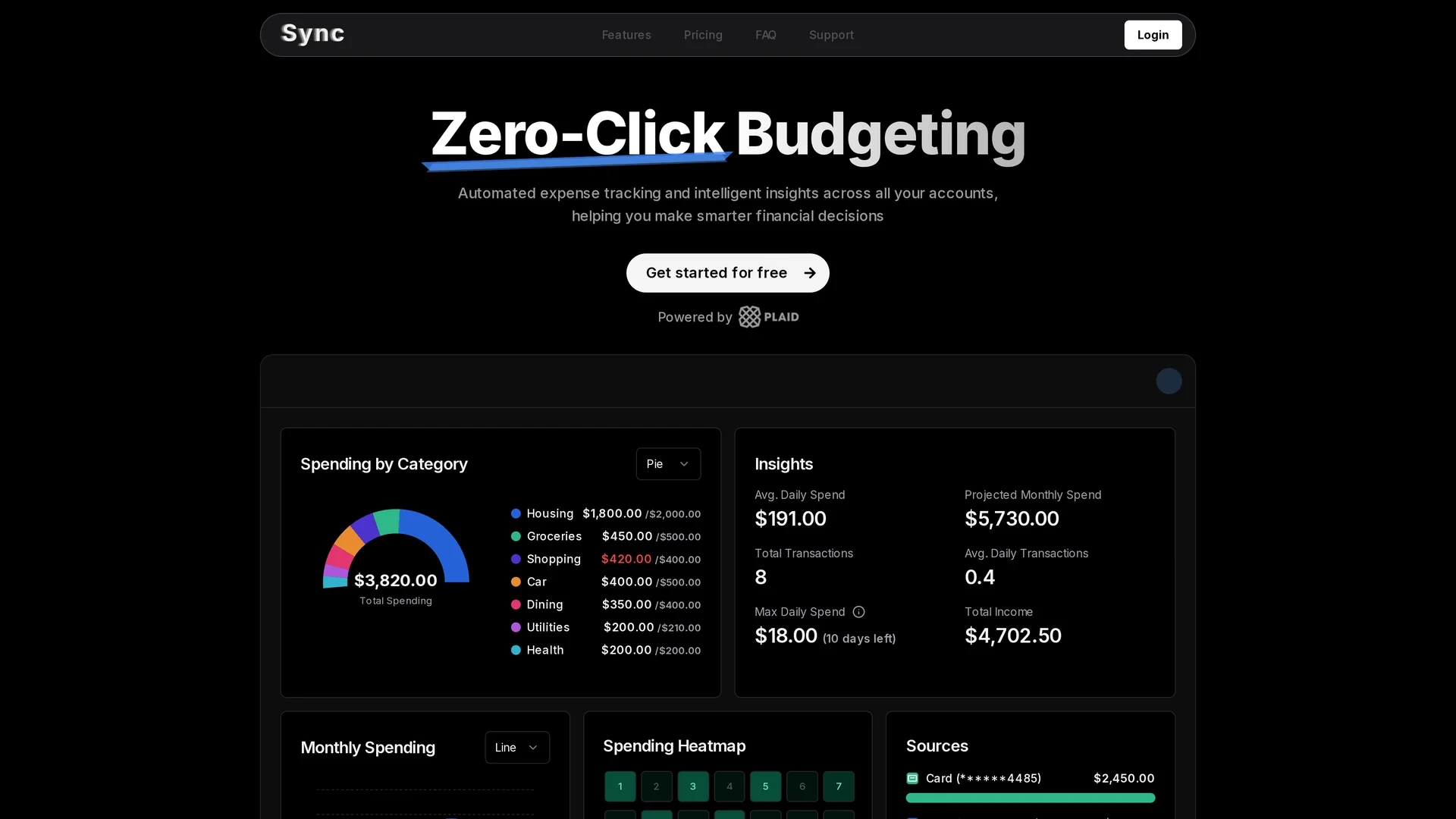
ShowMeMoney is an AI-powered expense tracking tool that automates transaction input, categorizes spending, and provides interactive charts and budget notifications for personal finance management.
Disclaimer: Visionary Hub is not affiliated with, endorsed by, or the operator of this tool. All trademarks, logos, and content are the property of their respective owners. Full disclaimer available here
Key Features
Expense Tracking
Monitors daily expenses across multiple payment methods automatically.
Categorization
AI categorizes transactions including subscriptions and recurring charges.
Smart Add
Allows adding transactions using plain text or bank syncing.
Budget Notifications
Alerts users when nearing custom spending limits.
Get Started
Share & Save
Share on Social Media
Why Choose Showmemoney
Automated Tracking:
Syncs bank accounts securely for automatic transaction updates twice daily.Smart Add:
Enables quick expense input via plain text or manual entry.Interactive Charts:
Visualizes spending trends with bar, line, and pie charts.
Pricing
ShowMeMoney offers a Free Plan with basic expense tracking and 1 week of automated tracking. The Pro Plan costs $7/month billed yearly at $80/year, including automated tracking, customizable budgets, and price lock.
About Showmemoney
ShowMeMoney is an AI-powered expense tracking tool that automates transaction input, categorizes spending, and provides interactive charts and budget notifications for personal finance management.
What Showmemoney Does
ShowMeMoney automates the tracking and categorization of personal expenses by syncing bank accounts and allowing manual input via Smart Add. This reduces manual data entry and improves financial oversight.
Key features include automatic transaction syncing through Plaid, AI-driven categorization of spending, interactive bar, line, and pie charts for visualizing financial trends, and customizable budget notifications to alert users when approaching spending limits.
The tool is useful for individuals and small businesses aiming to monitor cash flow, optimize budgets, and gain actionable insights into spending habits across multiple payment methods.
Pros & Cons
Ease of Use
Minimal manual input required due to automated syncing and Smart Add.
Insightful Visuals
Interactive charts provide clear spending trend analysis.
Limited Free Plan
Free tier offers only one week of automated tracking.
Bank Sync Optional
Manual entry needed if bank account connection is not used.
Frequently Asked Questions
No, bank connection is optional; you can manually track expenses or use Smart Add.
Yes, it uses Plaid, a secure platform, and only accesses transaction history.
Yes, a free plan offers 7 days of automated tracking with basic features.
Yes, you can upgrade to the Pro plan at any time for additional features.
You can create custom budgets with notifications to track spending limits.
Similar Tools You Might Like
Discover more AI-powered tools that complement your workflow

List Your AI Tool & Reach Thousands of Users
Join 500+ AI innovators already thriving on our platform. Get visibility, feedback, and boost your conversions.
Expand Your Audience
Connect with over 50,000 AI enthusiasts actively looking for tools like yours.
Boost Your Authority
Get verified reviews and ratings to build credibility in the AI marketplace.
Drive Conversions
Our premium placements and targeted audience deliver quality leads and sign-ups.