
Shortcut AI
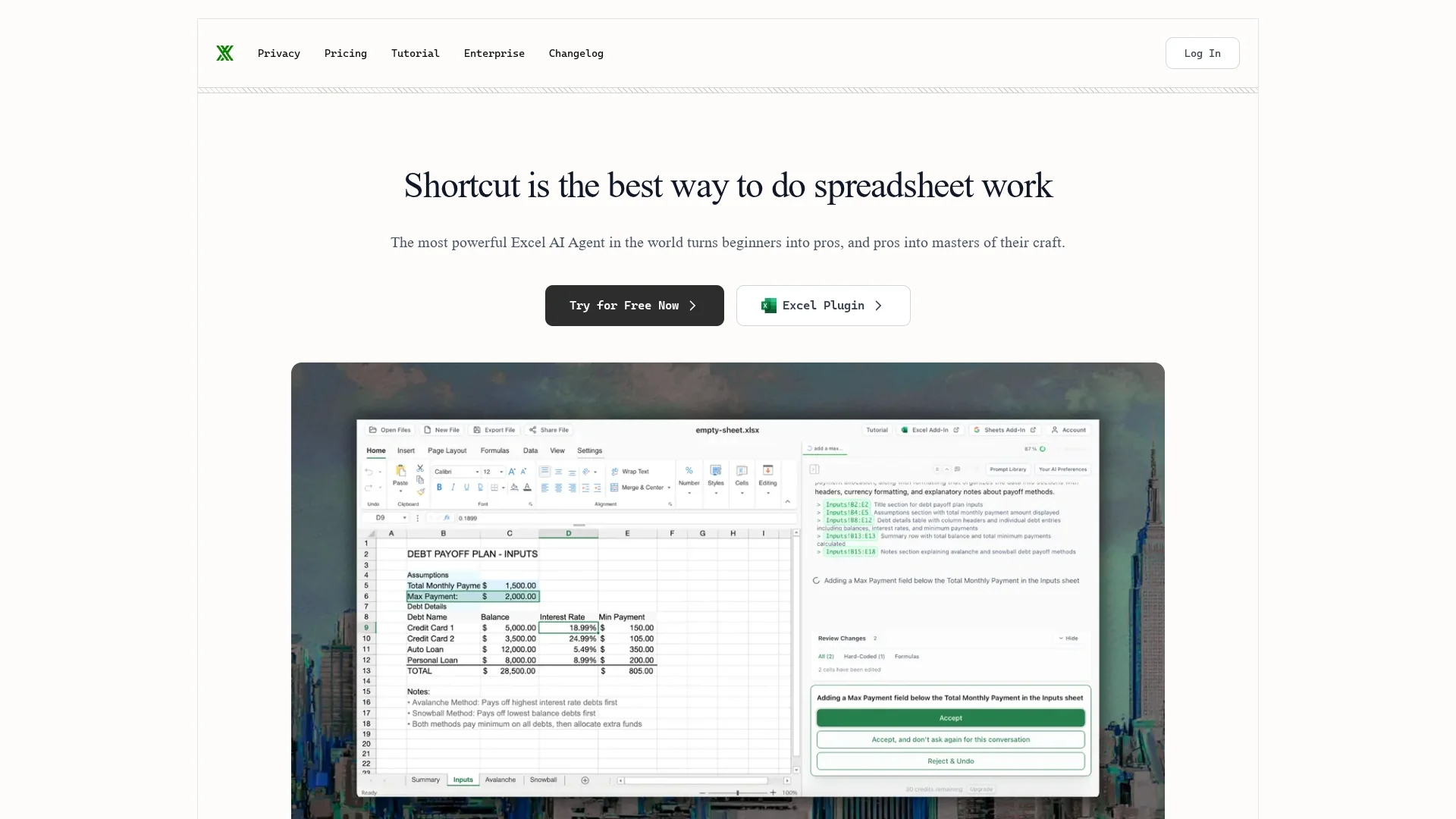
Shortcut AI is an Excel management tool that uses AI to open, export, and rename XLSX files with customizable rules and editing features for efficient spreadsheet handling.
Disclaimer: Visionary Hub is not affiliated with, endorsed by, or the operator of this tool. All trademarks, logos, and content are the property of their respective owners. Full disclaimer available here
Key Features
XLSX File Management
Open, export, and rename Excel files seamlessly.
Custom AI Rules
Create automated rules to enhance spreadsheet functionality.
Editing Functions
Supports paste, cut, copy, and autofill operations.
Undo & Revert
Easily undo changes and revert to previous states.
Get Started
Share & Save
Share on Social Media
Why Choose Shortcut AI
AI Automation:
Automates file renaming and exporting to save time.Custom Rules:
Allows tailored AI rules for specific spreadsheet tasks.Editing Tools:
Includes paste, cut, copy, and autofill for easy data manipulation.
Pricing
For current prices, visit the official page.
About Shortcut AI
Shortcut AI is an Excel management tool that uses AI to open, export, and rename XLSX files with customizable rules and editing features for efficient spreadsheet handling.
What Shortcut AI Does
Shortcut AI manages Excel files by allowing users to open, export, and rename XLSX files efficiently. It reduces manual effort through AI-driven automation, improving spreadsheet workflows.
The tool offers customizable AI rules to automate specific tasks and includes editing features like paste, cut, copy, and autofill. It supports undo and revert functions to maintain data integrity.
Shortcut AI is useful across industries requiring data organization, such as business management, project coordination, and data analysis, enhancing productivity in spreadsheet handling.
Pros & Cons
Efficiency
Speeds up spreadsheet management with AI automation.
Flexibility
Customizable rules adapt to diverse user needs.
Limited Pricing Info
No detailed pricing available publicly.
Developer Details
Lacks clear developer or company information.
Frequently Asked Questions
Shortcut AI supports opening, exporting, and renaming XLSX Excel files.
Yes, it allows customizable AI rules to automate spreadsheet tasks.
Yes, it offers paste, cut, copy, autofill, undo, and revert functions.
Pricing details are not publicly available; check the official site for updates.
Developer information is not provided on the homepage.
Similar Tools You Might Like
Discover more AI-powered tools that complement your workflow
List Your AI Tool & Reach Thousands of Users
Join 500+ AI innovators already thriving on our platform. Get visibility, feedback, and boost your conversions.
Expand Your Audience
Connect with over 50,000 AI enthusiasts actively looking for tools like yours.
Boost Your Authority
Get verified reviews and ratings to build credibility in the AI marketplace.
Drive Conversions
Our premium placements and targeted audience deliver quality leads and sign-ups.