
Quick Text-To-Image
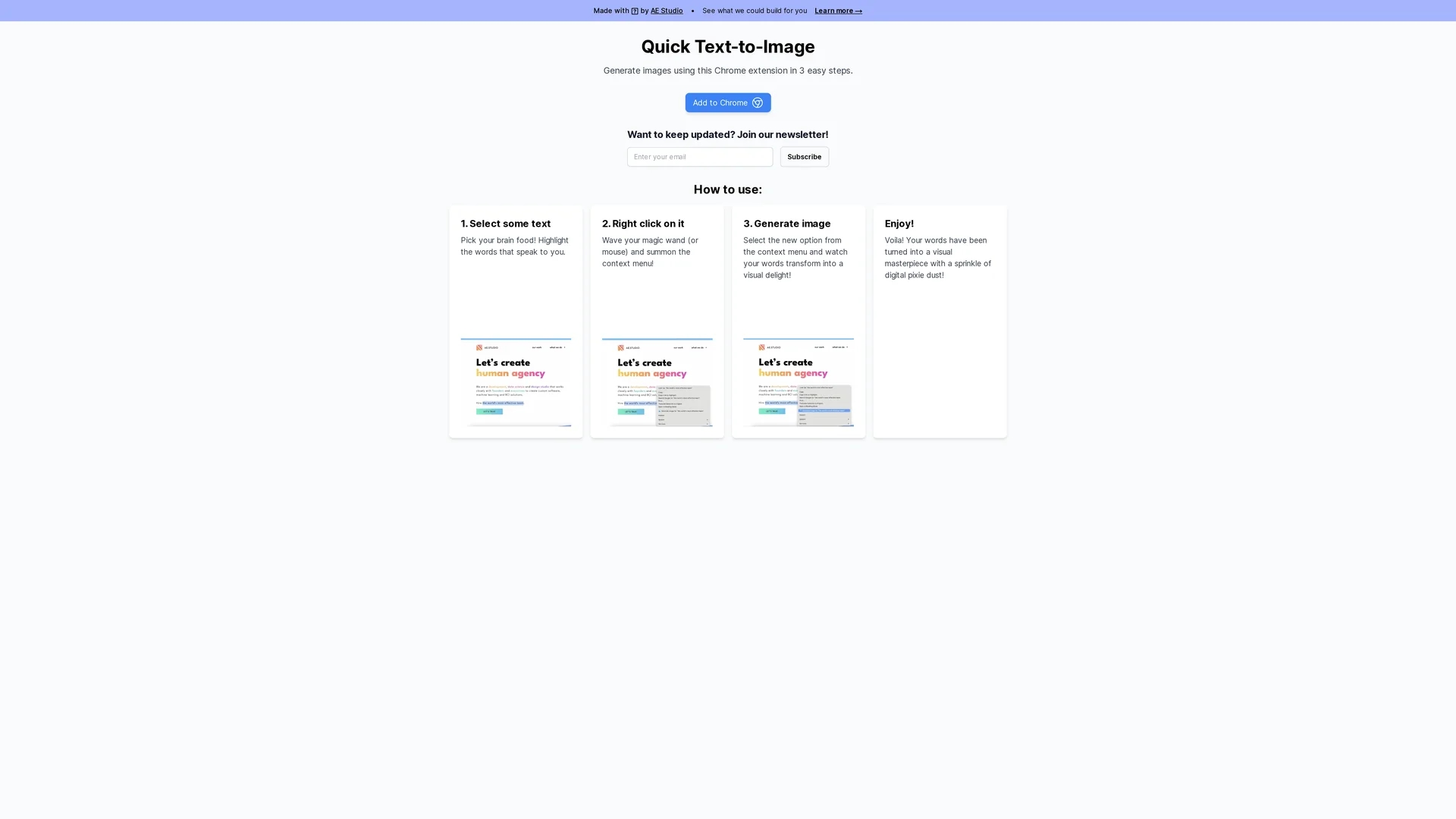
Quick Text-To-Image is a Chrome extension by AE Studio that converts selected text into images in three simple steps, helping content creators, educators, and marketers enhance visual storytelling.
Disclaimer: Visionary Hub is not affiliated with, endorsed by, or the operator of this tool. All trademarks, logos, and content are the property of their respective owners. Full disclaimer available here
Key Features
Text-to-Image
Transforms selected text into images instantly.
Chrome Extension
Integrates seamlessly with the browser context menu.
Highlight Function
Generates images from highlighted text easily.
User-Friendly
Offers a simple, intuitive interface for quick use.
Get Started
Share & Save
Share on Social Media
Why Choose Quick Text-To-Image
Easy Integration:
Works directly within Chrome via a convenient extension.Simple Workflow:
Generates images in three straightforward steps.Versatile Use:
Supports content creators, educators, and marketers.
Pricing
For current prices, visit the official page at quicktexttoimage.com.
About Quick Text-To-Image
Quick Text-To-Image is a Chrome extension by AE Studio that converts selected text into images in three simple steps, helping content creators, educators, and marketers enhance visual storytelling.
What Quick Text-To-Image Does
Quick Text-To-Image converts highlighted text into images directly within the Chrome browser, enabling users to create visuals quickly and efficiently. This functionality benefits content creators, educators, and marketers by enhancing their storytelling with compelling graphics.
The tool operates as a Chrome extension, adding an option to the right-click context menu for seamless access. Users select text, right-click, and generate an image, leveraging AI-powered text-to-image technology integrated into the extension.
It is especially useful for social media posts, educational materials, and marketing campaigns, where converting text into visuals can improve engagement and comprehension.
Pros & Cons
Convenience
No need to leave the browser to create images.
Speed
Quick image generation with minimal user effort.
Limited Platform
Only available as a Chrome extension.
Basic Features
Lacks advanced customization options for images.
Frequently Asked Questions
Highlight text, right-click, and select the generate image option from the context menu.
Pricing details are not specified; visit the official website for current plans.
It is available as a Chrome extension and works within the Chrome browser.
No, it features a simple three-step process suitable for all users.
Yes, educators can create visual aids from lesson text easily.
Similar Tools You Might Like
Discover more AI-powered tools that complement your workflow

List Your AI Tool & Reach Thousands of Users
Join 500+ AI innovators already thriving on our platform. Get visibility, feedback, and boost your conversions.
Expand Your Audience
Connect with over 50,000 AI enthusiasts actively looking for tools like yours.
Boost Your Authority
Get verified reviews and ratings to build credibility in the AI marketplace.
Drive Conversions
Our premium placements and targeted audience deliver quality leads and sign-ups.