Productivity Page
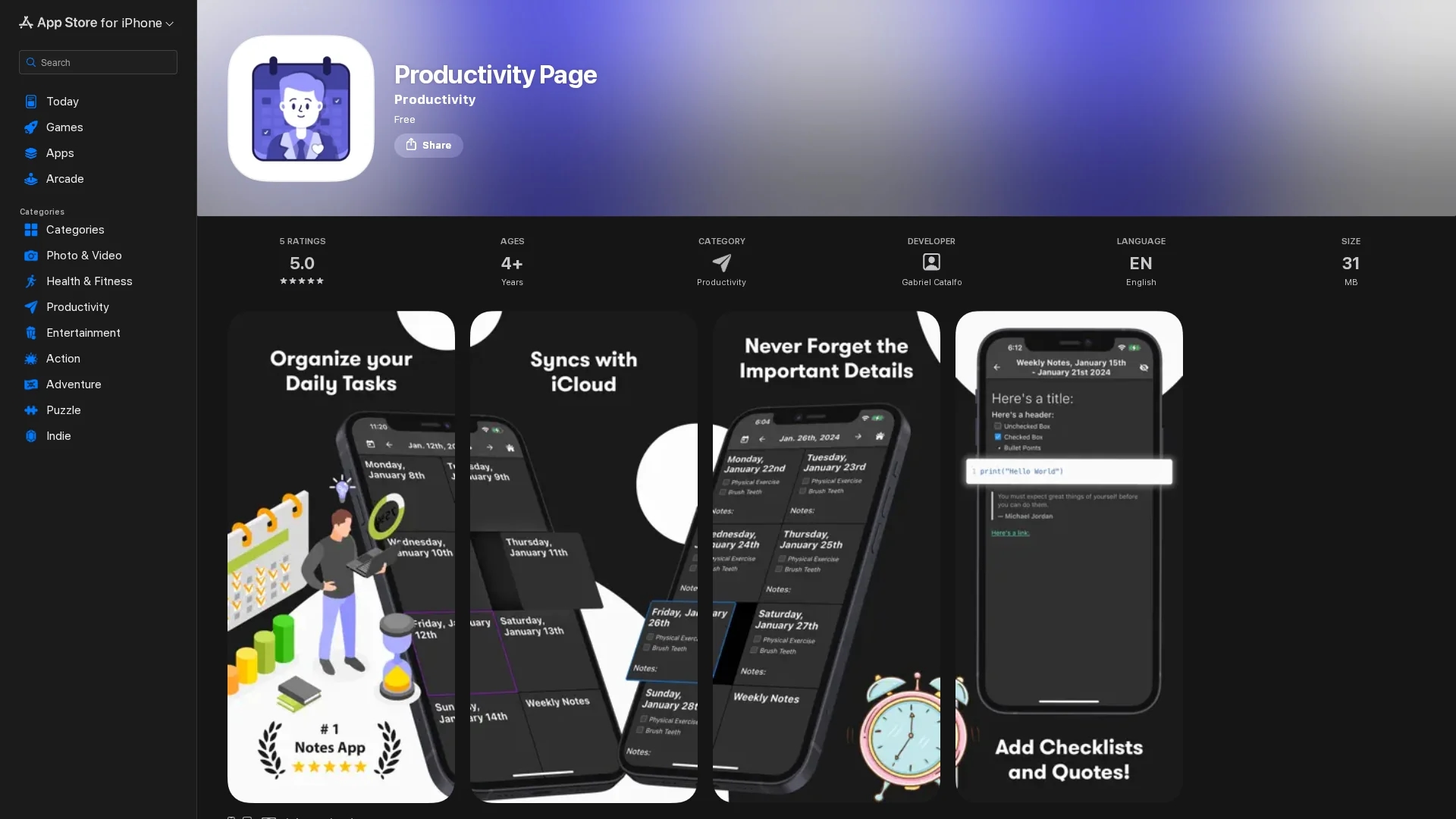
Productivity Page is a versatile text editor and planner featuring customizable formatting, templates, and an AI assistant for organizing notes, scheduling, and brainstorming ideas to enhance productivity.
Disclaimer: Visionary Hub is not affiliated with, endorsed by, or the operator of this tool. All trademarks, logos, and content are the property of their respective owners. Full disclaimer available here
Key Features
Text Editing
Create and edit documents with customizable fonts and styles.
Template System
Save and reuse templates for consistent document formatting.
AI Integration
Interact with Jake, the AI assistant, for planning and brainstorming.
Natural Language Processing
Jake understands user queries to provide intelligent assistance.
Get Started
Share & Save
Share on Social Media
Why Choose Productivity Page
AI Assistant:
Jake helps organize notes and plan schedules using natural language processing.Custom Templates:
Save and apply predefined document formats to streamline workflow.Flexible Editing:
Modify fonts, text sizes, and styles to tailor documents.
Pricing
Productivity Page is available for free on the Apple App Store. For detailed pricing or in-app purchases, visit the official app page.
About Productivity Page
Productivity Page is a versatile text editor and planner featuring customizable formatting, templates, and an AI assistant for organizing notes, scheduling, and brainstorming ideas to enhance productivity.
What Productivity Page Does
Productivity Page functions as a versatile text editor and planner, enabling users to create, format, and organize documents efficiently. It benefits users by simplifying note-taking, task management, and schedule planning.
The app features font and style customization, a template system for saving predefined formats, and an AI assistant named Jake. Jake uses natural language processing to interactively help users organize notes, plan schedules, and brainstorm ideas within the app.
This tool is useful for content creators, project managers, and professionals who need structured meeting agendas, prioritized to-do lists, and real-time project outlines to boost workflow and collaboration.
Pros & Cons
User-Friendly
Intuitive interface simplifies text editing and planning tasks.
AI Support
Jake enhances productivity by assisting with organization and ideas.
Limited Platforms
Available only on Apple devices (iPhone, iPad, Mac).
Feature Gaps
Lacks advanced features like markdown support and extensive theme options.
Frequently Asked Questions
It supports iPhone, iPad, and Mac with iOS 14.0 or later and macOS 10.15 or later.
Yes, it is free to download from the Apple App Store with no stated in-app purchases.
The app is developed by Gabriel Catalfo.
Jake helps organize notes, plan schedules, and brainstorm ideas using natural language processing.
Yes, you can modify fonts, text sizes, styles, and use templates for consistent formatting.
Similar Tools You Might Like
Discover more AI-powered tools that complement your workflow
List Your AI Tool & Reach Thousands of Users
Join 500+ AI innovators already thriving on our platform. Get visibility, feedback, and boost your conversions.
Expand Your Audience
Connect with over 50,000 AI enthusiasts actively looking for tools like yours.
Boost Your Authority
Get verified reviews and ratings to build credibility in the AI marketplace.
Drive Conversions
Our premium placements and targeted audience deliver quality leads and sign-ups.