
PrettyShot
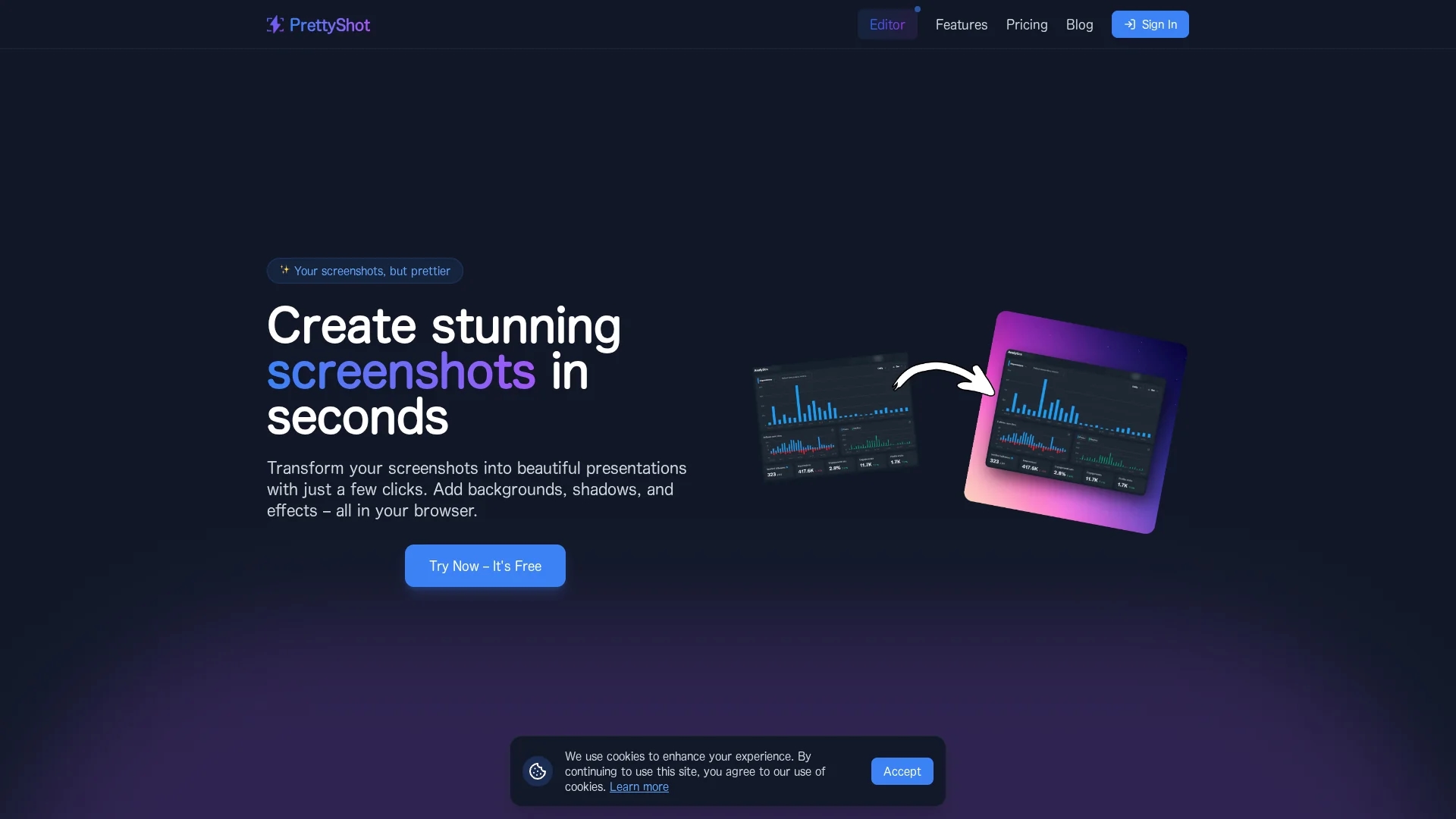
PrettyShot is a web-based tool that transforms screenshots into professional visuals by adding customizable backgrounds, shadows, effects, and device mockups with efficient preset slots.
Disclaimer: Visionary Hub is not affiliated with, endorsed by, or the operator of this tool. All trademarks, logos, and content are the property of their respective owners. Full disclaimer available here
Key Features
Background Customization
Choose or upload backgrounds including AI-generated images.
Effects Collection
Add shadows, reflections, overlays, and remove backgrounds.
Device Mockups
Frame screenshots in phones, tablets, laptops, and browsers.
One-Click Presets
Save and apply multiple effects with a single click.
Get Started
Share & Save
Share on Social Media
Why Choose PrettyShot
Custom Backgrounds:
Offers solid, gradient, and AI-generated backgrounds for unique visuals.Device Mockups:
Presents screenshots within professional device frames for context.Preset Slots:
Saves and applies favorite effect combinations instantly.
Pricing
PrettyShot offers a free plan with basic features and watermark. The Pro plan costs $5/month or $40/year (30% discount) and includes no watermark, AI background removal, additional effects, and unlimited presets.
About PrettyShot
PrettyShot is a web-based tool that transforms screenshots into professional visuals by adding customizable backgrounds, shadows, effects, and device mockups with efficient preset slots.
What PrettyShot Does
PrettyShot transforms standard screenshots into polished visuals by adding customizable backgrounds, shadows, reflections, and device mockups. This enhances the presentation quality for marketing, social media, and client pitches.
The tool provides a variety of backgrounds including solid colors, gradients, and AI-generated images. Users can apply effects like shadows and reflections, and present screenshots within device frames such as phones and laptops. Preset slots allow saving favorite effect combinations for one-click application.
Industries benefiting from PrettyShot include digital marketing, UI/UX design, content creation, and social media management, where visually engaging screenshots improve communication and branding.
Pros & Cons
User-Friendly
Intuitive web interface requires no advanced editing skills.
Flexible Plans
Free plan available with upgrade options for advanced features.
Watermark on Free
Free plan includes watermark on exported images.
Limited Presets Free
Only one preset slot available in the free plan.
Frequently Asked Questions
The free plan includes basic backgrounds, shadows, reflections, one preset slot, and exports with watermark.
The Pro plan costs $5 per month or $40 annually with a 30% discount on yearly billing.
Yes, AI background removal is available in the Pro plan.
Yes, users can save and apply multiple effects using preset slots.
Yes, it supports mockups for phones, tablets, laptops, and browser windows.
Similar Tools You Might Like
Discover more AI-powered tools that complement your workflow

List Your AI Tool & Reach Thousands of Users
Join 500+ AI innovators already thriving on our platform. Get visibility, feedback, and boost your conversions.
Expand Your Audience
Connect with over 50,000 AI enthusiasts actively looking for tools like yours.
Boost Your Authority
Get verified reviews and ratings to build credibility in the AI marketplace.
Drive Conversions
Our premium placements and targeted audience deliver quality leads and sign-ups.