
PixelSense - Photo Editor
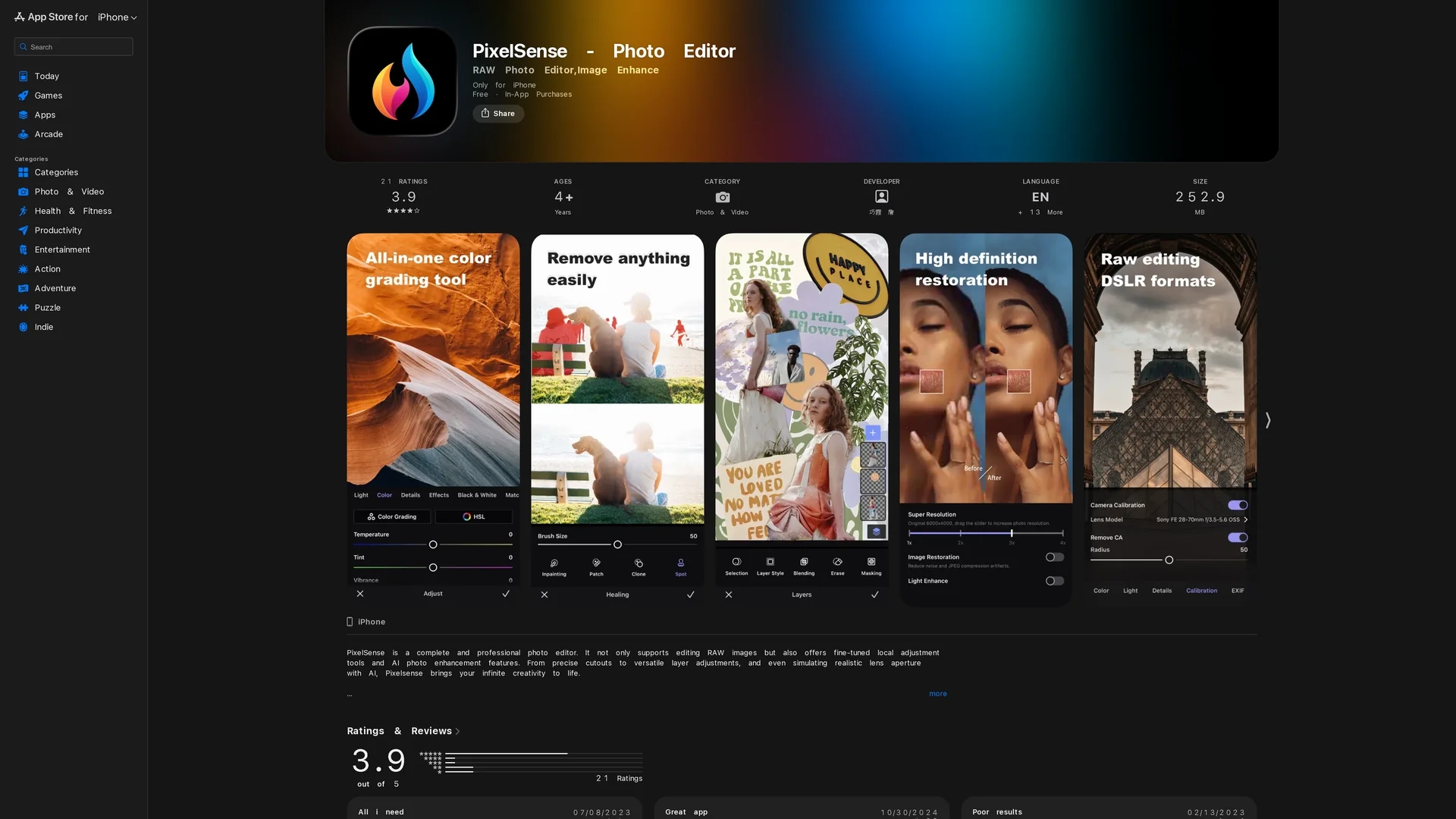
PixelSense is a powerful iOS photo editor supporting RAW format, AI enhancements, precise masking, and versatile layer adjustments for professional-grade image editing.
Disclaimer: Visionary Hub is not affiliated with, endorsed by, or the operator of this tool. All trademarks, logos, and content are the property of their respective owners. Full disclaimer available here
Key Features
Intelligent Masking
Selective masking with brush, radial, linear, and color-based options.
Retouching Tools
Includes Smart Eraser, Clone, Healing, and Spot removal for photo corrections.
Sky Replacement
Transforms dull skies into vibrant scenes with AI-powered sky replacement.
Super Resolution
Increases photo resolution up to 12,000 pixels using AI technology.
Get Started
Share & Save
Share on Social Media
Why Choose PixelSense - Photo Editor
RAW Support:
Edit original camera RAW files with lossless saving and export options.AI Enhancements:
Utilizes AI for super resolution, low-light enhancement, and depth of field effects.Layer Editing:
Offers versatile layer adjustments and custom blend modes for creative control.
Pricing
PixelSense offers a Freemium model with in-app purchases. Pro Monthly subscription costs $3.99, Annual subscription $14.99, and a One-Time Purchase option is available for $29.99, providing unlimited access to all features.
About PixelSense - Photo Editor
PixelSense is a powerful iOS photo editor supporting RAW format, AI enhancements, precise masking, and versatile layer adjustments for professional-grade image editing.
What PixelSense - Photo Editor Does
PixelSense allows users to edit photos on iPhone and iPad with professional tools supporting RAW image formats and AI enhancements. It improves photo quality by enabling precise local adjustments, retouching, and layer-based editing.
Key features include intelligent object recognition, selective masking, AI-powered super resolution, sky replacement, and retouching tools such as Smart Eraser and Healing. The app automatically saves editing sessions for seamless workflow continuation.
It is suitable for photographers, graphic designers, and social media enthusiasts who require advanced editing capabilities on mobile devices, enhancing images for professional and creative use.
Pros & Cons
Comprehensive Editing
Supports advanced RAW editing and AI-powered photo enhancements.
User-Friendly
Intuitive interface with saved sessions for flexible editing workflow.
Platform Limitation
Available only on iOS devices, limiting cross-platform use.
In-App Purchases
Full feature access requires subscription or one-time purchase.
Frequently Asked Questions
Yes, it supports opening and adjusting original camera RAW files with lossless saving.
Yes, in-app purchases unlock unlimited access to all features and content.
It offers super resolution, low-light enhancement, and smart depth of field effects.
Yes, retouching tools like Smart Eraser and Healing allow easy removal of unwanted parts.
PixelSense requires iOS 15.0 or later and supports iPhone, iPad, and iPod touch.
Similar Tools You Might Like
Discover more AI-powered tools that complement your workflow

List Your AI Tool & Reach Thousands of Users
Join 500+ AI innovators already thriving on our platform. Get visibility, feedback, and boost your conversions.
Expand Your Audience
Connect with over 50,000 AI enthusiasts actively looking for tools like yours.
Boost Your Authority
Get verified reviews and ratings to build credibility in the AI marketplace.
Drive Conversions
Our premium placements and targeted audience deliver quality leads and sign-ups.