Picture To Text
Picture To Text uses advanced OCR technology to convert images in various formats into editable text, supporting 20 languages with batch processing and strong data privacy.
Disclaimer: Visionary Hub is not affiliated with, endorsed by, or the operator of this tool. All trademarks, logos, and content are the property of their respective owners. Full disclaimer available here
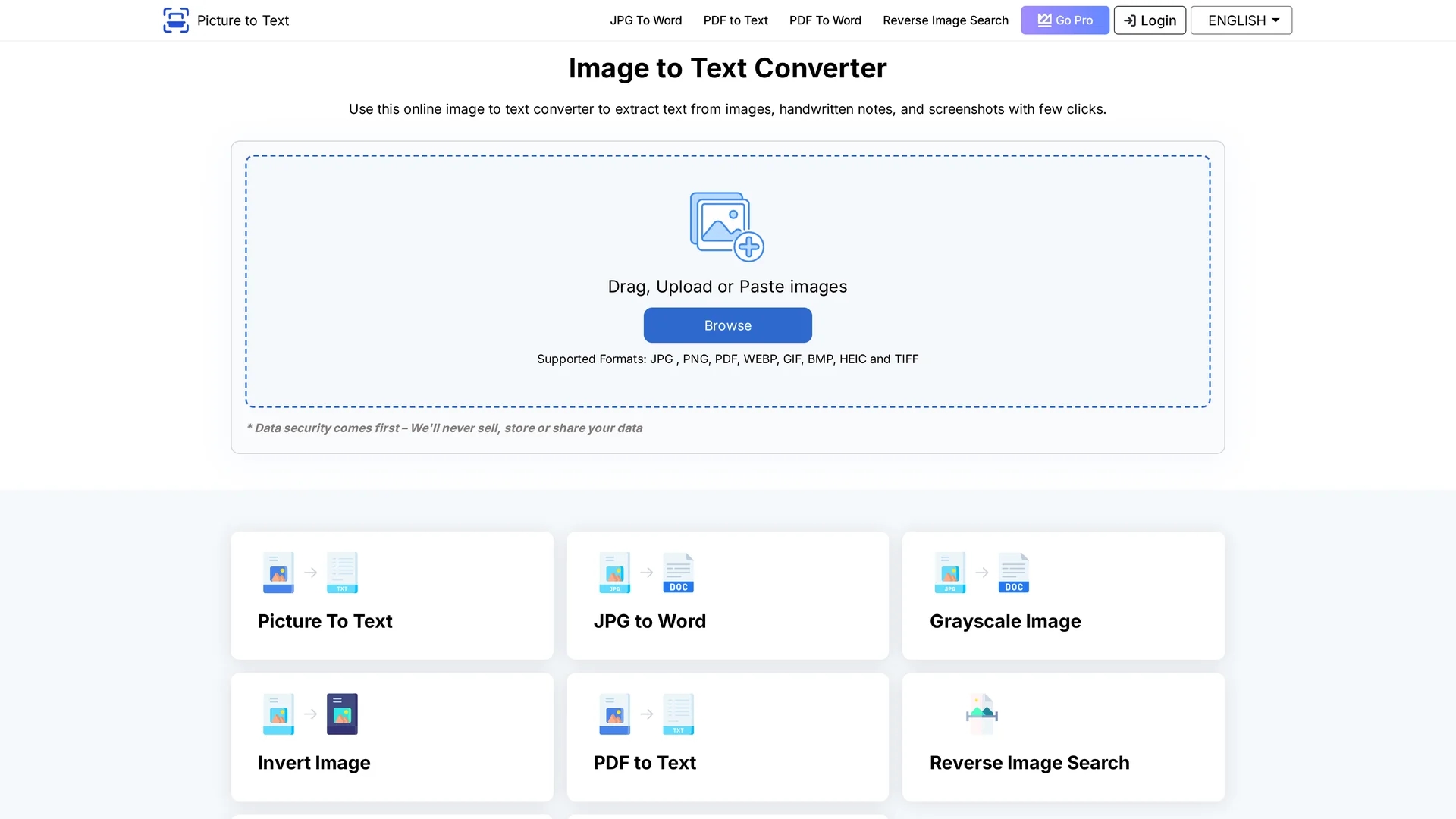
Key Features
Advanced OCR
Uses AI-powered optical character recognition for accurate text extraction.
Multi-format Support
Accepts JPG, PNG, GIF, BMP, TIFF, PDF, and other image formats.
User-friendly Interface
Simple drag-and-drop and copy-paste options for easy image upload.
Fast Conversion
Processes images quickly, including batch conversions for efficiency.
Get Started
Share & Save
Share on Social Media
Why Choose Picture To Text
Multi-language:
Supports text extraction in over 20 languages for diverse user needs.Batch Processing:
Enables conversion of multiple images simultaneously to save time.Data Privacy:
Automatically deletes uploaded files and extracted text after processing.
Pricing
Picture To Text offers a freemium model with free usage under limitations. Paid plans include Weekly ($2.99), Monthly ($4.99), and Yearly ($39.88) subscriptions, providing faster conversion, larger file sizes, and batch processing. Visit the pricing page for details.
About Picture To Text
Picture To Text uses advanced OCR technology to convert images in various formats into editable text, supporting 20 languages with batch processing and strong data privacy.
What Picture To Text Does
Picture To Text converts text from various image formats into editable digital text, enabling users to efficiently digitize scanned documents, notes, and receipts. This reduces manual transcription efforts and improves data accessibility.
The tool employs advanced OCR and AI technologies to accurately recognize text in over 20 languages and supports batch processing for multiple images simultaneously. Users can upload images via drag-and-drop or copy-paste, then quickly convert and download or copy the extracted text.
It is useful across industries such as education, finance, legal, and research, helping students, office workers, and professionals streamline document management and translation tasks.
Pros & Cons
Ease of Use
Intuitive interface requires no technical skills for text extraction.
Flexible Pricing
Free tier available with optional affordable paid plans for advanced features.
File Limits
Free users have restrictions on file size and number of uploads.
Limited Formats Free
Some file types only available for premium users.
Frequently Asked Questions
It is an OCR tool that extracts editable text from images and scanned documents.
Free usage is available with limits; paid plans start at $2.99 weekly.
Supports JPG, PNG, GIF, BMP, TIFF, PDF, and more formats.
Yes, batch processing supports up to 3 images free and 50 images for premium users.
Uploaded images and extracted text are deleted automatically after processing.
Similar Tools You Might Like
Discover more AI-powered tools that complement your workflow
List Your AI Tool & Reach Thousands of Users
Join 500+ AI innovators already thriving on our platform. Get visibility, feedback, and boost your conversions.
Expand Your Audience
Connect with over 50,000 AI enthusiasts actively looking for tools like yours.
Boost Your Authority
Get verified reviews and ratings to build credibility in the AI marketplace.
Drive Conversions
Our premium placements and targeted audience deliver quality leads and sign-ups.