
PandaExtract Website to Text Converter
PandaExtract Website to Text Converter extracts clean, readable text from web pages, enabling efficient content analysis and research with easy URL input and formatting options.
Disclaimer: Visionary Hub is not affiliated with, endorsed by, or the operator of this tool. All trademarks, logos, and content are the property of their respective owners. Full disclaimer available here
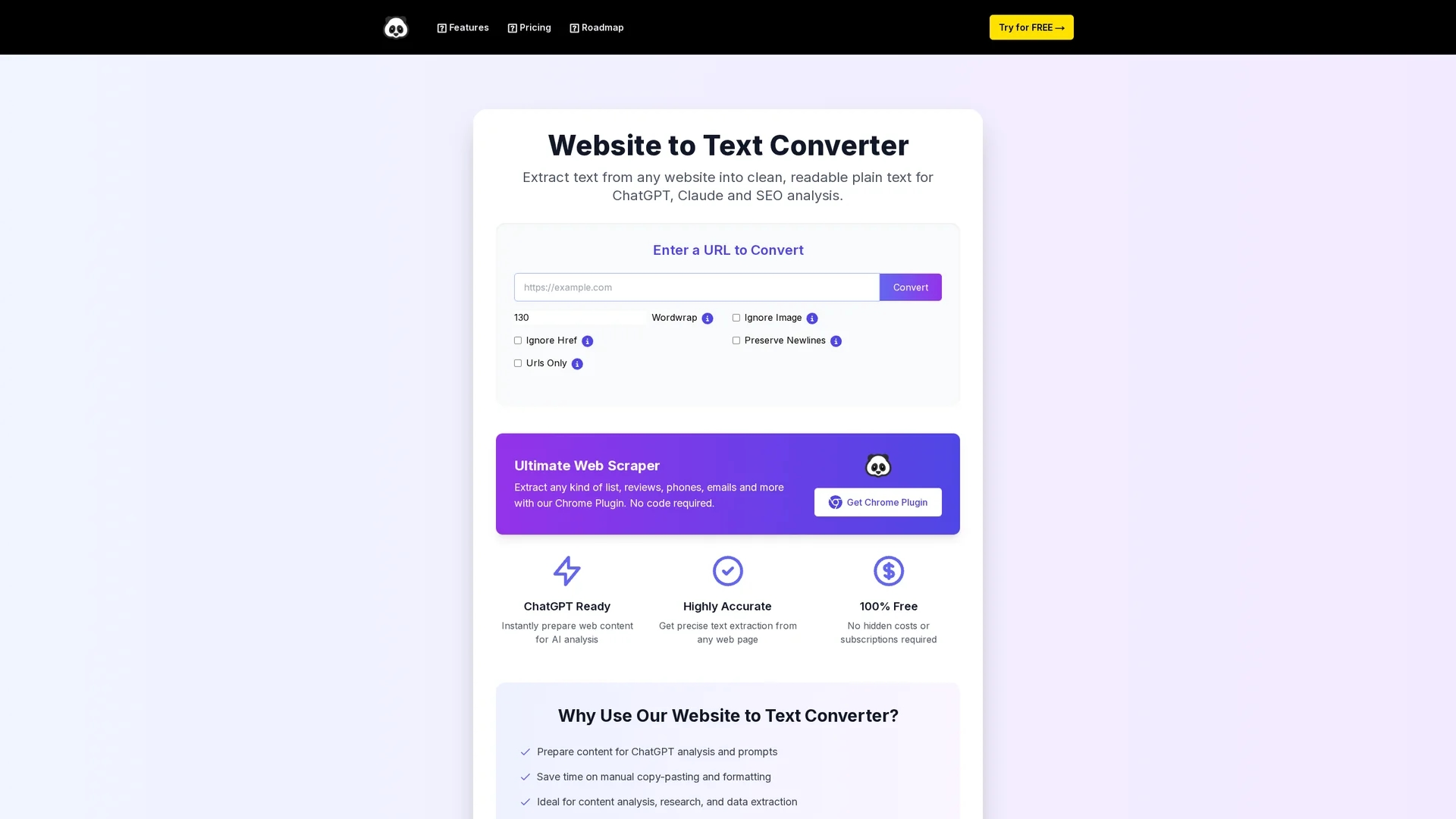
Key Features
Text Extraction
Extracts clean text from any web page efficiently.
URL Input
Simple interface to input URLs for conversion.
Newline Preservation
Options to keep original text formatting intact.
Browser Functionality
No installation needed; works directly in browsers.
Get Started
Share & Save
Share on Social Media
Why Choose PandaExtract Website to Text Converter
Browser-Based:
Operates directly in the browser without software installation.Clean Extraction:
Removes images and hyperlinks for readable plain text.Formatting Options:
Preserves newlines and allows customization of output.
Pricing
Pricing details are not explicitly provided. For current prices, visit the official pricing page at https://ultimatewebscraper.com/pricing.
About PandaExtract Website to Text Converter
PandaExtract Website to Text Converter extracts clean, readable text from web pages, enabling efficient content analysis and research with easy URL input and formatting options.
What PandaExtract Website to Text Converter Does
PandaExtract Website to Text Converter extracts clean text from web pages, removing images, hyperlinks, and other clutter. This enables users to focus on the core content for analysis or AI processing.
The tool features a simple URL input interface and options to preserve newlines and ignore images or links. It works entirely in the browser, requiring no software installation, and supports accurate extraction for diverse web content.
It is useful for content analysts, researchers, and developers who need to prepare web data for SEO, AI models, or competitive analysis, streamlining workflows in marketing, research, and data collection.
Pros & Cons
Ease of Use
Straightforward URL input and browser operation.
Time Saving
Eliminates manual copy-pasting and formatting tasks.
Limited Signup
No direct signup or account creation available.
Pricing Info
Pricing details are not clearly stated on the homepage.
Frequently Asked Questions
It extracts clean, readable text from web pages by removing images and links for easier analysis.
The homepage mentions a free Chrome plugin but does not specify free trials for this tool.
No, it works directly in the browser without any software installation.
Pricing details are available on the official pricing page linked on the homepage.
Yes, it offers options to preserve newlines and customize output formatting.
Similar Tools You Might Like
Discover more AI-powered tools that complement your workflow
List Your AI Tool & Reach Thousands of Users
Join 500+ AI innovators already thriving on our platform. Get visibility, feedback, and boost your conversions.
Expand Your Audience
Connect with over 50,000 AI enthusiasts actively looking for tools like yours.
Boost Your Authority
Get verified reviews and ratings to build credibility in the AI marketplace.
Drive Conversions
Our premium placements and targeted audience deliver quality leads and sign-ups.