
Movavi Video Editor
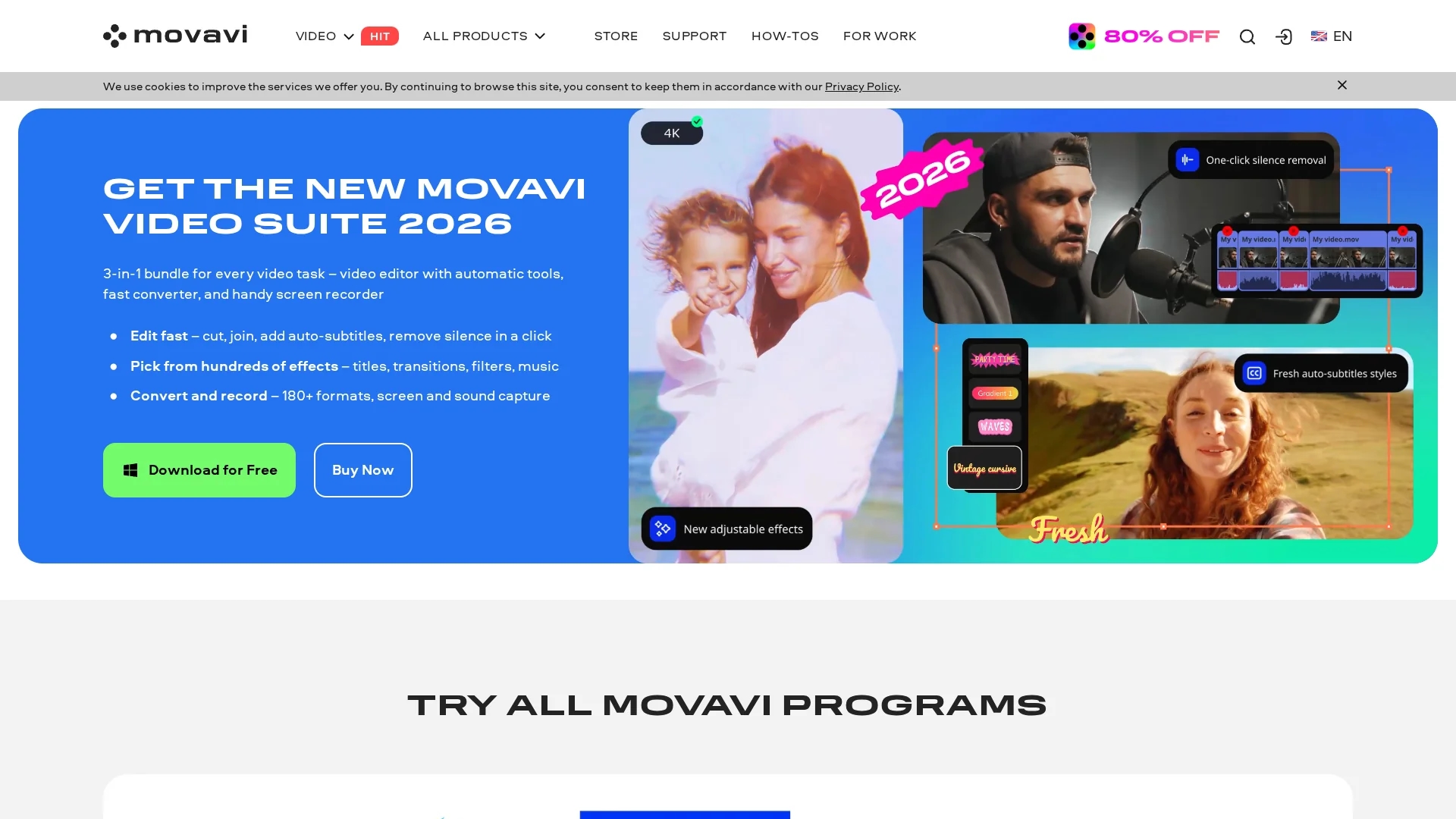
Movavi Video Editor is an intuitive video editing software with AI-powered tools like background removal, motion tracking, and noise removal, enabling users to create professional videos quickly with drag-and-drop ease.
Disclaimer: Visionary Hub is not affiliated with, endorsed by, or the operator of this tool. All trademarks, logos, and content are the property of their respective owners. Full disclaimer available here
Key Features
Background Removal
Easily replace or remove video backgrounds without green screens.
Motion Tracking
Automatically follows moving objects to add effects or titles.
Noise Removal
AI-powered audio denoiser removes unwanted background sounds.
Drag and Drop
Simplifies editing with an intuitive timeline and easy clip manipulation.
Get Started
Share & Save
Share on Social Media
Why Choose Movavi Video Editor
AI Tools:
Automates background removal, motion tracking, and noise reduction for efficient editing.User-Friendly:
Intuitive drag-and-drop interface suitable for beginners and professionals.Versatile Features:
Supports slow motion, upscaling, and screen recording for diverse video needs.
Pricing
Movavi Video Editor offers a free trial with limitations such as watermarked exports and time restrictions. Full versions are available via lifetime licenses or annual subscriptions. Pricing details and purchase options are available on the official website.
About Movavi Video Editor
Movavi Video Editor is an intuitive video editing software with AI-powered tools like background removal, motion tracking, and noise removal, enabling users to create professional videos quickly with drag-and-drop ease.
What Movavi Video Editor Does
Movavi Video Editor enables users to create and enhance videos with ease using AI-powered tools. It helps remove unwanted backgrounds, track moving objects, and eliminate noise, improving video quality efficiently.
The software features drag-and-drop editing, hundreds of filters, titles, transitions, and overlays. It supports slow-motion editing, AI-based upscaling, and screen recording, leveraging AI to automate complex tasks and speed up workflows.
Ideal for YouTubers, social media content creators, and marketing professionals, Movavi Video Editor supports diverse video projects from personal to professional use.
Pros & Cons
Easy to Use
Designed for users with varying skill levels, including beginners.
Comprehensive AI
Includes multiple AI features that enhance video editing efficiency.
Trial Limitations
Free version includes watermarks and time restrictions on exports.
Platform Restriction
Primarily supports Windows; Mac version available separately.
Frequently Asked Questions
It includes AI background removal, motion tracking, and noise removal to enhance video quality.
Yes, a free trial is available with watermarks and limited export duration.
Requires Windows 10/11 64-bit, dual-core processor, 4 GB RAM, and 400 MB free disk space.
Yes, support includes a help center, how-to guides, and a learning portal.
Yes, it integrates with Movavi Video Suite and other Movavi products for extended functionality.
Similar Tools You Might Like
Discover more AI-powered tools that complement your workflow
List Your AI Tool & Reach Thousands of Users
Join 500+ AI innovators already thriving on our platform. Get visibility, feedback, and boost your conversions.
Expand Your Audience
Connect with over 50,000 AI enthusiasts actively looking for tools like yours.
Boost Your Authority
Get verified reviews and ratings to build credibility in the AI marketplace.
Drive Conversions
Our premium placements and targeted audience deliver quality leads and sign-ups.