
Morphr
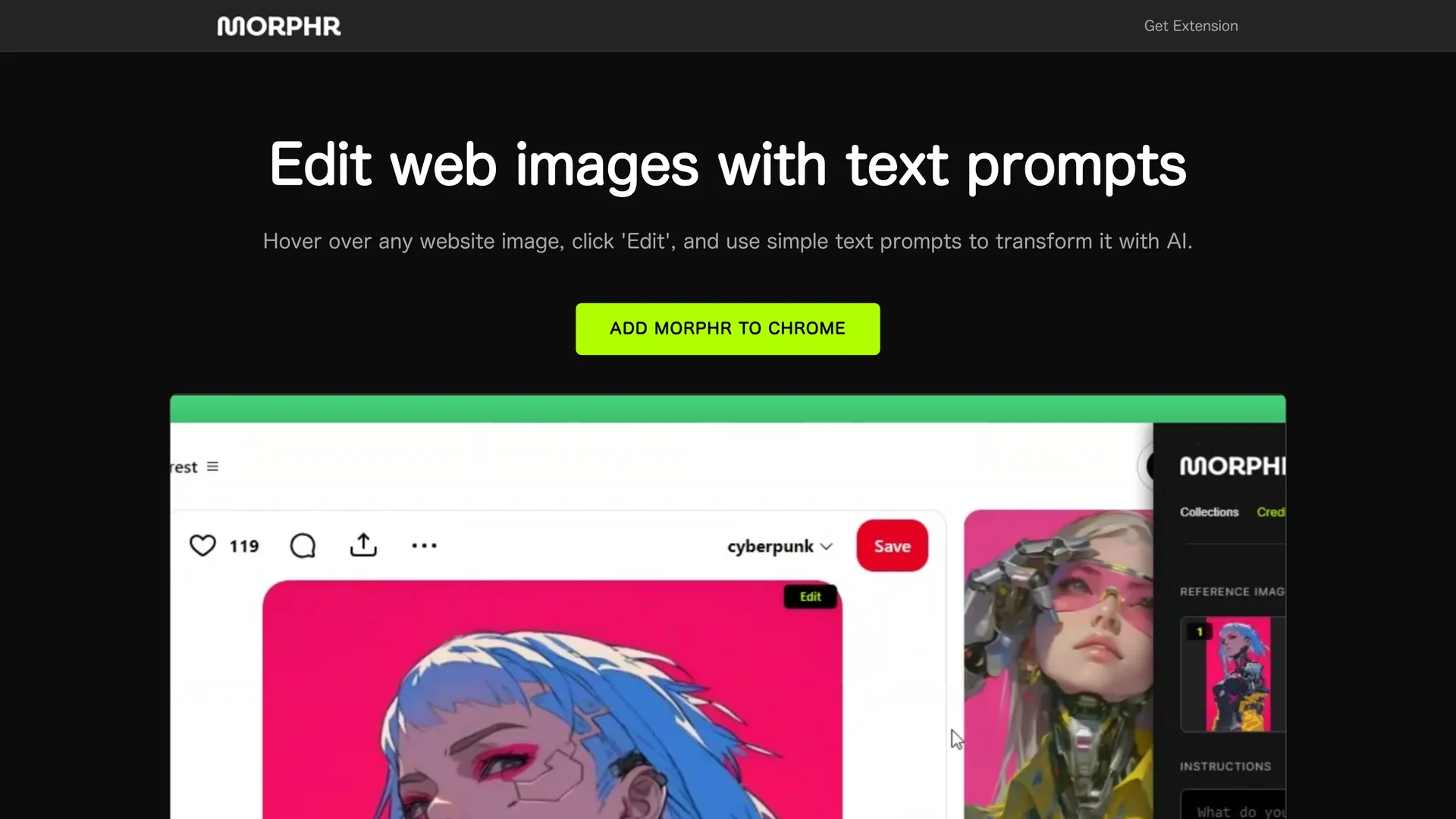
Morphr is a Chrome extension that enables quick web image editing using AI-powered text prompts, allowing marketers and content creators to modify images directly in the browser efficiently.
Disclaimer: Visionary Hub is not affiliated with, endorsed by, or the operator of this tool. All trademarks, logos, and content are the property of their respective owners. Full disclaimer available here
Key Features
Chrome Extension
Easily install and access image editing within the Chrome browser.
Text Prompt Editing
Edit images by describing changes with simple AI-driven text commands.
User-Friendly Interface
Intuitive design allows quick image edits without technical skills.
AI Transformation
Uses artificial intelligence to apply filters, resize, and optimize images.
Get Started
Share & Save
Share on Social Media
Why Choose Morphr
Browser Integration:
Works directly within Chrome for seamless image editing on any webpage.AI-Powered Editing:
Transforms images using simple text prompts for efficient modifications.No External Software:
Enables on-the-fly adjustments without needing separate editing tools.
Pricing
Pricing details are not explicitly provided on the homepage. For current prices and plans, visit the Chrome Web Store page linked on the official site.
About Morphr
Morphr is a Chrome extension that enables quick web image editing using AI-powered text prompts, allowing marketers and content creators to modify images directly in the browser efficiently.
What Morphr Does
Morphr allows users to edit images found on any website by hovering over the image and clicking 'Edit' to apply changes using AI-driven text prompts. This functionality benefits users by eliminating the need for separate image editing software.
The tool features a user-friendly interface and uses AI technology to transform images based on simple textual instructions, enabling quick resizing, filtering, and optimization directly in the browser.
Typical use cases include marketers enhancing visuals for social media, designers applying real-time adjustments, and e-commerce sellers modifying product images instantly to improve customer engagement.
Pros & Cons
Accessibility
Integrated into Chrome, allowing quick edits without switching apps.
Efficiency
Speeds up image editing workflows with AI and text prompt controls.
Limited Platform
Available only as a Chrome extension, not on other browsers or platforms.
Pricing Info
No clear pricing details available on the homepage.
Frequently Asked Questions
Hover over any image in Chrome, click 'Edit', and use text prompts to modify it.
Pricing details are not provided; check the Chrome Web Store for current plans.
Morphr is available exclusively as a Chrome extension.
Yes, its user-friendly interface allows easy editing via simple text commands.
No, it works directly within the Chrome browser without external tools.
Similar Tools You Might Like
Discover more AI-powered tools that complement your workflow

List Your AI Tool & Reach Thousands of Users
Join 500+ AI innovators already thriving on our platform. Get visibility, feedback, and boost your conversions.
Expand Your Audience
Connect with over 50,000 AI enthusiasts actively looking for tools like yours.
Boost Your Authority
Get verified reviews and ratings to build credibility in the AI marketplace.
Drive Conversions
Our premium placements and targeted audience deliver quality leads and sign-ups.