
mnml.ai
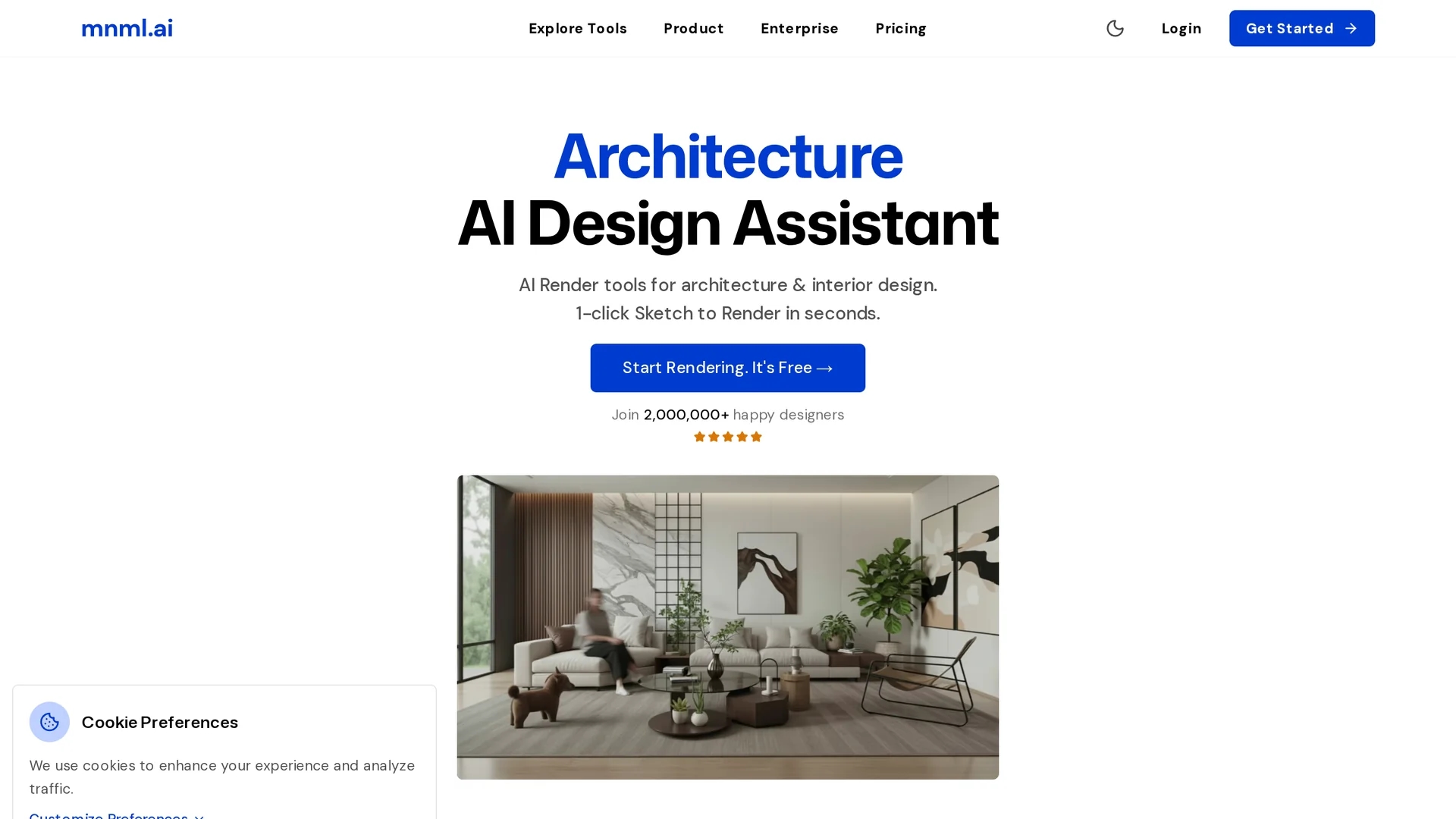
mnml.ai transforms sketches and 3D models from SketchUp, Revit, Blender, and more into photorealistic architectural renderings and animations with advanced AI tools and 40+ styles for rapid design iteration.
Disclaimer: Visionary Hub is not affiliated with, endorsed by, or the operator of this tool. All trademarks, logos, and content are the property of their respective owners. Full disclaimer available here
Key Features
Sketch-to-Render
Converts hand-drawn or digital sketches into photorealistic renders with one click.
3D Model Conversion
Transforms models from SketchUp, Revit, Blender, and 3ds Max into realistic visualizations.
Render Enhancer
Upscales and refines renders from Lumion, Enscape, V-Ray, and SketchUp up to 8K.
AI Suite
Includes text-to-render, style transfer, AI video maker, masterplan, and landscape generation.
Get Started
Share & Save
Share on Social Media
Why Choose mnml.ai
Multi-format Support:
Works with SketchUp, Revit, Blender, 3ds Max, and sketches for versatile input.High-Resolution Output:
Upscales renders up to 8K for print-quality presentations.AI-Powered Editing:
Enables text-to-render edits and style transfer for fast design iteration.
Pricing
mnml.ai offers a freemium pricing model with free usage under limitations. Paid plans include Lite ($29/mo), Most Popular ($49/mo), Studio ($119/mo), and a One-time Credits plan ($149). Discounts apply from original prices.
About mnml.ai
mnml.ai transforms sketches and 3D models from SketchUp, Revit, Blender, and more into photorealistic architectural renderings and animations with advanced AI tools and 40+ styles for rapid design iteration.
What mnml.ai Does
mnml.ai transforms hand-drawn sketches and 3D models into photorealistic architectural renderings and short animations, helping users quickly visualize design concepts.
It features 1-click sketch-to-render conversion, supports multiple 3D formats, and uses the ArchDiffusion v4.1 engine with ARX technology for high-quality CGI. Additional tools include Render Enhancer for upscaling, style transfer, text-based design edits, and batch variation generation.
Architects, designers, and visualization specialists use mnml.ai to create marketing-ready visuals, explore design alternatives, and produce cinematic walkthroughs for client presentations and real estate listings.
Pros & Cons
Versatile Inputs
Supports multiple 3D software and hand-drawn sketches for flexible workflows.
Rapid Iteration
Batch variation and text-based edits speed up design exploration and client feedback.
Pricing Complexity
Multiple paid plans with varying features may require careful selection.
Limited Developer Info
No clear developer or company details publicly available.
Frequently Asked Questions
It supports SketchUp, Revit, Blender, 3ds Max, and hand-drawn sketches for direct import.
Plans include a free tier and paid options: Lite ($29/mo), Most Popular ($49/mo), Studio ($119/mo), plus a One-time Credits plan.
Yes, it can upscale renders up to 8K resolution for print-ready quality.
Yes, it generates 10-second 1080p walkthrough animations with one-click rendering.
Yes, Design Assistant and Imagine AI enable text-to-render edits for fast concept changes.
Similar Tools You Might Like
Discover more AI-powered tools that complement your workflow
List Your AI Tool & Reach Thousands of Users
Join 500+ AI innovators already thriving on our platform. Get visibility, feedback, and boost your conversions.
Expand Your Audience
Connect with over 50,000 AI enthusiasts actively looking for tools like yours.
Boost Your Authority
Get verified reviews and ratings to build credibility in the AI marketplace.
Drive Conversions
Our premium placements and targeted audience deliver quality leads and sign-ups.