
Miro
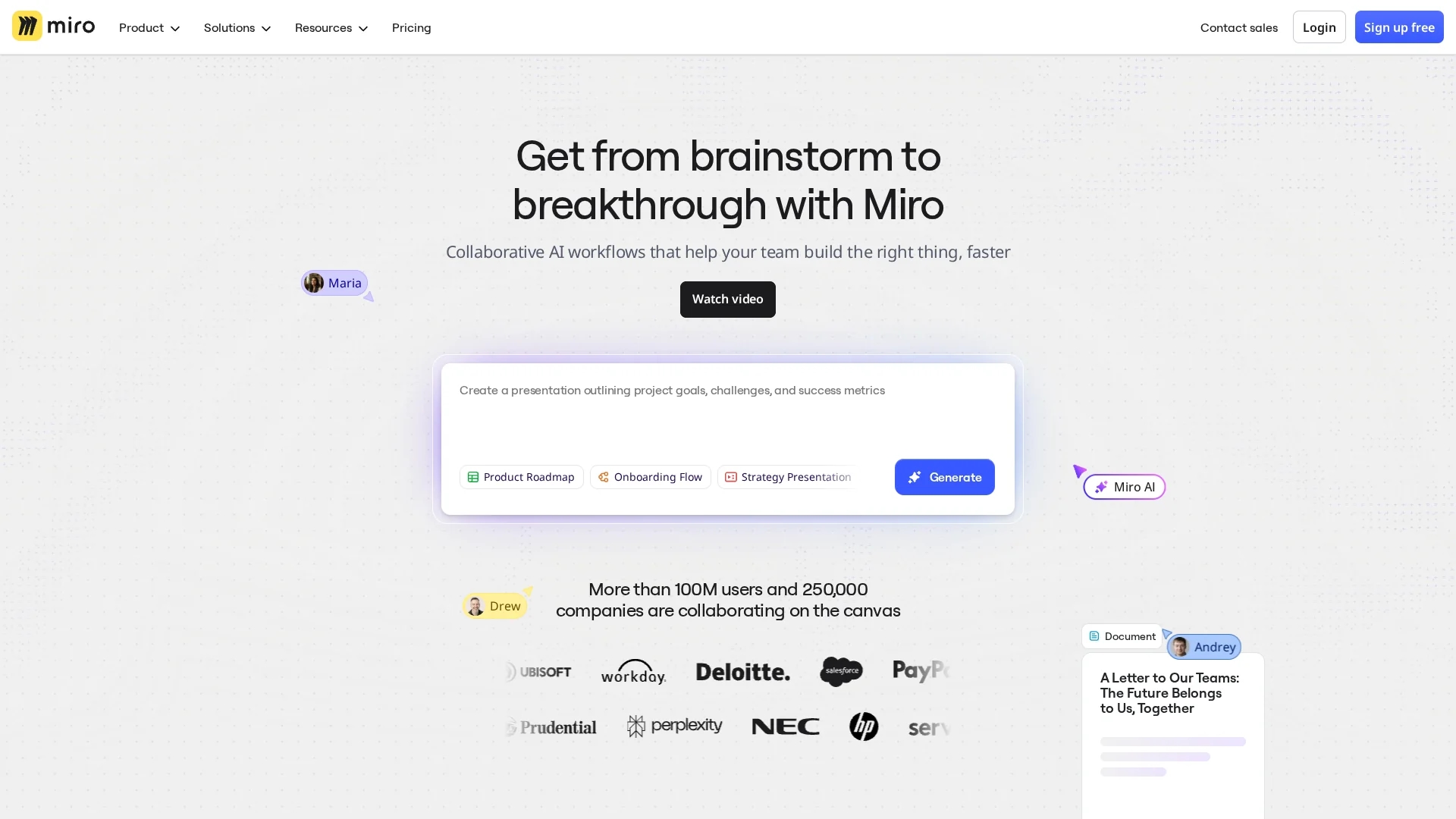
Miro is an AI-powered visual collaboration workspace that enables teams to brainstorm, plan, and design on an infinite canvas with templates, integrations, and AI workflows for faster ideation and decision-making.
Disclaimer: Visionary Hub is not affiliated with, endorsed by, or the operator of this tool. All trademarks, logos, and content are the property of their respective owners. Full disclaimer available here
Key Features
Intelligent Canvas
Infinite, zoomable workspace for sticky notes, diagrams, mind maps, and wireframes.
Miro AI
Automates diagrams, summaries, and structured documents to speed ideation and documentation.
AI Workflows
Flows and Sidekicks provide contextual suggestions and can read links from boards.
Template Library
Over 2,500 customizable templates for meetings, UX, agile, and strategy workflows.
Rich Integrations
Native connectors for Slack, Zoom, Teams, Jira, Figma and AI knowledge partners.
Facilitation Tools
Built-in video, timers, polling, voting, screen sharing, and estimation features.
Developer Platform
APIs and SDKs for apps, custom integrations, and internal workflow connections.
AI Diagram Generator
Creates flowcharts, ERDs, UML diagrams and mind maps from text prompts.
Get Started
Share & Save
Share on Social Media
Why Choose Miro
Fast visual collaboration:
Real-time, session-driven canvases accelerate team ideation and decision-making across distributed teams.Enterprise security:
SSO, SCIM provisioning, SIEM integrations, and audit logs support strict compliance and scale.Context-aware AI:
Miro AI accesses boards and notes to generate relevant outputs without leaving the workspace.Trusted at scale:
Adopted by hundreds of thousands of organizations, including Fortune companies for enterprise workflows.
Pricing
Miro offers a Free plan (3 boards), Starter ($8–$10/user/month billed annually or monthly), Business ($16–$20/user/month) and custom Enterprise pricing for 30+ users. Education plans are available. Annual billing typically saves ~20%; Miro AI credits vary by plan.
About Miro
Miro is an AI-powered visual collaboration workspace that enables teams to brainstorm, plan, and design on an infinite canvas with templates, integrations, and AI workflows for faster ideation and decision-making.
What Miro Does
Miro is an AI-powered visual collaboration workspace that centralizes brainstorming, planning, and design on unlimited digital canvases. Users create sticky notes, diagrams, mind maps, wireframes, and flowcharts while collaborating in real time or asynchronously.
Miro AI automates summarization, generates diagrams from text prompts, structures documents, and converts brainstorms into product briefs, user stories, and wireframes. AI Workflows like Flows and Sidekicks provide contextual suggestions and can read web links placed on boards.
Teams apply Miro for customer journey mapping, agile sprint planning, UX design, retrospectives, product development, marketing planning, and education, integrating with Slack, Zoom, Microsoft Teams, Jira, and Figma to fit existing workflows.
Pros & Cons
High ratings
Consistently strong user ratings across major review platforms indicating user satisfaction.
Large template set
2,500+ templates and native integrations reduce setup time and workflow friction.
AI automation
Automates diagramming, summarization, and document structuring to save time.
Strong adoption
High retention and measurable AI-feature adoption among active users.
Learning curve
Advanced features and custom workflows require time to master.
Per-user pricing
Costs increase with team size compared to some fixed-rate alternatives.
AI credits
Miro AI consumes monthly credits that vary by plan and must be monitored.
Frequently Asked Questions
Miro suits product managers, designers, educators, and marketing teams that need real-time visual collaboration, remote ideation, and structured design workflows across distributed teams.
Miro AI automates summarization, diagram generation, and ideation, enabling teams to convert conversations into structured briefs, wireframes, and user stories faster.
Miro AI features are available only to team members; guests and visitors cannot access Miro AI functionality.
Miro annual billing typically provides approximately 20% savings compared to monthly billing across paid plans.
Miro reports over 90 million users globally across roughly 250,000 organizations, from startups to Fortune 100 companies.
Similar Tools You Might Like
Discover more AI-powered tools that complement your workflow

List Your AI Tool & Reach Thousands of Users
Join 500+ AI innovators already thriving on our platform. Get visibility, feedback, and boost your conversions.
Expand Your Audience
Connect with over 50,000 AI enthusiasts actively looking for tools like yours.
Boost Your Authority
Get verified reviews and ratings to build credibility in the AI marketplace.
Drive Conversions
Our premium placements and targeted audience deliver quality leads and sign-ups.