
Microsoft Designer
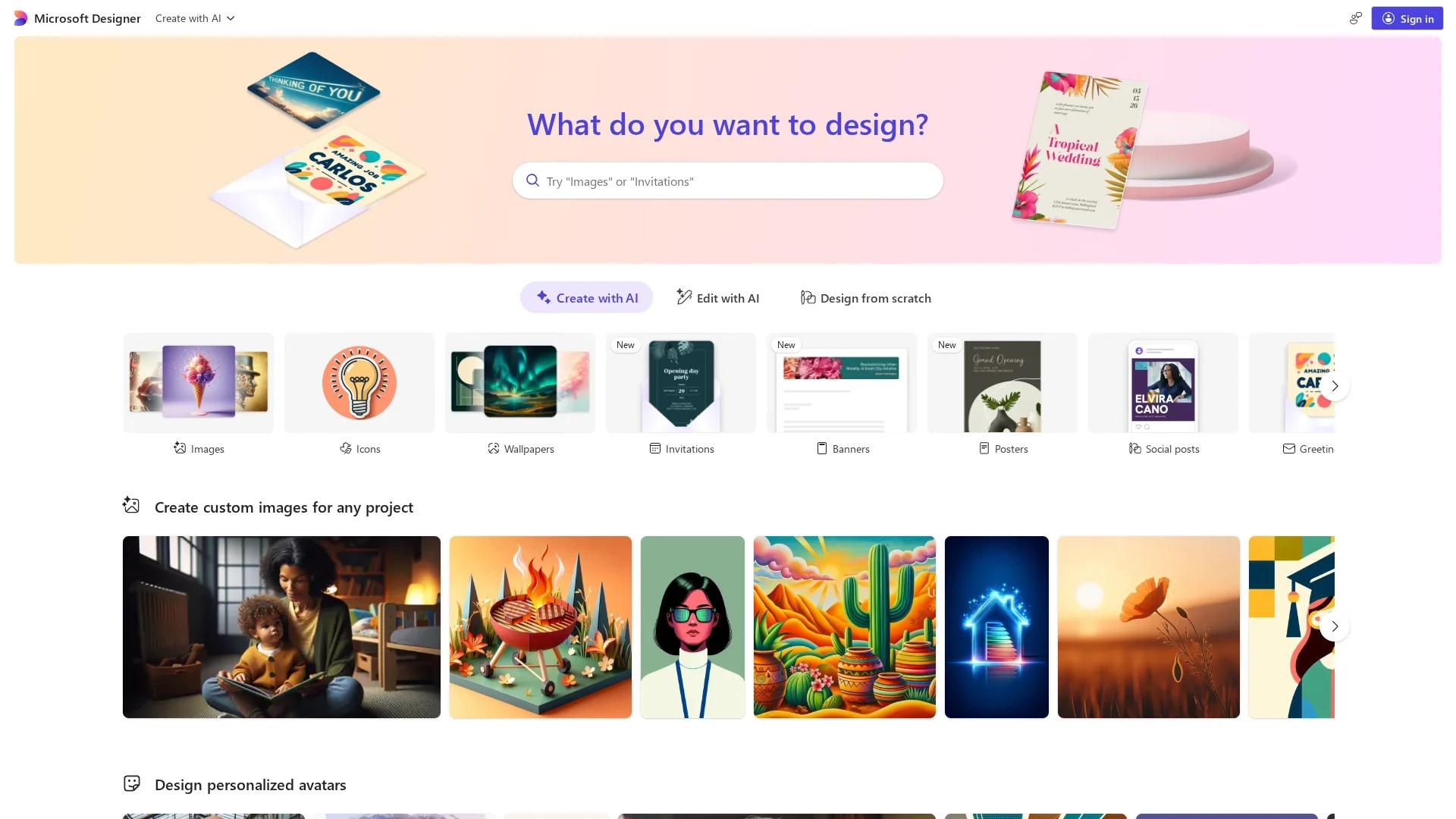
AI image-generation and graphic design tool Microsoft Designer creates social media posts, invitations, and digital graphics from text prompts using DALL‑E, enabling quick, branded visuals inside the Microsoft 365 ecosystem.
Disclaimer: Visionary Hub is not affiliated with, endorsed by, or the operator of this tool. All trademarks, logos, and content are the property of their respective owners. Full disclaimer available here
Key Features
AI Image Generation
Generates custom images and graphics from text prompts using DALL‑E technology for rapid creativity.
Image Editing Suite
Provides restyling, background removal, object erasing, cropping, and upscaling for uploads.
Custom Brand Kits
Applies consistent colors, fonts, and logos across designs to maintain brand identity.
Microsoft 365 Integration
Embeds Designer workflows into Word, PowerPoint, Edge, and OneDrive for smooth handoffs.
Social Optimization
Outputs platform-sized graphics with suitable fonts, filters, and color palettes for channels.
Get Started
Share & Save
Share on Social Media
Why Choose Microsoft Designer
Free DALL‑E Design:
Access DALL‑E image generation with 15 daily boosts to create professional visuals at no cost.Microsoft Integration:
Designs work directly within Word, PowerPoint, Edge, and OneDrive for streamlined productivity.
Pricing
Microsoft Designer is free with 15 boosts per day for AI image creation and editing. Copilot Pro expands capacity (100 boosts per day) and is available via Microsoft 365 Personal and Family subscriptions.
About Microsoft Designer
AI image-generation and graphic design tool Microsoft Designer creates social media posts, invitations, and digital graphics from text prompts using DALL‑E, enabling quick, branded visuals inside the Microsoft 365 ecosystem.
What Microsoft Designer Does
Microsoft Designer converts text prompts into custom images, social posts, invitations, collages, stickers, and branded graphics using DALL‑E AI. Users receive multiple generated options, then refine layouts, text, and styles for immediate use.
The tool offers AI image generation, background removal and replacement, image restyling, text addition, platform-specific resizing, and custom brand kits. It includes 15 free daily boosts for image creation and editing, with expanded boosts available via Copilot Pro.
Typical use cases include social media content production, rapid marketing asset creation, event invitations, and on-demand visuals for presentations and web content within Microsoft 365 workflows.
Pros & Cons
Free boosts
Includes 15 daily boosts for generation and editing, enabling regular use without cost.
Microsoft integration
Seamless connectivity with Word, PowerPoint, Edge, and OneDrive for integrated workflows.
Beginner-friendly
Prompt-based generation and templates let non-designers produce polished visuals quickly.
Boost limits
Fifteen daily boosts restrict heavy usage unless users upgrade to Copilot Pro.
Editing limits
Advanced, professional-grade editing and template diversity are more limited than some competitors.
Frequently Asked Questions
Microsoft Designer is free to use and includes 15 daily boosts for AI image creation and editing; additional boosts are available through Copilot Pro subscriptions.
Microsoft Designer uses DALL‑E for AI-powered image generation, turning text prompts into multiple design options users can customize.
Microsoft Designer is primarily a web app accessible via browsers and is integrated into Microsoft 365 apps that run on multiple platforms.
Microsoft Designer: the legacy visual editor was deprecated in October 2025 and users were migrated to the newer editor with improved image and text editing.
Microsoft Designer can create social media posts, invitations, greeting cards, stickers, collages, avatars, wallpapers, and custom brand graphics from prompts.
Similar Tools You Might Like
Discover more AI-powered tools that complement your workflow
List Your AI Tool & Reach Thousands of Users
Join 500+ AI innovators already thriving on our platform. Get visibility, feedback, and boost your conversions.
Expand Your Audience
Connect with over 50,000 AI enthusiasts actively looking for tools like yours.
Boost Your Authority
Get verified reviews and ratings to build credibility in the AI marketplace.
Drive Conversions
Our premium placements and targeted audience deliver quality leads and sign-ups.