Lock-in
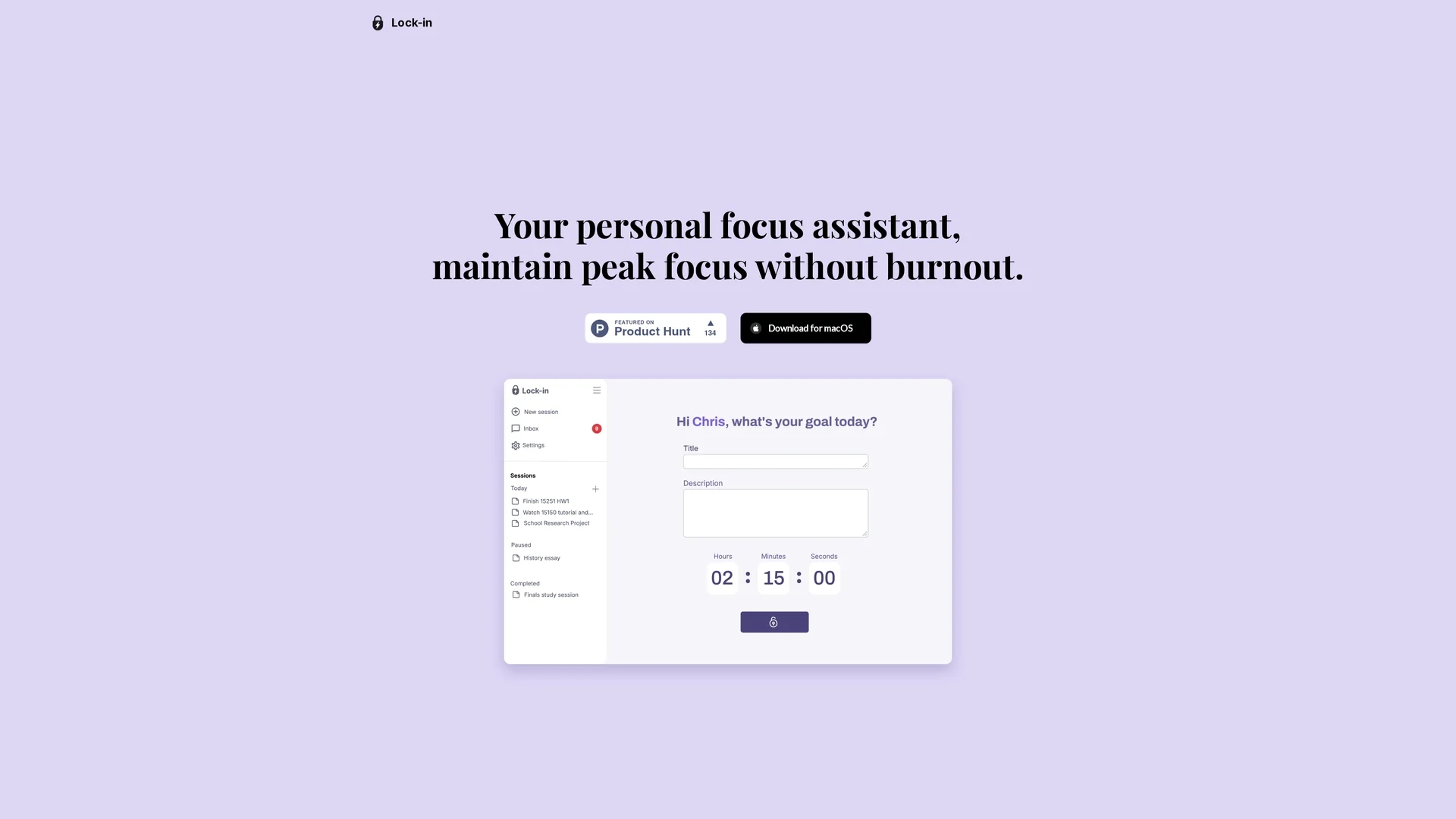
Lock-in is an AI-powered focus assistant for macOS that monitors activity, provides nudges to refocus, suggests science-backed breaks, and delivers detailed reports to boost productivity and reduce burnout.
Disclaimer: Visionary Hub is not affiliated with, endorsed by, or the operator of this tool. All trademarks, logos, and content are the property of their respective owners. Full disclaimer available here
Key Features
macOS Monitoring
Monitors user activity on macOS to identify focus disruptions.
Distraction Detection
Detects tab switching and idle time to spot work interruptions.
Focus Nudges
Sends timely reminders to help users refocus quickly.
Break Recommendations
Offers evidence-based suggestions for short, restorative breaks.
Get Started
Share & Save
Share on Social Media
Why Choose Lock-in
Activity Monitoring:
Tracks real work and detects distractions like tab hops and idle stalls.Adaptive Breaks:
Suggests science-backed resets such as water breaks and stretches.Detailed Reports:
Provides focus scores and distraction analysis after each session.
Pricing
For current prices, visit the official Lock-in website.
About Lock-in
Lock-in is an AI-powered focus assistant for macOS that monitors activity, provides nudges to refocus, suggests science-backed breaks, and delivers detailed reports to boost productivity and reduce burnout.
What Lock-in Does
Lock-in monitors macOS user activity to detect work interruptions such as tab switching and idle moments, helping users maintain focus and minimize distractions during work sessions.
It provides timely nudges to refocus attention and suggests adaptive, science-backed breaks like hydration reminders and quick stretches to recharge concentration levels.
After each session, Lock-in delivers detailed reports including focus scores, distraction analysis, and recovery time, enabling users to analyze productivity patterns and improve work habits.
Pros & Cons
Focus Enhancement
Effectively reduces distractions to improve concentration.
Burnout Prevention
Encourages breaks that help maintain energy and reduce fatigue.
macOS Only
Available exclusively for macOS, limiting cross-platform use.
No Signup Link
No direct registration URL found on the homepage.
Frequently Asked Questions
Lock-in currently supports macOS only for monitoring user activity.
Pricing details are not specified; visit the official site for current plans.
It monitors tab switching and idle moments to identify interruptions.
Yes, it recommends science-backed breaks like hydration and stretches.
Contact information is provided via email on the official website.
Similar Tools You Might Like
Discover more AI-powered tools that complement your workflow

List Your AI Tool & Reach Thousands of Users
Join 500+ AI innovators already thriving on our platform. Get visibility, feedback, and boost your conversions.
Expand Your Audience
Connect with over 50,000 AI enthusiasts actively looking for tools like yours.
Boost Your Authority
Get verified reviews and ratings to build credibility in the AI marketplace.
Drive Conversions
Our premium placements and targeted audience deliver quality leads and sign-ups.