LocalFile.io
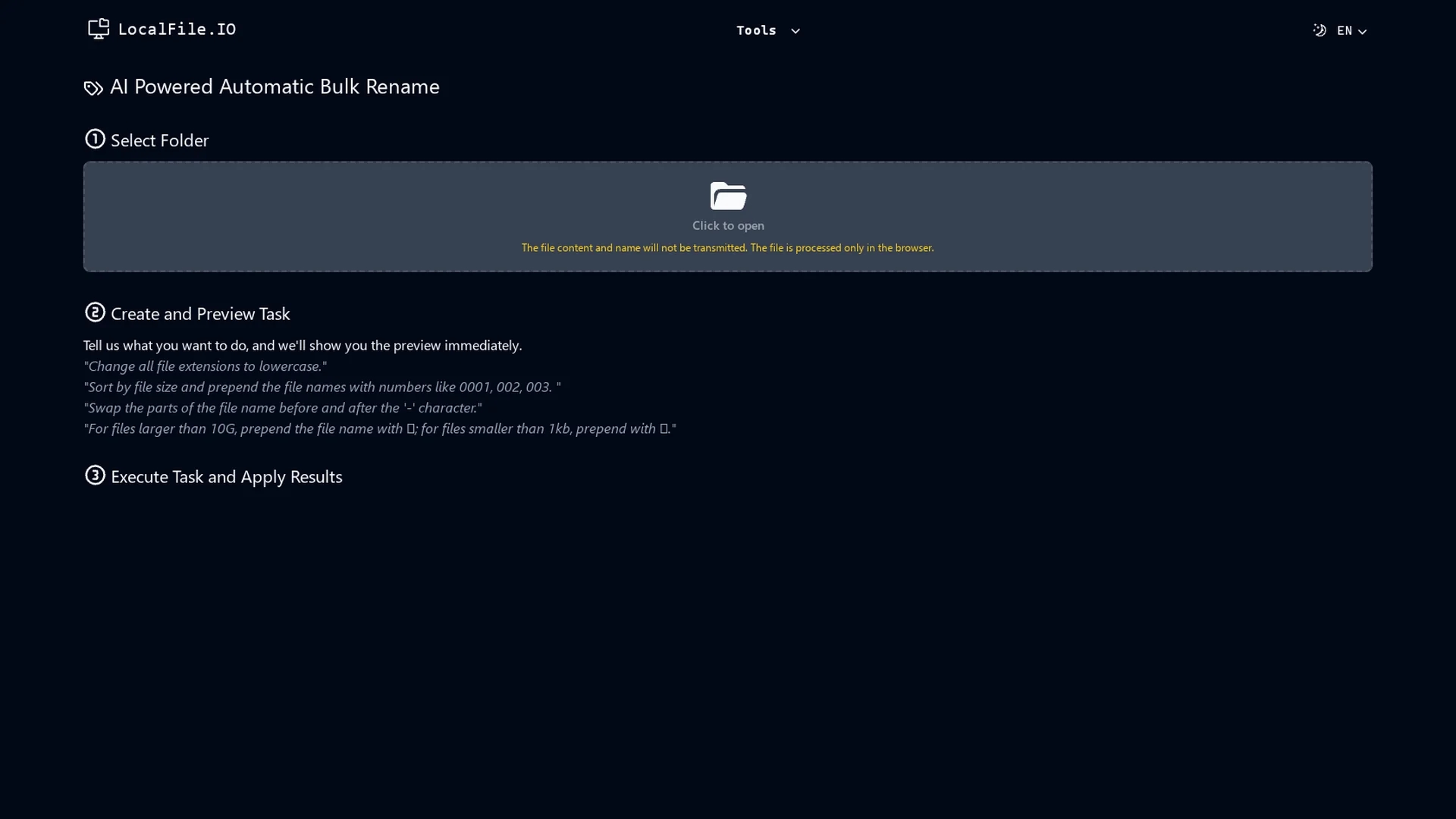
LocalFile.io offers AI-powered automatic bulk renaming, enabling users to create custom naming rules, preview changes, and efficiently manage large file collections with sorting and extension modification options.
Disclaimer: Visionary Hub is not affiliated with, endorsed by, or the operator of this tool. All trademarks, logos, and content are the property of their respective owners. Full disclaimer available here
Key Features
Bulk Renaming
Rename large volumes of files automatically with AI assistance.
Extension Modification
Change file extensions as part of the renaming process.
Name Part Swapping
Swap segments of file names based on specified characters.
Preview Changes
See all renaming effects in real-time before execution.
Get Started
Share & Save
Share on Social Media
Why Choose LocalFile.io
Custom Rules:
Create tailored naming conventions to fit specific file management needs.Real-Time Preview:
View changes before applying to avoid errors in bulk renaming.Size Sorting:
Organize files efficiently by sorting and renaming based on file size.
Pricing
For current prices, visit the official pricing page at https://localfile.io/en/price/.
About LocalFile.io
LocalFile.io offers AI-powered automatic bulk renaming, enabling users to create custom naming rules, preview changes, and efficiently manage large file collections with sorting and extension modification options.
What LocalFile.io Does
LocalFile.io automates the process of renaming multiple files simultaneously, saving time and reducing errors in file management. Users benefit from streamlined workflows when organizing large file collections.
The tool offers custom naming rules, the ability to change file extensions, sort files by size, and swap parts of file names based on specified characters. It provides a real-time preview of changes before execution, ensuring accuracy.
It is useful for content creators, IT professionals, and digital archivists who need to maintain consistent naming conventions across images, documents, and media files for projects, presentations, or archives.
Pros & Cons
Efficiency
Speeds up renaming tasks for large file collections.
Customization
Supports flexible naming rules tailored to user needs.
Limited Signup
No direct signup link available on the homepage.
Pricing Transparency
Detailed pricing requires visiting a separate page.
Frequently Asked Questions
It can rename various file types, including images, documents, and media files.
Pricing details and trial availability are provided on the official pricing page.
Yes, users can modify file extensions as part of the renaming rules.
Yes, the tool offers a real-time preview of all renaming changes.
Data managers, content creators, and IT professionals benefit most from this tool.
Similar Tools You Might Like
Discover more AI-powered tools that complement your workflow
List Your AI Tool & Reach Thousands of Users
Join 500+ AI innovators already thriving on our platform. Get visibility, feedback, and boost your conversions.
Expand Your Audience
Connect with over 50,000 AI enthusiasts actively looking for tools like yours.
Boost Your Authority
Get verified reviews and ratings to build credibility in the AI marketplace.
Drive Conversions
Our premium placements and targeted audience deliver quality leads and sign-ups.