
Keep it shot
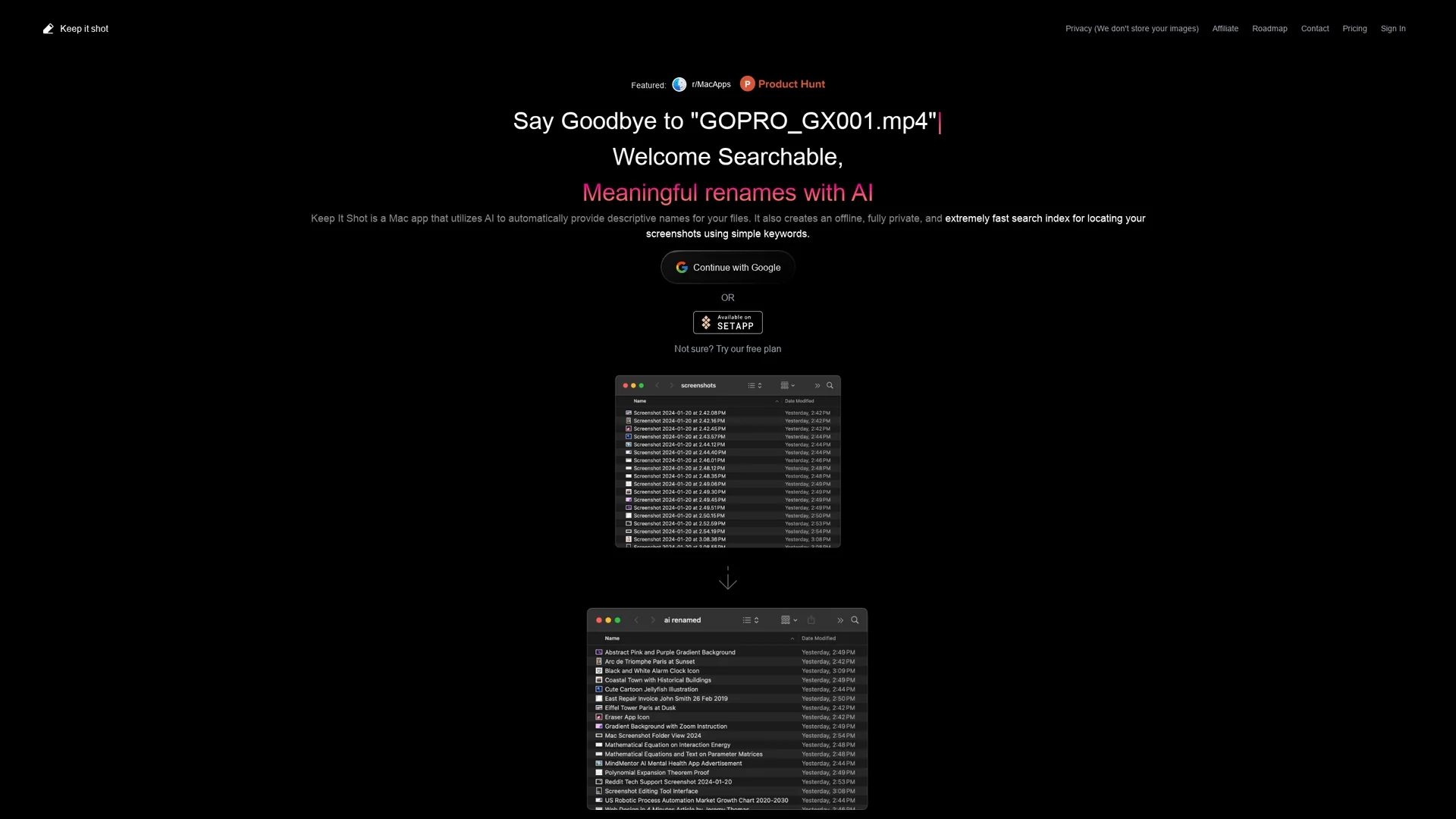
Keep Shot is a Mac app that uses AI to organize screenshots with descriptive names and fast local offline search, ensuring privacy and efficient media management.
Disclaimer: Visionary Hub is not affiliated with, endorsed by, or the operator of this tool. All trademarks, logos, and content are the property of their respective owners. Full disclaimer available here
Key Features
AI-Generated Names
Creates meaningful file names automatically for better organization.
Offline Search
Builds a local search index for fast, private keyword-based searches.
Batch Renaming
Allows renaming large groups of files efficiently with two clicks.
Custom Preferences
Supports customizable renaming rules and automated workflows.
Get Started
Share & Save
Share on Social Media
Why Choose Keep it shot
Privacy Focus:
Keeps all images and search data offline without storing files online.AI Naming:
Automatically generates descriptive file names using AI technology.Batch Renaming:
Enables quick renaming of multiple files with progress tracking.
Pricing
Keep Shot offers a freemium pricing model with a free plan and paid options including an Individual plan at $8/month, Yearly plan at $19/year, Product manager/designers plan at $24, and a one-time payment plan with credits at $500. Pricing is subject to change; visit the official pricing page for details.
About Keep it shot
Keep Shot is a Mac app that uses AI to organize screenshots with descriptive names and fast local offline search, ensuring privacy and efficient media management.
What Keep it shot Does
Keep Shot organizes and manages screenshots on Mac by automatically generating descriptive file names and creating a local offline search index. This allows users to quickly find images using simple keywords while ensuring privacy.
The app features AI-powered batch renaming with customizable preferences and progress tracking. It can automatically rename new screenshots upon creation and allows users to revert to original names easily.
Ideal for visual designers, software developers, and content creators, Keep Shot improves media management by providing fast, private searching and sorting without uploading images online.
Pros & Cons
User Privacy
No images or data are uploaded to external servers.
Automation
Automates renaming of new screenshots to save time.
Platform Limitation
Available only for macOS users.
Pricing Complexity
Multiple pricing tiers may be confusing without clear feature distinctions.
Frequently Asked Questions
No, Keep Shot creates a local offline index and does not upload images online.
It offers a free plan and paid plans including Individual, Yearly, and one-time payment options.
Yes, Keep Shot supports batch renaming with progress tracking in just two clicks.
No, Keep Shot is currently available only as a Mac application.
Yes, users can define renaming preferences and automate renaming for new screenshots.
Similar Tools You Might Like
Discover more AI-powered tools that complement your workflow
List Your AI Tool & Reach Thousands of Users
Join 500+ AI innovators already thriving on our platform. Get visibility, feedback, and boost your conversions.
Expand Your Audience
Connect with over 50,000 AI enthusiasts actively looking for tools like yours.
Boost Your Authority
Get verified reviews and ratings to build credibility in the AI marketplace.
Drive Conversions
Our premium placements and targeted audience deliver quality leads and sign-ups.