ImageTool
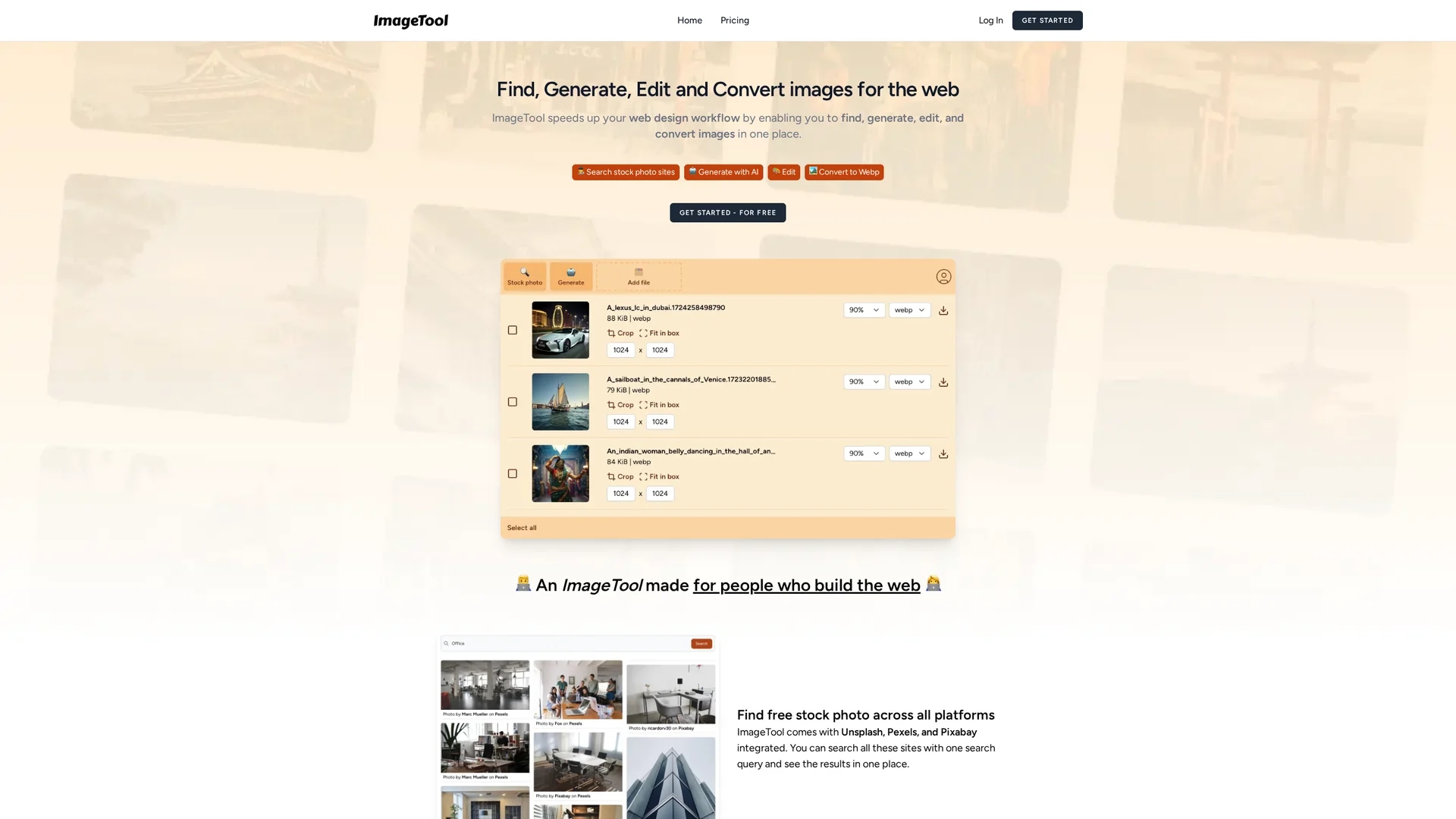
ImageTool streamlines web design by enabling users to find, generate, edit, and convert images from popular stock platforms with AI-generated visuals and automatic format conversion.
Disclaimer: Visionary Hub is not affiliated with, endorsed by, or the operator of this tool. All trademarks, logos, and content are the property of their respective owners. Full disclaimer available here
Key Features
Image Generation
Generates up to 500 unique AI-created images for diverse web needs.
Stock Integration
Searches multiple stock photo platforms with a single query.
Editing Tools
Includes cropping, compressing, and bulk resizing features.
Auto Conversion
Converts images automatically to optimized web formats.
Get Started
Share & Save
Share on Social Media
Why Choose ImageTool
All-in-One:
Combines image search, generation, editing, and conversion in one platform.AI Generation:
Creates up to 500 unique images efficiently using AI technology.Format Conversion:
Automatically converts images to web-friendly formats like WebP and AVIF.
Pricing
For current prices, visit the official page at https://imagetool.dev/
About ImageTool
ImageTool streamlines web design by enabling users to find, generate, edit, and convert images from popular stock platforms with AI-generated visuals and automatic format conversion.
What ImageTool Does
ImageTool enables users to find, generate, edit, and convert images seamlessly within a single platform, enhancing web design productivity and visual content creation.
It integrates AI to generate up to 500 unique images, supports searching multiple stock photo platforms with one query, and offers editing features like cropping, compressing, and bulk resizing. It also automatically converts images to optimized formats such as WebP and AVIF.
This tool is ideal for web designers, content creators, e-commerce sellers, and digital marketers who require efficient image management and optimization for websites and digital content.
Pros & Cons
Workflow Efficiency
Streamlines multiple image tasks into a single interface.
Wide Integration
Connects with popular stock photo platforms for extensive image sourcing.
Pricing Details
No explicit pricing information available on the homepage.
Developer Info
Lacks publicly available developer or company details.
Frequently Asked Questions
Yes, it can generate up to 500 unique AI-created images efficiently.
Yes, it integrates with Unsplash, Pexels, and Pixabay for multi-source search.
It automatically converts images to web-friendly formats like WebP and AVIF.
No specific pricing details are provided; users should check the official site.
Developer information is not publicly available on the homepage.
Similar Tools You Might Like
Discover more AI-powered tools that complement your workflow



List Your AI Tool & Reach Thousands of Users
Join 500+ AI innovators already thriving on our platform. Get visibility, feedback, and boost your conversions.
Expand Your Audience
Connect with over 50,000 AI enthusiasts actively looking for tools like yours.
Boost Your Authority
Get verified reviews and ratings to build credibility in the AI marketplace.
Drive Conversions
Our premium placements and targeted audience deliver quality leads and sign-ups.