
Image to Video AI
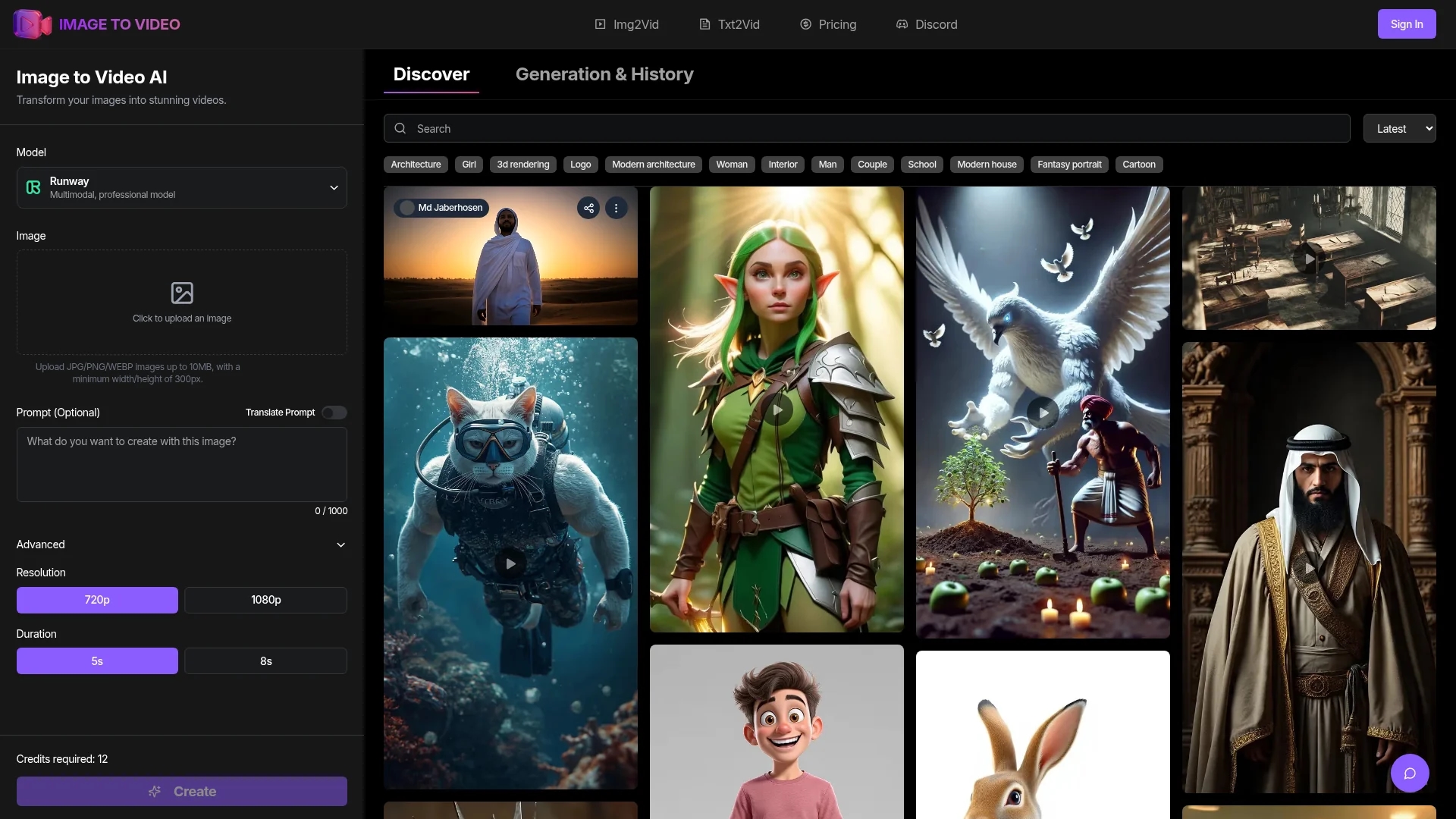
Image to Video AI converts JPG, PNG, and WEBP images into animated videos with customizable motion effects, styles, 4K resolution, and batch processing for social media and marketing projects.
Disclaimer: Visionary Hub is not affiliated with, endorsed by, or the operator of this tool. All trademarks, logos, and content are the property of their respective owners. Full disclaimer available here
Key Features
AI-Powered
Uses advanced AI models for smooth and natural video generation.
Multiple Styles
Provides diverse animation styles and motion effects.
4K Support
Generates high-resolution videos up to 4K quality.
Batch Conversion
Processes multiple images simultaneously for efficiency.
Get Started
Share & Save
Share on Social Media
Why Choose Image to Video AI
Customizable:
Offers various animation styles and motion effects for tailored video creation.High Resolution:
Supports video outputs up to 4K for professional-quality visuals.Batch Processing:
Enables simultaneous conversion of multiple images to videos, saving time.
Pricing
Pricing details are available on the official pricing page. Plans include various subscription tiers with different features and usage limits. Visit the pricing page for current rates and options.
About Image to Video AI
Image to Video AI converts JPG, PNG, and WEBP images into animated videos with customizable motion effects, styles, 4K resolution, and batch processing for social media and marketing projects.
What Image to Video AI Does
Image to Video AI transforms static images such as JPG, PNG, and WEBP into animated videos, enhancing visual content with motion effects and customizable animation styles. This enables users to create engaging videos for social media, marketing campaigns, and creative projects.
The platform uses advanced AI models, including RunwayMultimodal, to generate smooth, natural-looking videos with support for 4K resolution and batch processing. Users can control video duration, animation style, and motion effects to tailor outputs to their needs.
Typical use cases include creating promotional videos from product images, travel vlogs from photos, and animated slideshows for events or presentations, benefiting marketers, content creators, and digital agencies.
Pros & Cons
Ease of Use
Simple upload and customization without requiring technical skills.
Versatility
Suitable for social media, marketing, and creative content projects.
File Limits
Maximum image size and resolution depend on subscription plan.
Credit Usage
Each video generation requires credits, which may limit free usage.
Frequently Asked Questions
Supports JPG, PNG, and WEBP image formats with recommended minimum resolution of 300px.
Videos typically generate within 2-3 minutes depending on complexity and length.
Yes, users can select animation styles, motion effects, and video duration.
Supports up to 4K video output depending on subscription and input quality.
Yes, multiple images can be converted to videos simultaneously to save time.
Similar Tools You Might Like
Discover more AI-powered tools that complement your workflow

List Your AI Tool & Reach Thousands of Users
Join 500+ AI innovators already thriving on our platform. Get visibility, feedback, and boost your conversions.
Expand Your Audience
Connect with over 50,000 AI enthusiasts actively looking for tools like yours.
Boost Your Authority
Get verified reviews and ratings to build credibility in the AI marketplace.
Drive Conversions
Our premium placements and targeted audience deliver quality leads and sign-ups.