HeyPhoto
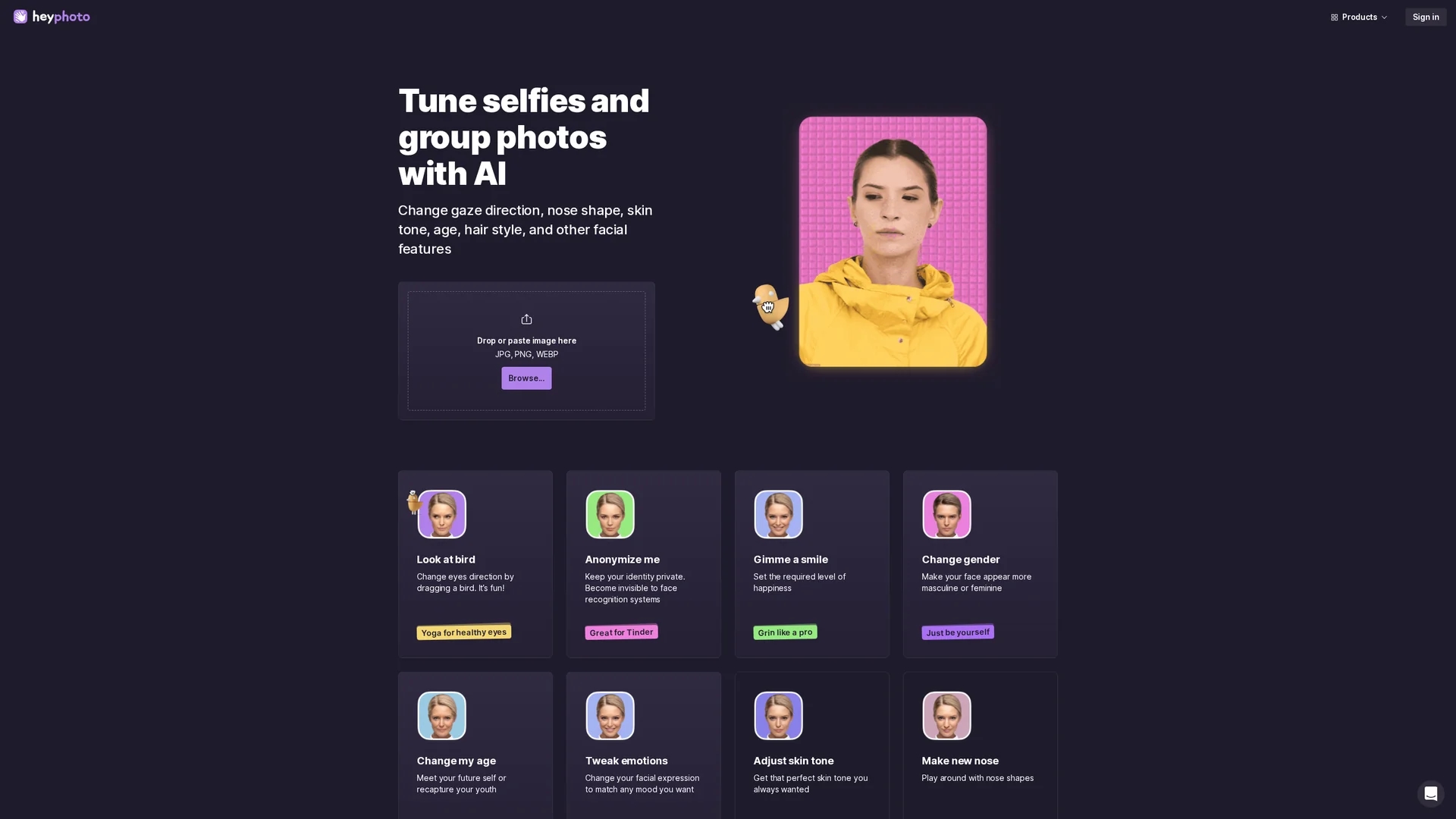
HeyPhoto is a free AI photo editor that lets users easily enhance and modify facial features like gaze, smile, age, and gender online without special skills.
Disclaimer: Visionary Hub is not affiliated with, endorsed by, or the operator of this tool. All trademarks, logos, and content are the property of their respective owners. Full disclaimer available here
Key Features
Face Editing
Adjust gaze, smile, age, gender, and skin tone with AI-powered tools.
Face Swapper
Create production-quality face swaps with AI technology.
Smart Upscaler
Enhance image resolution automatically for better photo quality.
Background Remover
Remove photo backgrounds easily to isolate subjects.
Get Started
Share & Save
Share on Social Media
Why Choose HeyPhoto
Free Usage:
Offers free access with watermark, enabling cost-effective photo editing.AI Precision:
Uses AI to accurately detect and modify facial features automatically.User-Friendly:
Intuitive interface requires no special skills for effective photo editing.
Pricing
HeyPhoto is free to use with watermark on edited photos. For detailed pricing and paid licenses, visit the official Icons8 pricing page.
About HeyPhoto
HeyPhoto is a free AI photo editor that lets users easily enhance and modify facial features like gaze, smile, age, and gender online without special skills.
What HeyPhoto Does
HeyPhoto allows users to upload or drag-and-drop images to edit facial features such as gaze direction, smile, age, gender, and skin tone. It benefits users by simplifying complex photo retouching tasks with AI automation.
The tool includes features like face swapping, smart upscaling to enhance image resolution, background removal, and makeup application. AI detects faces automatically and applies changes through easy-to-use sliders and controls.
HeyPhoto is suitable for casual users, social media content creators, and photographers who want to quickly improve selfies or group photos, anonymize faces for privacy, or experiment with different looks.
Pros & Cons
No Skills Needed
AI automates complex edits, making it accessible to all users.
Multiple Features
Combines face editing, swapping, upscaling, and background removal.
Watermarked Output
Free version adds watermark to edited photos.
Limited Photo Size
Supports photos up to 5 MB and 1024x1024 px resolution.
Frequently Asked Questions
HeyPhoto uses AI to detect faces and apply edits like gaze, smile, and age adjustments automatically.
Yes, it is free but adds a watermark to resulting photos in the free version.
Supports JPG, PNG, WEBP images up to 5 MB and 1024x1024 pixels in size.
Images are securely stored for quick access but can be deleted by users anytime.
Yes, it includes a background remover tool powered by AI.
Similar Tools You Might Like
Discover more AI-powered tools that complement your workflow
List Your AI Tool & Reach Thousands of Users
Join 500+ AI innovators already thriving on our platform. Get visibility, feedback, and boost your conversions.
Expand Your Audience
Connect with over 50,000 AI enthusiasts actively looking for tools like yours.
Boost Your Authority
Get verified reviews and ratings to build credibility in the AI marketplace.
Drive Conversions
Our premium placements and targeted audience deliver quality leads and sign-ups.