
Hemingway Editor
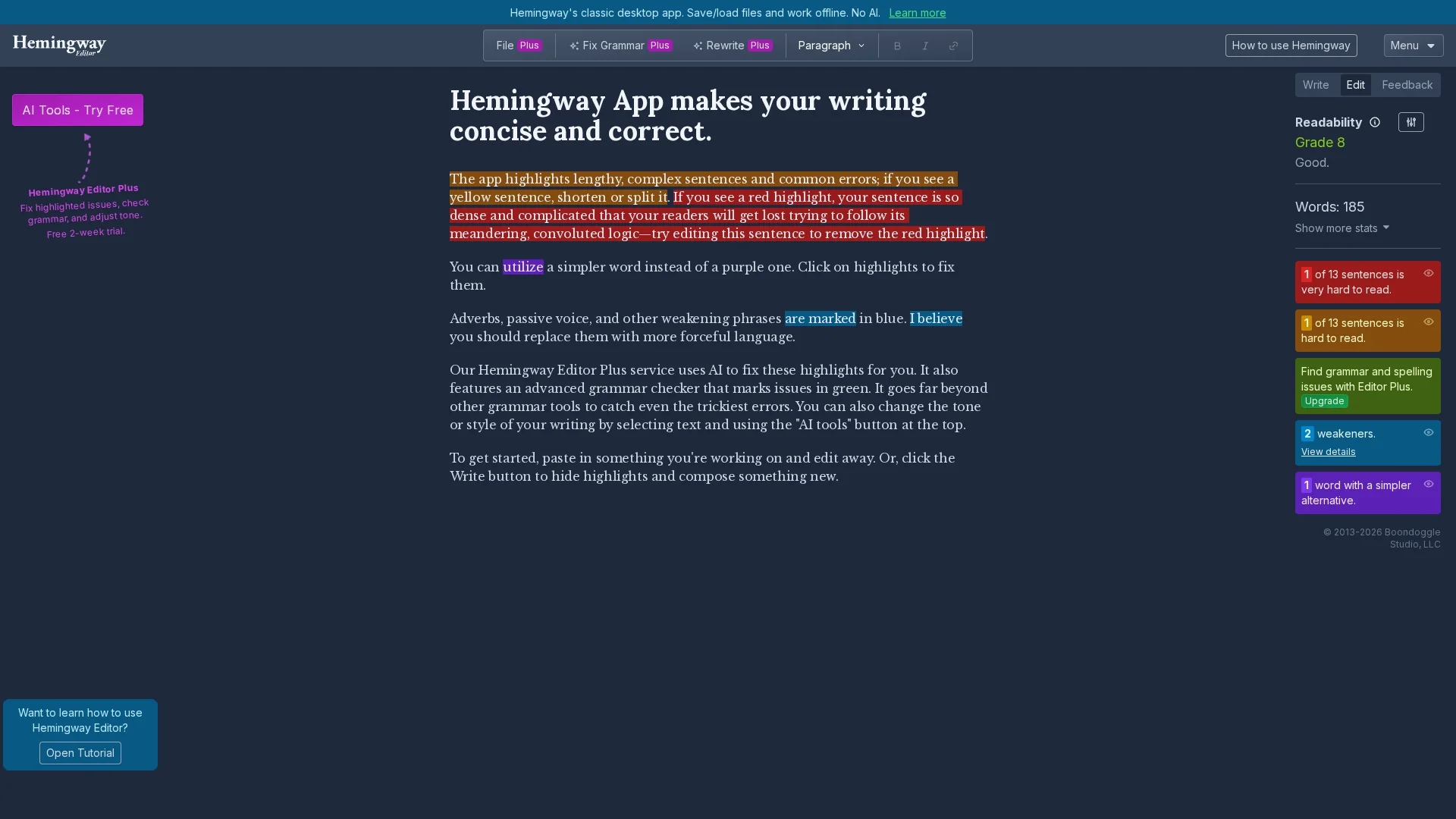
Hemingway Editor is a readability checker and style editor that highlights complex sentences, passive voice, and adverbs, offering AI-assisted fixes and advanced grammar checks via Editor Plus for clearer, concise writing.
Disclaimer: Visionary Hub is not affiliated with, endorsed by, or the operator of this tool. All trademarks, logos, and content are the property of their respective owners. Full disclaimer available here
Key Features
Interactive Highlights
Marks sentence complexity, passive voice, and adverbs with distinct colors.
AI Grammar Checker
Detects advanced grammar issues and suggests corrections.
Tone Controls
Adjusts writing style and tone via AI tools for better clarity.
Desktop & Web Apps
Supports offline desktop use and online paste-and-edit functionality.
Get Started
Share & Save
Share on Social Media
Why Choose Hemingway Editor
Readability Highlights:
Color-coded flags identify complex sentences and passive voice for easy editing.AI-Assisted Fixes:
Editor Plus offers AI-powered grammar checks and tone adjustments.Offline Support:
Desktop app allows file saving and editing without internet access.
Pricing
Hemingway Editor Plus offers a free 2-week trial with no credit card required. Pricing details are available on the official website.
About Hemingway Editor
Hemingway Editor is a readability checker and style editor that highlights complex sentences, passive voice, and adverbs, offering AI-assisted fixes and advanced grammar checks via Editor Plus for clearer, concise writing.
What Hemingway Editor Does
Hemingway Editor analyzes text to identify readability issues such as long or complex sentences, passive voice, and unnecessary adverbs, helping users produce clearer and more concise writing.
It uses color-coded highlights to flag problem areas and offers AI-assisted fixes, advanced grammar checking, and tone/style adjustments through Editor Plus. The desktop app supports offline editing and file management, while the web version allows paste-and-edit functionality.
Commonly used by writers, students, editors, and content creators, it aids in refining reports, marketing copy, academic papers, and technical documents for improved readability and engagement.
Pros & Cons
Clear Visual Feedback
Color-coded highlights simplify identifying readability problems.
Flexible Usage
Available as desktop app for offline use and web editor for convenience.
Limited AI Features
AI-assisted fixes require Editor Plus subscription.
No Free Desktop AI
Classic desktop app lacks AI capabilities and requires manual editing.
Frequently Asked Questions
It offers a desktop app for offline use and a web editor accessible via browsers.
Yes, Editor Plus includes a free 2-week trial with no credit card required.
Yes, the desktop version supports file saving and loading for offline editing.
Yes, it highlights passive voice in blue to help improve sentence clarity.
No, AI grammar checks and tone controls are features of the Editor Plus subscription.
Similar Tools You Might Like
Discover more AI-powered tools that complement your workflow


List Your AI Tool & Reach Thousands of Users
Join 500+ AI innovators already thriving on our platform. Get visibility, feedback, and boost your conversions.
Expand Your Audience
Connect with over 50,000 AI enthusiasts actively looking for tools like yours.
Boost Your Authority
Get verified reviews and ratings to build credibility in the AI marketplace.
Drive Conversions
Our premium placements and targeted audience deliver quality leads and sign-ups.