
Ai Helper
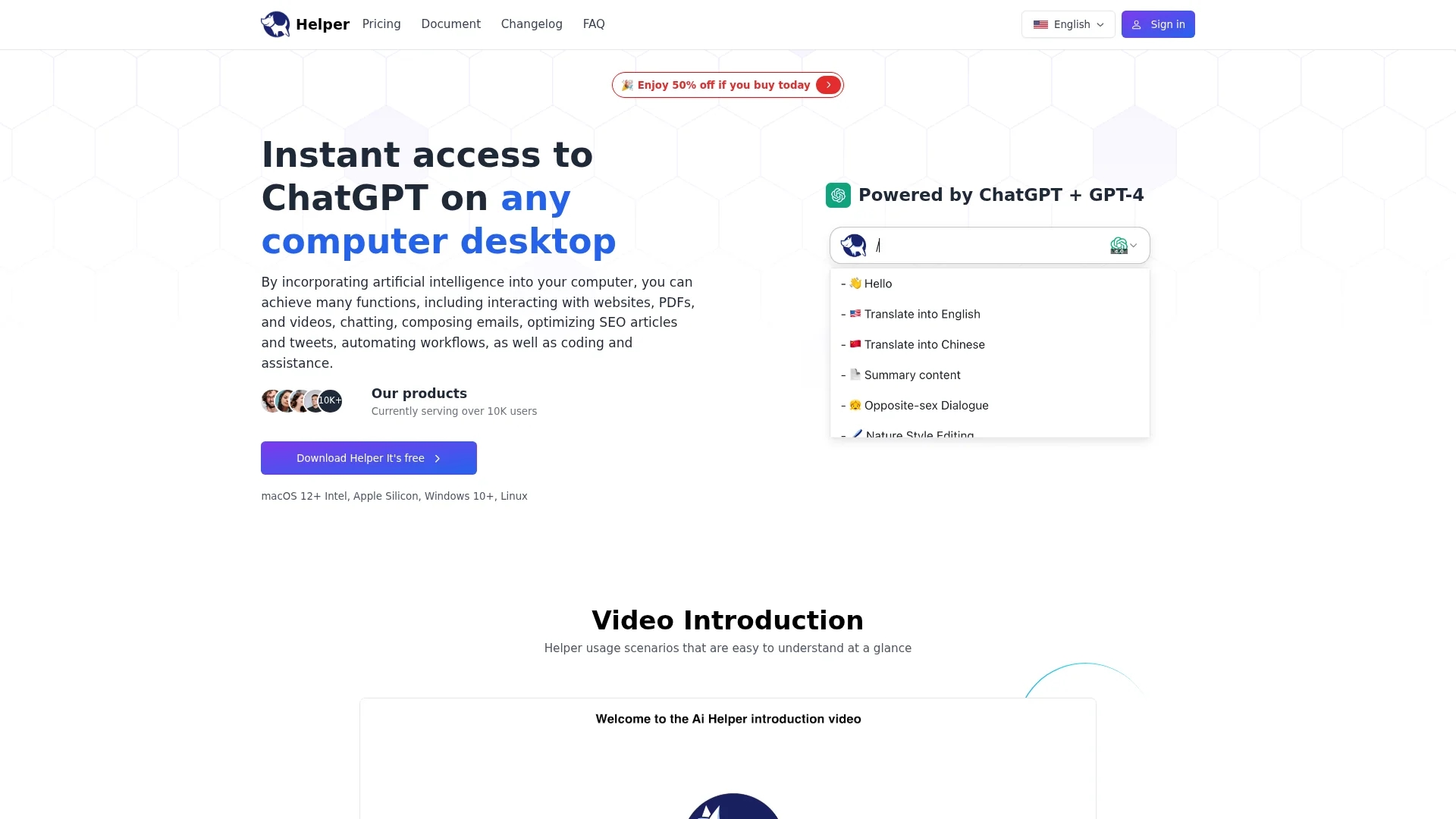
AI Helper is a versatile desktop ChatGPT client for entrepreneurs, developers, and marketers, integrating AI assistance seamlessly into daily workflows across MacOS, Windows, and Linux.
Disclaimer: Visionary Hub is not affiliated with, endorsed by, or the operator of this tool. All trademarks, logos, and content are the property of their respective owners. Full disclaimer available here
Key Features
Native Desktop Client
Runs locally on MacOS, Windows, and Linux for seamless integration.
Built-in Prompt Library
Provides ready-to-use prompts to enhance AI interactions.
Coding Assistance
Offers bug fixes and explanations within IDEs and code editors.
50+ AI Commands
Includes diverse commands for content, marketing, and social media.
Get Started
Share & Save
Share on Social Media
Why Choose Ai Helper
Cross-Platform:
Supports MacOS, Windows, and Linux for versatile desktop use.Multi-Function:
Combines coding, content, SEO, and email assistance in one app.Scenario Editor:
Helps quickly outline thoughts to overcome writer's block.
Pricing
AI Helper offers a freemium model with a free Cloud Plan limited to 300 basic queries monthly. Paid plans include Personal ($29 one-time), Standard ($49 one-time), and Team (contact for pricing) Local Plans, plus Pro ($8.3/month) and Elite ($16.6/month) Cloud Plans with enhanced features and query limits.
About Ai Helper
AI Helper is a versatile desktop ChatGPT client for entrepreneurs, developers, and marketers, integrating AI assistance seamlessly into daily workflows across MacOS, Windows, and Linux.
What Ai Helper Does
AI Helper integrates ChatGPT directly into your desktop environment, allowing users to interact with websites, PDFs, videos, and compose emails without leaving their favorite applications. It streamlines tasks by eliminating context switching and providing instant AI assistance.
The tool features a Scenario Editor for outlining ideas, a built-in prompt library, and over 50 AI commands and assistants. It offers coding support with bug fixes and explanations, SEO optimization for articles and tweets, and social media message management.
Industries benefiting from AI Helper include content marketing, software development, and digital marketing, where it enhances productivity and automates routine tasks efficiently.
Pros & Cons
Integrated Workflow
Eliminates context switching by embedding AI in favorite apps.
Affordable Plans
Offers both free and one-time purchase plans for flexibility.
Limited Free Usage
Free plan restricts daily and monthly query limits.
Developer Info
No explicit developer or company details publicly available.
Frequently Asked Questions
Ai Helper offers a free version with daily usage limits and paid plans for unlimited access.
Unused subscriptions have a 7-day unconditional refund policy via support email.
Cancel subscription via Settings > User Center in the app to stop automatic payments.
Local plans use your OpenAI key; cloud plans use the provider's OpenAI key.
Contact customer support at [email protected] for assistance.
Similar Tools You Might Like
Discover more AI-powered tools that complement your workflow
List Your AI Tool & Reach Thousands of Users
Join 500+ AI innovators already thriving on our platform. Get visibility, feedback, and boost your conversions.
Expand Your Audience
Connect with over 50,000 AI enthusiasts actively looking for tools like yours.
Boost Your Authority
Get verified reviews and ratings to build credibility in the AI marketplace.
Drive Conversions
Our premium placements and targeted audience deliver quality leads and sign-ups.