Hello Transcribe
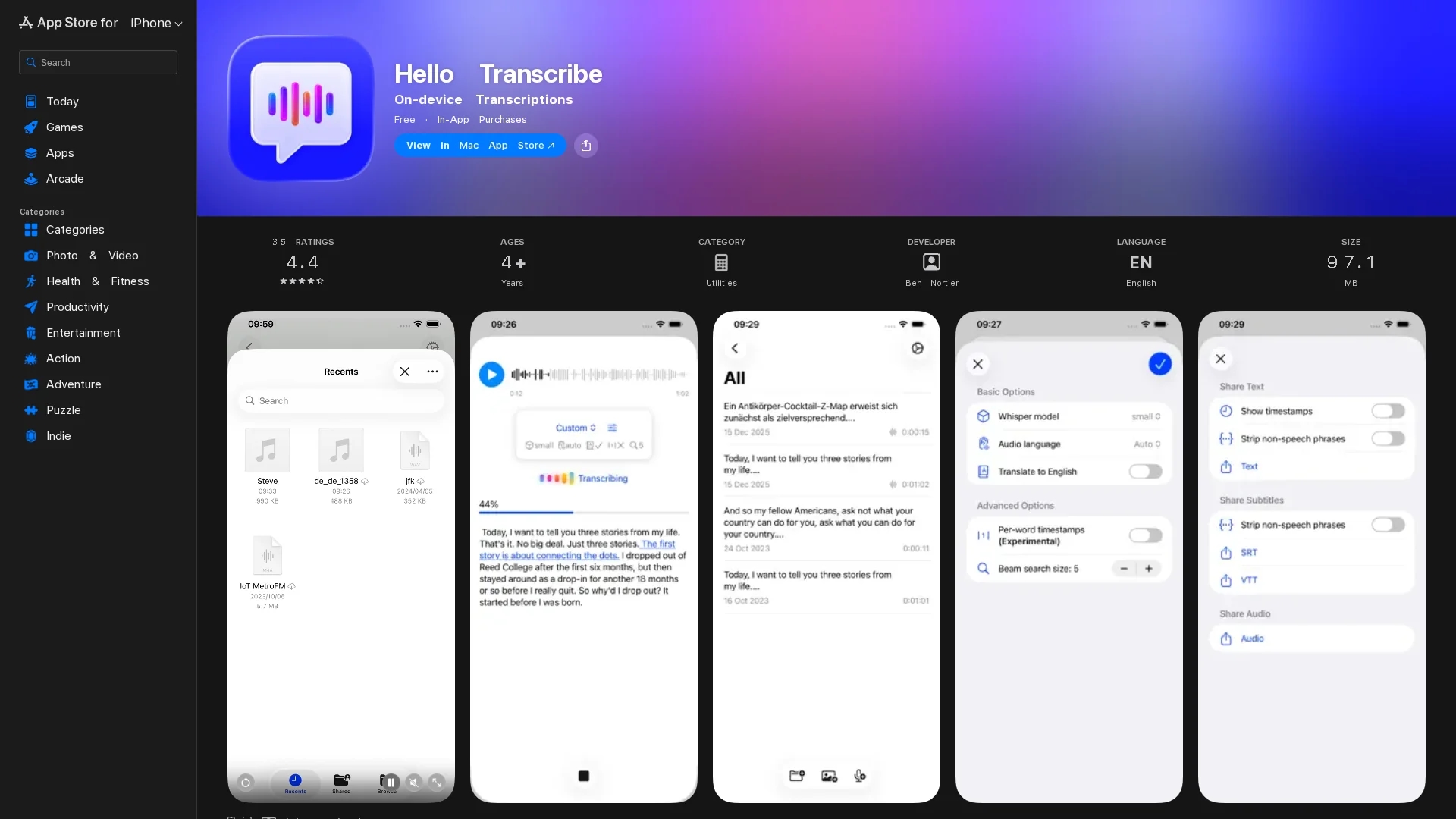
Hello Transcribe is a private, secure, on-device speech-to-text app using OpenAI Whisper for accurate offline transcription on iPhone, iPad, and Mac.
Disclaimer: Visionary Hub is not affiliated with, endorsed by, or the operator of this tool. All trademarks, logos, and content are the property of their respective owners. Full disclaimer available here
Key Features
Multi-Platform
Available on iPhone, iPad, and Mac for seamless cross-device use.
Subtitle Export
Exports transcriptions as VTT or SRT files for video captioning.
Live Dictation
Supports real-time transcription from the microphone input.
Encrypted Storage
Saves transcriptions securely encrypted in iCloud.
Get Started
Share & Save
Share on Social Media
Why Choose Hello Transcribe
On-Device Privacy:
Processes all audio locally to ensure user data never leaves the device.Offline Use:
Fully functional without internet, enabling transcription anytime.Flexible Models:
Multiple model configurations balance transcription speed and accuracy.
Pricing
Hello Transcribe offers a freemium model with in-app purchases: a Pro subscription at $1.99/month and a one-time Pro purchase at $6.99. Pricing details are available on the App Store page.
About Hello Transcribe
Hello Transcribe is a private, secure, on-device speech-to-text app using OpenAI Whisper for accurate offline transcription on iPhone, iPad, and Mac.
What Hello Transcribe Does
Hello Transcribe converts speech from voice notes, audio files, videos, podcasts, or live microphone input into text with high accuracy. It benefits users by providing private, offline transcription without sending data to external servers.
The app uses OpenAI Whisper models with configurable presets for speed or accuracy. It supports multiple audio and video formats, live dictation, and exports subtitles in VTT or SRT formats. Transcriptions and audio can be saved encrypted in iCloud. It also supports translation of audio from many languages into English.
Ideal for journalists, researchers, students, and business professionals, it facilitates transcription of meetings, podcasts, journaling, and video captioning across iPhone, iPad, and Mac platforms.
Pros & Cons
Privacy
All transcription happens on-device, protecting user data.
Language Support
Supports many languages and translation to English.
Limited Background Transcription
Cannot transcribe audio in the background on iOS devices.
Text Saving UX
Some users find dictation controls confusing, risking accidental text loss.
Frequently Asked Questions
It is available on iPhone, iPad, and Mac devices.
Yes, all transcription processing is done on-device without internet.
Yes, all data is processed locally and saved results are encrypted in iCloud.
It supports many audio formats and MP4 video, exporting VTT and SRT subtitle files.
Yes, it can translate audio from many languages into English.
Similar Tools You Might Like
Discover more AI-powered tools that complement your workflow


List Your AI Tool & Reach Thousands of Users
Join 500+ AI innovators already thriving on our platform. Get visibility, feedback, and boost your conversions.
Expand Your Audience
Connect with over 50,000 AI enthusiasts actively looking for tools like yours.
Boost Your Authority
Get verified reviews and ratings to build credibility in the AI marketplace.
Drive Conversions
Our premium placements and targeted audience deliver quality leads and sign-ups.