
GetSearchablePDF
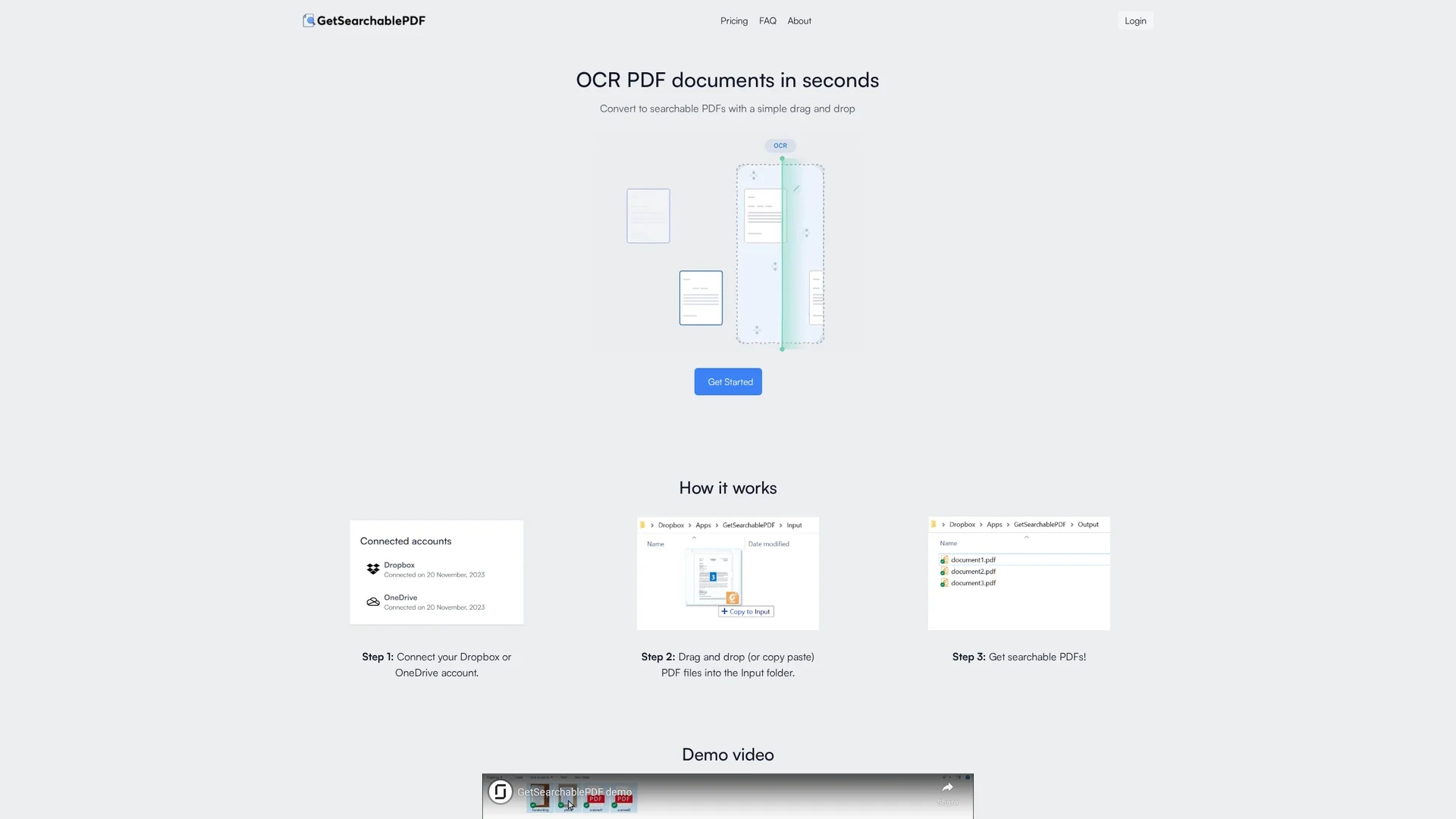
GetSearchablePDF is an AI-powered tool that converts PDFs into searchable formats using accurate OCR and secure handwriting support via Dropbox or OneDrive integration.
Disclaimer: Visionary Hub is not affiliated with, endorsed by, or the operator of this tool. All trademarks, logos, and content are the property of their respective owners. Full disclaimer available here
Key Features
PDF Conversion
Transforms scanned PDFs into searchable documents.
Cloud Integration
Connects Dropbox or OneDrive for easy file management.
Drag & Drop
Initiates OCR by simply dragging files into input folders.
Handwriting Support
Recognizes and converts handwritten text accurately.
Get Started
Share & Save
Share on Social Media
Why Choose GetSearchablePDF
High Accuracy:
Delivers precise OCR results including handwriting recognition.Secure Processing:
Processes files locally without storing them long-term.Easy Integration:
Works seamlessly with Dropbox and OneDrive for file input.
Pricing
GetSearchablePDF offers a free trial with 10 credits. Paid plans include Starter ($9/mo for 150 credits), Professional ($35/mo for 800 credits), and Business ($70/mo for 2800 credits). Credits count per page processed.
About GetSearchablePDF
GetSearchablePDF is an AI-powered tool that converts PDFs into searchable formats using accurate OCR and secure handwriting support via Dropbox or OneDrive integration.
What GetSearchablePDF Does
GetSearchablePDF converts scanned or image-based PDF documents into searchable PDFs, enabling users to quickly find keywords within documents. This improves document management and retrieval efficiency.
The tool integrates with Dropbox and OneDrive, allowing users to drag and drop files into an input folder to initiate OCR processing. It supports handwriting recognition and provides high OCR accuracy for precise text extraction.
Industries such as legal, education, and business benefit from converting legacy scanned documents and handwritten notes into searchable formats for easier collaboration and reference.
Pros & Cons
User-Friendly
Simple drag-and-drop interface for quick processing.
Flexible Plans
Multiple subscription tiers with pay-per-page credits.
Credit Limits
Monthly credits may restrict high-volume users.
No On-Premise
On-premises deployment requires contacting support.
Frequently Asked Questions
No, files are deleted automatically 10 minutes after processing.
Each page processed counts as one credit.
Yes, you get 10 free credits valid for 5 days.
Upgrade your subscription or top-up credits if you have an active plan.
On-premise options are available by contacting [email protected].
Similar Tools You Might Like
Discover more AI-powered tools that complement your workflow
List Your AI Tool & Reach Thousands of Users
Join 500+ AI innovators already thriving on our platform. Get visibility, feedback, and boost your conversions.
Expand Your Audience
Connect with over 50,000 AI enthusiasts actively looking for tools like yours.
Boost Your Authority
Get verified reviews and ratings to build credibility in the AI marketplace.
Drive Conversions
Our premium placements and targeted audience deliver quality leads and sign-ups.