
FocuSee
FocuSee is an AI-powered screen recording tool that automatically transforms recordings into polished promo videos with dynamic zoom, background enhancements, and interactive in-video features for demos, tutorials, and sales pitches.
Disclaimer: Visionary Hub is not affiliated with, endorsed by, or the operator of this tool. All trademarks, logos, and content are the property of their respective owners. Full disclaimer available here
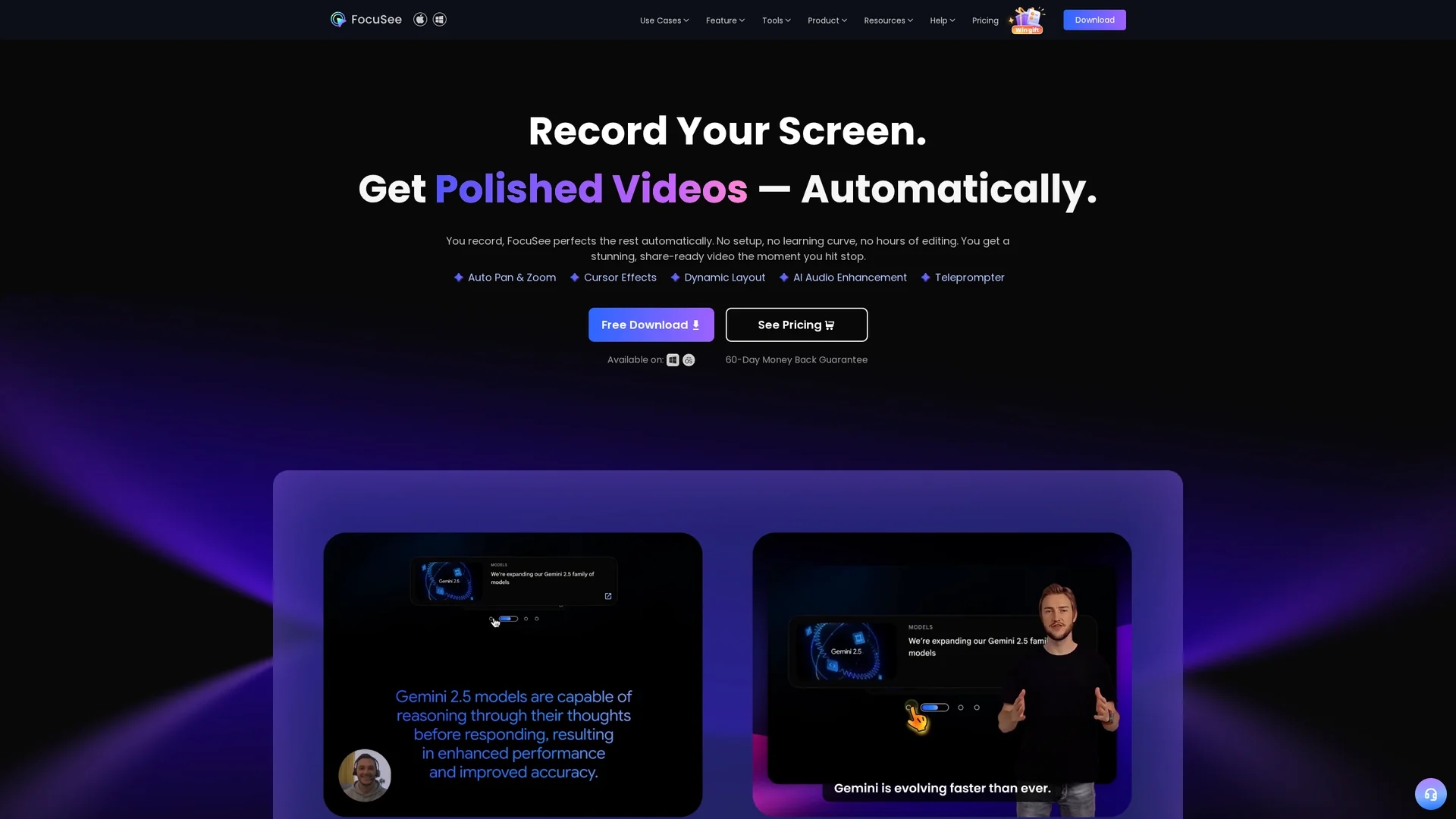
Key Features
Auto Zoom & Cursor
Automatically zooms on clicks and highlights cursor movements for clear focus.
AI Subtitle Generation
Generates accurate subtitles in over 50 languages with over 98% accuracy.
Background Removal
Blurs or replaces webcam backgrounds without needing a green screen.
AI Audio Enhancement
Removes noise, filler words, and enhances voice clarity automatically.
Get Started
Share & Save
Share on Social Media
Why Choose FocuSee
Automated Editing:
Transforms recordings instantly with AI-powered zoom, cursor effects, and background enhancements.Interactive Features:
Adds in-video quizzes, forms, and call-to-action buttons to boost viewer engagement.Multi-Platform Export:
Exports videos optimized for TikTok, YouTube, Instagram, Facebook, and Twitter.
Pricing
FocuSee offers a free trial with standard features and one free 4K video export. Paid plans with advanced AI features require subscription and credits. Pricing details are available on the official pricing page.
About FocuSee
FocuSee is an AI-powered screen recording tool that automatically transforms recordings into polished promo videos with dynamic zoom, background enhancements, and interactive in-video features for demos, tutorials, and sales pitches.
What FocuSee Does
FocuSee records your screen, webcam, and voiceover, then automatically enhances the footage with cinematic zoom effects, cursor animations, and background improvements to create polished promo videos without manual editing.
The tool uses AI to generate accurate subtitles, remove filler words and silence, enhance audio quality, and add interactive in-video quizzes and call-to-action buttons. It also offers customizable camera layouts, filters, and supports recording mobile device screens via USB connection.
FocuSee is ideal for producing product demos, tutorials, marketing videos, online courses, and sales pitches, streamlining workflows for content creators, educators, and marketing teams across various industries.
Pros & Cons
Time-saving
Eliminates manual editing with automatic video polishing and enhancements.
User-friendly
No learning curve required; produces professional videos immediately after recording.
Subscription Required
Advanced AI features and multiple exports require paid subscription and credits.
Limited Mobile Recording
Mobile device recording requires USB connection to a computer.
Frequently Asked Questions
FocuSee supports both Windows 10+ and macOS 10.13+ operating systems.
Yes, FocuSee allows simultaneous recording of screen, webcam, and microphone audio.
Yes, it offers a free trial with standard features and one free 4K video export.
It uses AI to remove background noise, filler words, and enhances voice clarity automatically.
Yes, videos can be exported in formats optimized for TikTok, YouTube, Instagram, Facebook, and Twitter.
Similar Tools You Might Like
Discover more AI-powered tools that complement your workflow


List Your AI Tool & Reach Thousands of Users
Join 500+ AI innovators already thriving on our platform. Get visibility, feedback, and boost your conversions.
Expand Your Audience
Connect with over 50,000 AI enthusiasts actively looking for tools like yours.
Boost Your Authority
Get verified reviews and ratings to build credibility in the AI marketplace.
Drive Conversions
Our premium placements and targeted audience deliver quality leads and sign-ups.