
FlowSavvy
FlowSavvy is an intelligent scheduling tool that automates time blocking and task management, syncing seamlessly with Google Calendar, iCloud, and Outlook across web, iOS, and Android platforms.
Disclaimer: Visionary Hub is not affiliated with, endorsed by, or the operator of this tool. All trademarks, logos, and content are the property of their respective owners. Full disclaimer available here
Key Features
Task Integration
Syncs tasks with Google Calendar, iCloud, and Outlook.
Color-Coded Tasks
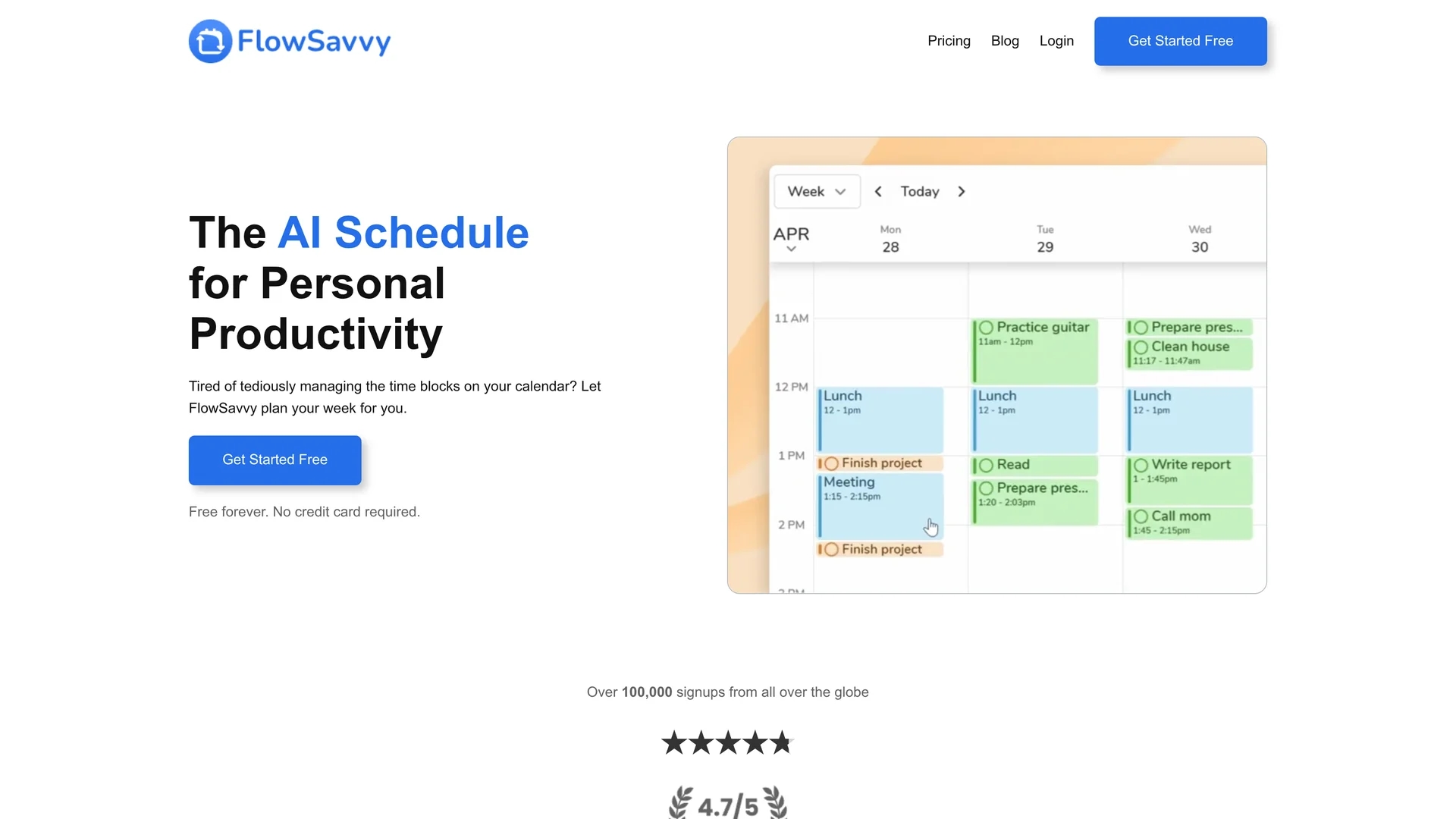
Visualizes workload by task urgency with color coding.
Recurring Tasks
Supports automatic scheduling of repeating tasks.
Custom Scheduling
Allows defining specific scheduling hours for work and personal time.
Get Started
Share & Save
Share on Social Media
Why Choose FlowSavvy
Automatic Scheduling:
Schedules tasks and time blocks without manual input, saving time.Dynamic Rescheduling:
Automatically adjusts tasks when your plans change.Cross-Platform Sync:
Seamlessly integrates with Google, iCloud, and Outlook calendars.
Pricing
FlowSavvy offers a Freemium model: a free Basic plan with unlimited auto-reschedules and syncing up to 2 calendars, and a Pro plan at $7/month ($5/month billed annually) with extended features and unlimited calendars.
About FlowSavvy
FlowSavvy is an intelligent scheduling tool that automates time blocking and task management, syncing seamlessly with Google Calendar, iCloud, and Outlook across web, iOS, and Android platforms.
What FlowSavvy Does
FlowSavvy automatically schedules tasks from your to-do list into your calendar, providing a clear, organized view of your weekly workload. It benefits users by reducing manual calendar management and improving time allocation.
The tool integrates with Google Calendar, iCloud, and Outlook, using smart scheduling algorithms to auto-block time and adjust tasks dynamically when plans change. It offers color-coded task visualization and supports recurring task scheduling and custom scheduling hours.
FlowSavvy is ideal for managing workouts, lessons, hobbies, and work-life balance, helping users meet deadlines and maintain productivity in personal and professional contexts.
Pros & Cons
User Control
Drag and drop tasks to lock schedules manually.
Multi-Device Access
Available on web, iOS, and Android for flexible use.
Limited Free Plan
Basic plan restricts calendar sync to two calendars.
No Offline Mode
Requires internet connection for syncing and scheduling.
Frequently Asked Questions
FlowSavvy integrates with Google Calendar, iCloud, and Outlook.
Yes, there is a free Basic plan with limited features.
Yes, it automatically adjusts tasks when your schedule changes.
Yes, it has fully-featured iOS and Android apps.
Pro includes unlimited calendars, scheduling profiles, tags, and priority task levels.
Similar Tools You Might Like
Discover more AI-powered tools that complement your workflow


List Your AI Tool & Reach Thousands of Users
Join 500+ AI innovators already thriving on our platform. Get visibility, feedback, and boost your conversions.
Expand Your Audience
Connect with over 50,000 AI enthusiasts actively looking for tools like yours.
Boost Your Authority
Get verified reviews and ratings to build credibility in the AI marketplace.
Drive Conversions
Our premium placements and targeted audience deliver quality leads and sign-ups.