
CreativeMagicPanel
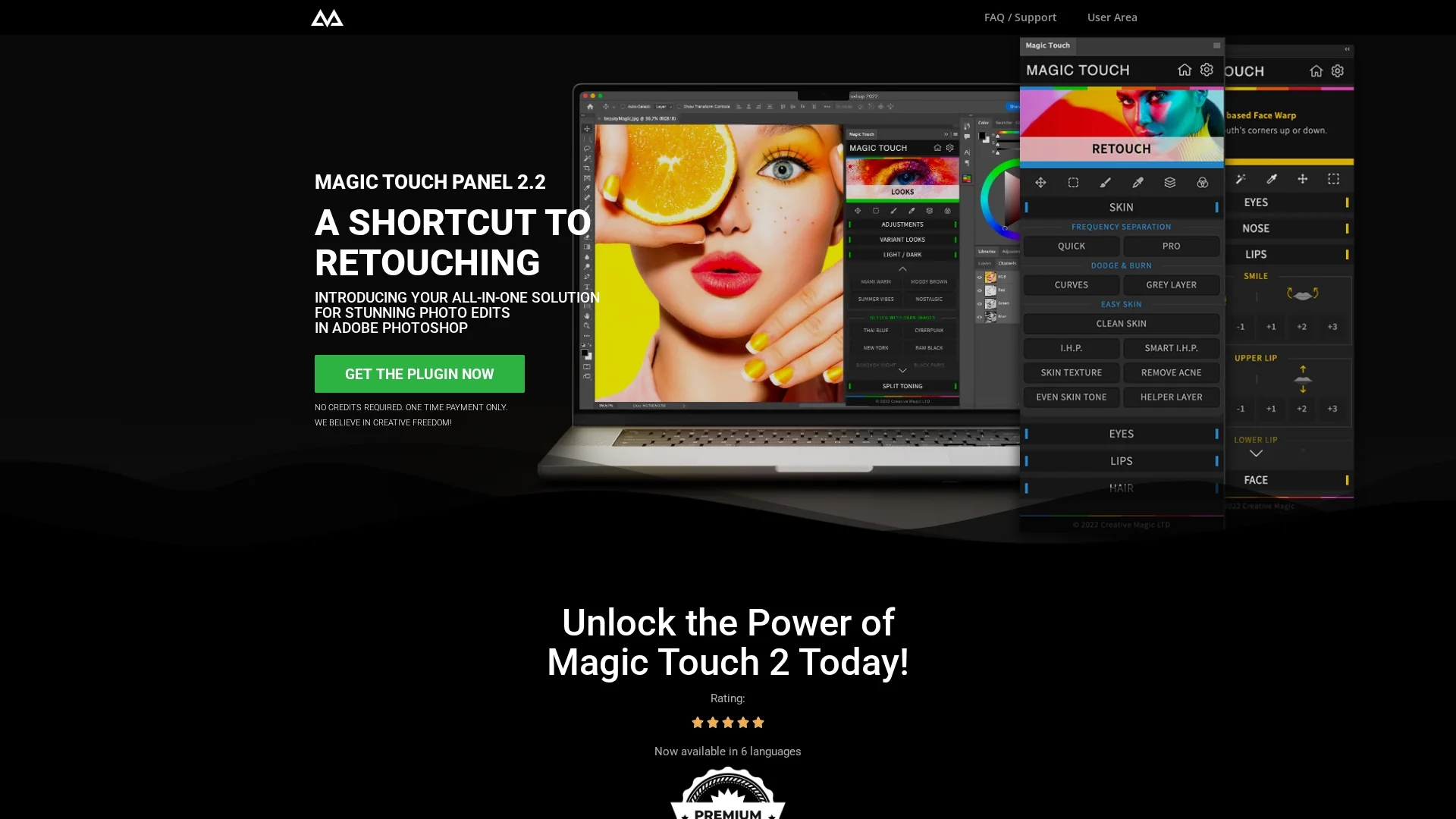
CreativeMagicPanel is a Photoshop retouching panel with 289 features and AI-driven tools that speed up photo editing by 30x, enabling professional results with one-click actions and customizable overlays.
Disclaimer: Visionary Hub is not affiliated with, endorsed by, or the operator of this tool. All trademarks, logos, and content are the property of their respective owners. Full disclaimer available here
Key Features
289+ Features
Comprehensive toolset covering all retouching and editing needs.
One-Click Editing
Apply looks and corrections instantly with customizable overlays.
AI Face & Body Recognition
Targets facial features like eyes, nose, and lips for precise edits.
Color Grading Tools
Advanced filters and algorithms for professional color matching.
Get Started
Share & Save
Share on Social Media
Why Choose CreativeMagicPanel
AI Precision:
Advanced AI face and body recognition enables accurate, professional retouching.Speed:
Accelerates editing workflows up to 30 times faster than manual methods.Lifetime Access:
One-time payment allows unlimited photo edits with no recurring fees.
Pricing
CreativeMagicPanel offers one-time payment plans: Full House Collection at $59.99, Creative Master Pack at $47.78, and Essential Magic Pack at $29.99. No recurring fees apply, and lifetime unlimited photo edits are included.
About CreativeMagicPanel
CreativeMagicPanel is a Photoshop retouching panel with 289 features and AI-driven tools that speed up photo editing by 30x, enabling professional results with one-click actions and customizable overlays.
What CreativeMagicPanel Does
CreativeMagicPanel functions as an all-in-one Photoshop plugin that accelerates photo retouching by leveraging AI-driven tools. It enables users to perform complex edits such as acne removal, skin smoothing, and color grading with one-click actions, significantly reducing editing time.
The panel includes advanced AI face and body recognition technology to precisely target facial features for enhancement. It offers over 289 features including customizable overlays, image correction filters, and color matching algorithms, all accessible within Photoshop to streamline workflows.
This tool is widely used by photographers, retouchers, and digital artists to enhance portraits, apply trendy looks, and correct image imperfections efficiently, making it suitable for professional photo editing and post-production tasks.
Pros & Cons
Comprehensive Tools
Offers a wide range of retouching features in one panel.
Cost-Effective
Single payment with lifetime unlimited editing access.
Photoshop Dependency
Requires Adobe Photoshop CC 2020 or later to function.
Mac Compatibility
On Apple Silicon Macs, Photoshop must run in Rosetta mode.
Frequently Asked Questions
It is a Photoshop retouching panel that uses AI tools to create professional photo edits quickly.
Features include AI face and body recognition, over 289 editing tools, and one-click retouching options.
No, users have unlimited photo edits with a single one-time payment.
Requires Adobe Photoshop CC 2023 or above; Mac users with Apple Silicon need Rosetta mode.
You can buy it via the official purchase page at creativemagicpanel.com.
Similar Tools You Might Like
Discover more AI-powered tools that complement your workflow
List Your AI Tool & Reach Thousands of Users
Join 500+ AI innovators already thriving on our platform. Get visibility, feedback, and boost your conversions.
Expand Your Audience
Connect with over 50,000 AI enthusiasts actively looking for tools like yours.
Boost Your Authority
Get verified reviews and ratings to build credibility in the AI marketplace.
Drive Conversions
Our premium placements and targeted audience deliver quality leads and sign-ups.