
Clipboard TTS
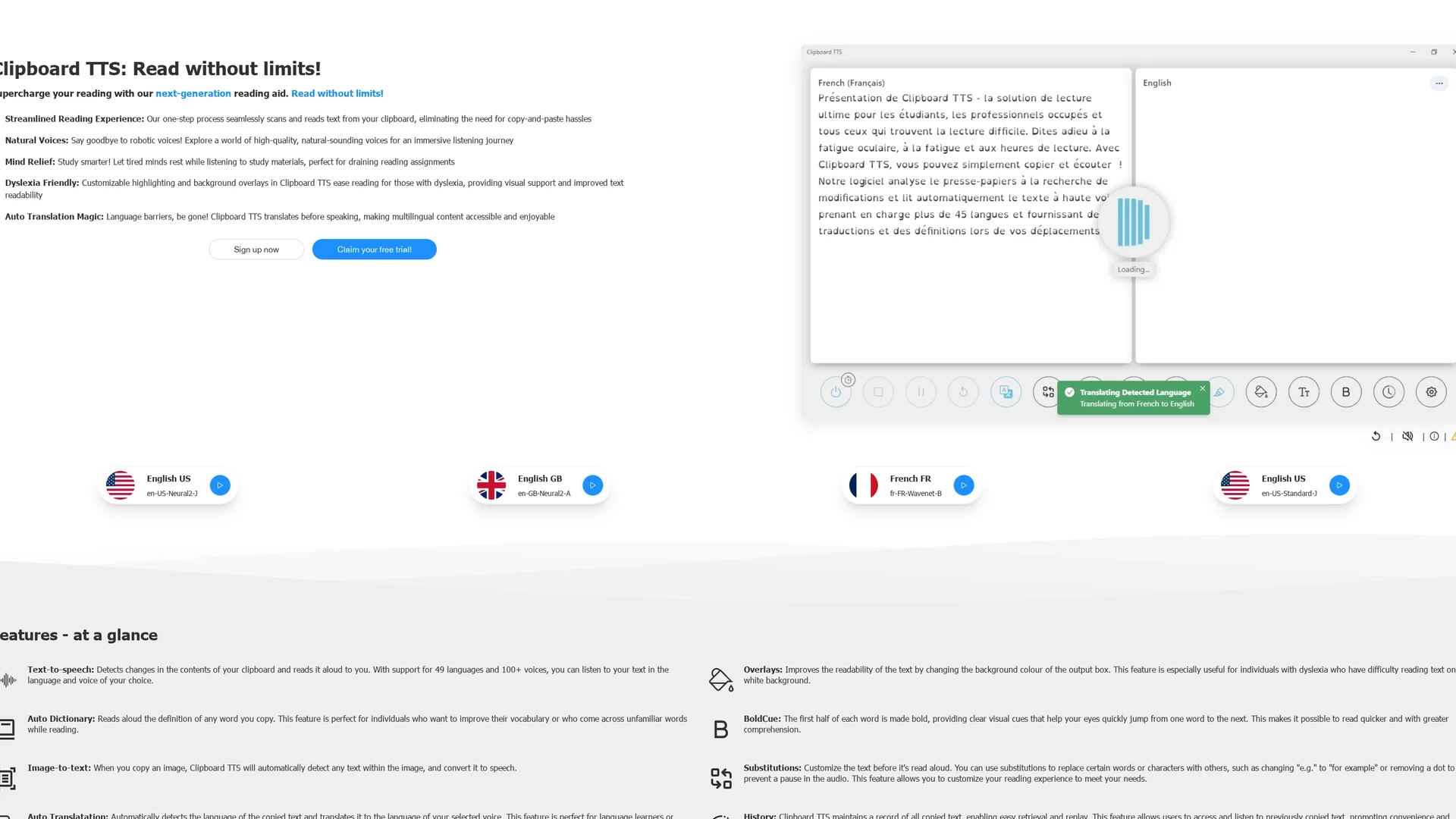
Clipboard TTS reads text directly from your clipboard with natural voices, dyslexia-friendly features, and auto-translation for enhanced multilingual accessibility.
Disclaimer: Visionary Hub is not affiliated with, endorsed by, or the operator of this tool. All trademarks, logos, and content are the property of their respective owners. Full disclaimer available here
Key Features
Clipboard Scanning
Automatically detects and reads clipboard text aloud.
Auto-Translation
Translates text to selected voice language for multilingual use.
Image-to-Text
Converts text in copied images to speech automatically.
Customizable Highlighting
Visual cues emphasize words and sentences for easier reading.
Get Started
Share & Save
Share on Social Media
Why Choose Clipboard TTS
Clipboard Integration:
Reads text directly from clipboard, eliminating copy-paste steps.Natural Voices:
Offers high-quality, lifelike voices for immersive listening.Dyslexia Support:
Includes highlighting and overlays to improve readability.
Pricing
Clipboard TTS offers a free trial and subscription plans. For detailed pricing and plans, visit the official pricing page at https://www.clipboardtts.com/product/plans.
About Clipboard TTS
Clipboard TTS reads text directly from your clipboard with natural voices, dyslexia-friendly features, and auto-translation for enhanced multilingual accessibility.
What Clipboard TTS Does
Clipboard TTS automatically detects and reads text copied to your clipboard aloud, allowing users to listen to documents, articles, or study materials without manual input. This supports multitasking and reduces eye strain during long reading sessions.
Key features include high-quality natural voices across 49 languages, auto-translation of text to the selected voice language, and dyslexia-friendly visual aids such as customizable highlighting and background overlays. It also converts text from copied images to speech and provides an auto dictionary for word definitions.
Clipboard TTS is useful for students, educators, language learners, and accessibility advocates, facilitating language practice, comprehension, and efficient study workflows across various platforms including Windows and Linux.
Pros & Cons
Ease of Use
One-step process streamlines reading without manual copying.
Accessibility
Supports dyslexia and language learners with tailored features.
Platform Limitation
Currently supports only Windows and Linux platforms.
Internet Requirement
Some features may require internet access for voice and translation.
Frequently Asked Questions
It supports 49 languages with over 100 natural-sounding voices.
Yes, Clipboard TTS offers a free trial for new users.
Yes, it detects and reads text copied from images automatically.
Yes, it includes customizable highlighting and background overlays.
Clipboard TTS supports Windows and Linux operating systems.
Similar Tools You Might Like
Discover more AI-powered tools that complement your workflow
List Your AI Tool & Reach Thousands of Users
Join 500+ AI innovators already thriving on our platform. Get visibility, feedback, and boost your conversions.
Expand Your Audience
Connect with over 50,000 AI enthusiasts actively looking for tools like yours.
Boost Your Authority
Get verified reviews and ratings to build credibility in the AI marketplace.
Drive Conversions
Our premium placements and targeted audience deliver quality leads and sign-ups.