ChatGPT Notepad
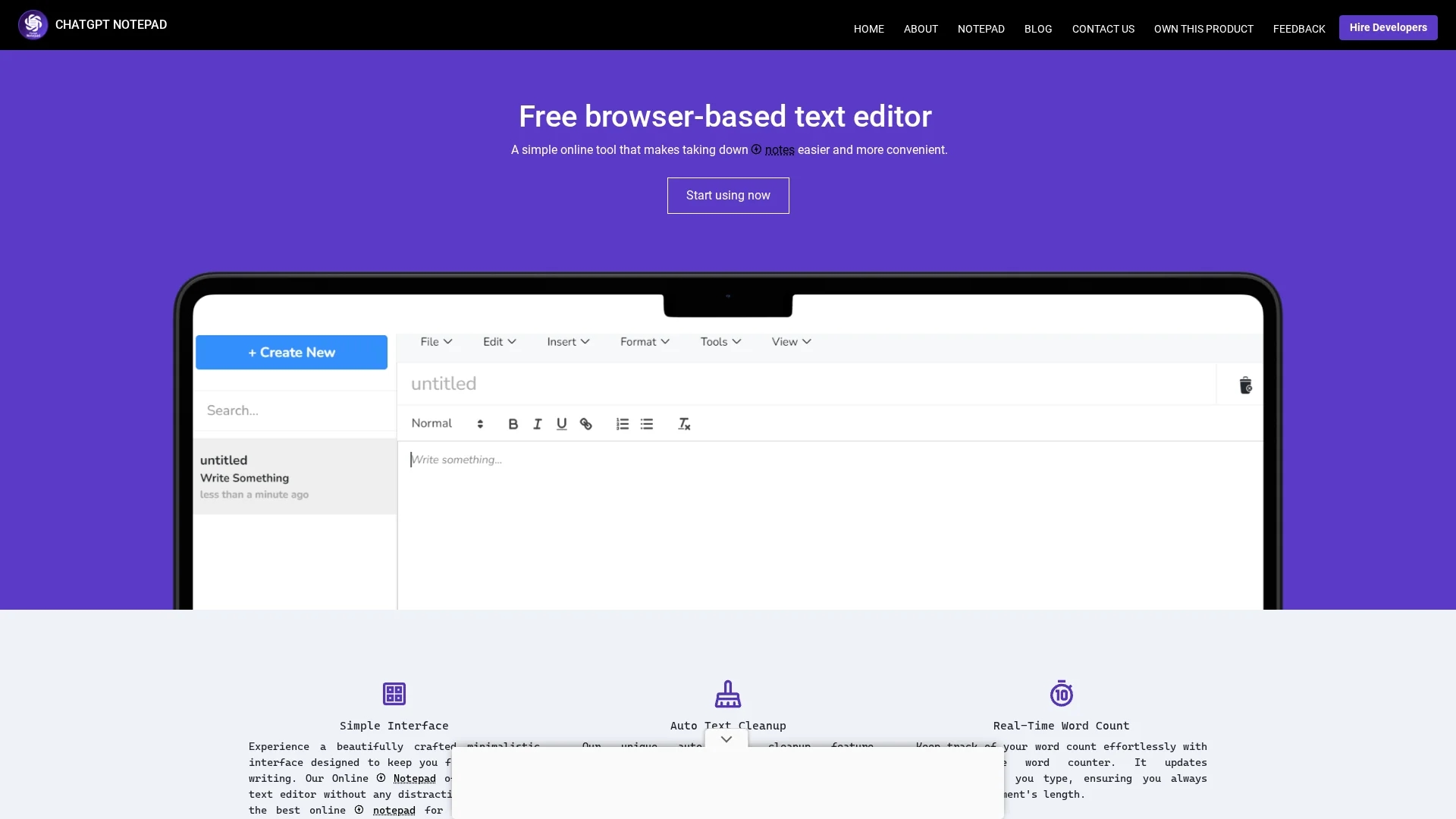
ChatGPT Notepad is a free, browser-based text editor offering distraction-free note-taking with auto text cleanup, real-time word count, find and replace, spell checker, and print/save options.
Disclaimer: Visionary Hub is not affiliated with, endorsed by, or the operator of this tool. All trademarks, logos, and content are the property of their respective owners. Full disclaimer available here
Key Features
Auto Text Cleanup
Automatically removes unwanted characters from AI-generated content.
Real-Time Word Count
Updates word count dynamically as users type.
Find and Replace
Enables quick editing by searching and replacing text efficiently.
Native Spell Checker
Identifies spelling errors with a simple right-click interface.
Get Started
Share & Save
Share on Social Media
Why Choose ChatGPT Notepad
Distraction-Free:
Minimalist interface helps users focus on writing without interruptions.No Registration:
Allows saving and printing notes without account creation or login.Auto Cleanup:
Removes unwanted characters from AI-generated text for clean notes.
Pricing
ChatGPT Notepad is available for free with no registration required.
About ChatGPT Notepad
ChatGPT Notepad is a free, browser-based text editor offering distraction-free note-taking with auto text cleanup, real-time word count, find and replace, spell checker, and print/save options.
What ChatGPT Notepad Does
ChatGPT Notepad offers a streamlined text editing experience that helps users take notes efficiently without distractions. It benefits users by providing a clean interface focused solely on writing and editing tasks.
Key features include an auto text cleanup function that removes unwanted characters from AI-generated text, a real-time word count that updates as users type, a find and replace tool for easy editing, and a native spell checker accessible via right-click. Users can also print or save their notes locally without needing an account.
This tool is suitable for content creators, writers, students, and researchers who require a simple yet effective text editor for note-taking, document drafting, or quick edits during meetings and projects.
Pros & Cons
Free Access
Completely free to use with no registration required.
Simple Interface
Clean, distraction-free design enhances writing focus.
Limited Features
Lacks advanced formatting and collaboration tools.
No Developer Info
Developer or company details are not publicly available.
Frequently Asked Questions
Yes, ChatGPT Notepad is completely free with no registration required.
No, users can save notes directly to their computer without logging in.
It includes auto text cleanup, real-time word count, find and replace, and spell checking.
Yes, ChatGPT Notepad allows printing notes directly from the browser.
No, the tool does not provide public developer or company details.
Similar Tools You Might Like
Discover more AI-powered tools that complement your workflow
List Your AI Tool & Reach Thousands of Users
Join 500+ AI innovators already thriving on our platform. Get visibility, feedback, and boost your conversions.
Expand Your Audience
Connect with over 50,000 AI enthusiasts actively looking for tools like yours.
Boost Your Authority
Get verified reviews and ratings to build credibility in the AI marketplace.
Drive Conversions
Our premium placements and targeted audience deliver quality leads and sign-ups.