ChatGPT - Lets talk
Chrome extension adding voice control and text-to-speech to ChatGPT for hands-free interaction and accessibility.
Disclaimer: Visionary Hub is not affiliated with, endorsed by, or the operator of this tool. All trademarks, logos, and content are the property of their respective owners. Full disclaimer available here
Key Features
Voice Input
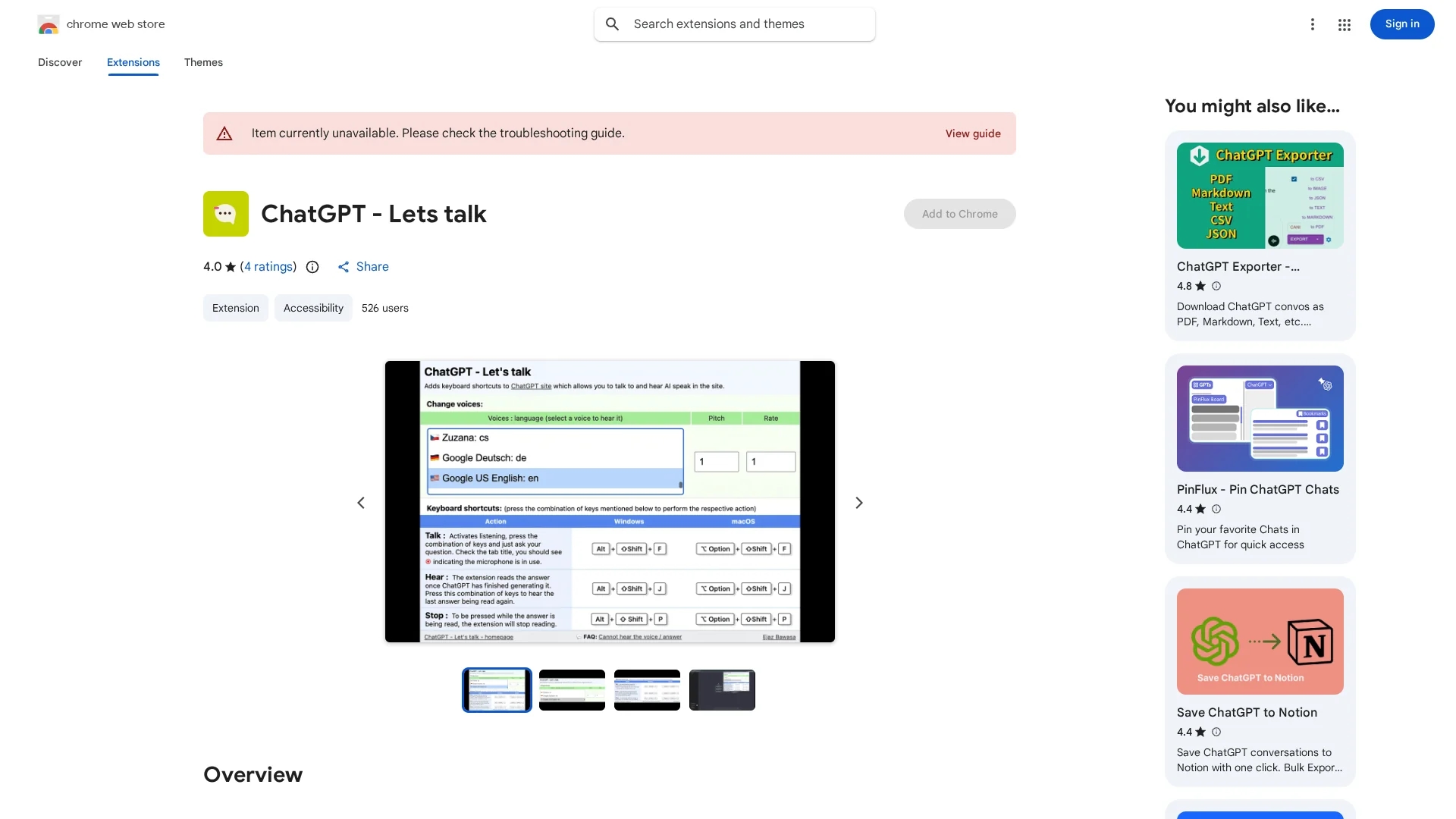
Activate microphone to ask ChatGPT questions via voice.
Text-to-Speech
Reads ChatGPT’s responses aloud automatically.
Voice Customization
Choose from 100+ voices and adjust pitch and speaking rate.
Keyboard Shortcuts
Control voice input, playback, and stop reading with hotkeys.
Get Started
Share & Save
Share on Social Media
Why Choose ChatGPT - Lets talk
Hands-Free Use:
Enables voice commands for convenient, hands-free ChatGPT interaction.Custom Voices:
Offers over 100 AI voice options with adjustable pitch and speed.Lightweight:
Built with native JavaScript without external API calls.
Pricing
This extension is available for free on the Chrome Web Store.
About ChatGPT - Lets talk
Chrome extension adding voice control and text-to-speech to ChatGPT for hands-free interaction and accessibility.
What ChatGPT - Lets talk Does
This tool enables users to interact with ChatGPT using voice commands and hear AI-generated responses read aloud, facilitating hands-free communication.
It features voice input activation, text-to-speech playback, customizable AI voices with over 100 options, adjustable pitch and speaking rate, and keyboard shortcuts for control.
Ideal for accessibility purposes, language learning, and multitasking, it supports users who prefer auditory interaction with ChatGPT across various fields.
Pros & Cons
Accessibility
Improves usability for visually impaired and multitasking users.
No External APIs
Ensures privacy by not using third-party network calls.
Limited UI
No graphical interface; relies solely on keyboard shortcuts.
Platform Specific
Available only as a Chrome extension.
Frequently Asked Questions
Press Alt + Shift + F (Windows) or Option + Shift + F (Mac) to activate voice input.
Press Alt + Shift + J (Windows) or Option + Shift + J (Mac) to hear the last response again.
Press Alt + Shift + P (Windows) or Option + Shift + P (Mac) to stop the speech.
Yes, ChatGPT - Lets talk is available for free on the Chrome Web Store.
No, the developer states that it does not collect or use your data.
Similar Tools You Might Like
Discover more AI-powered tools that complement your workflow

List Your AI Tool & Reach Thousands of Users
Join 500+ AI innovators already thriving on our platform. Get visibility, feedback, and boost your conversions.
Expand Your Audience
Connect with over 50,000 AI enthusiasts actively looking for tools like yours.
Boost Your Authority
Get verified reviews and ratings to build credibility in the AI marketplace.
Drive Conversions
Our premium placements and targeted audience deliver quality leads and sign-ups.