ChatGPT for Outlook
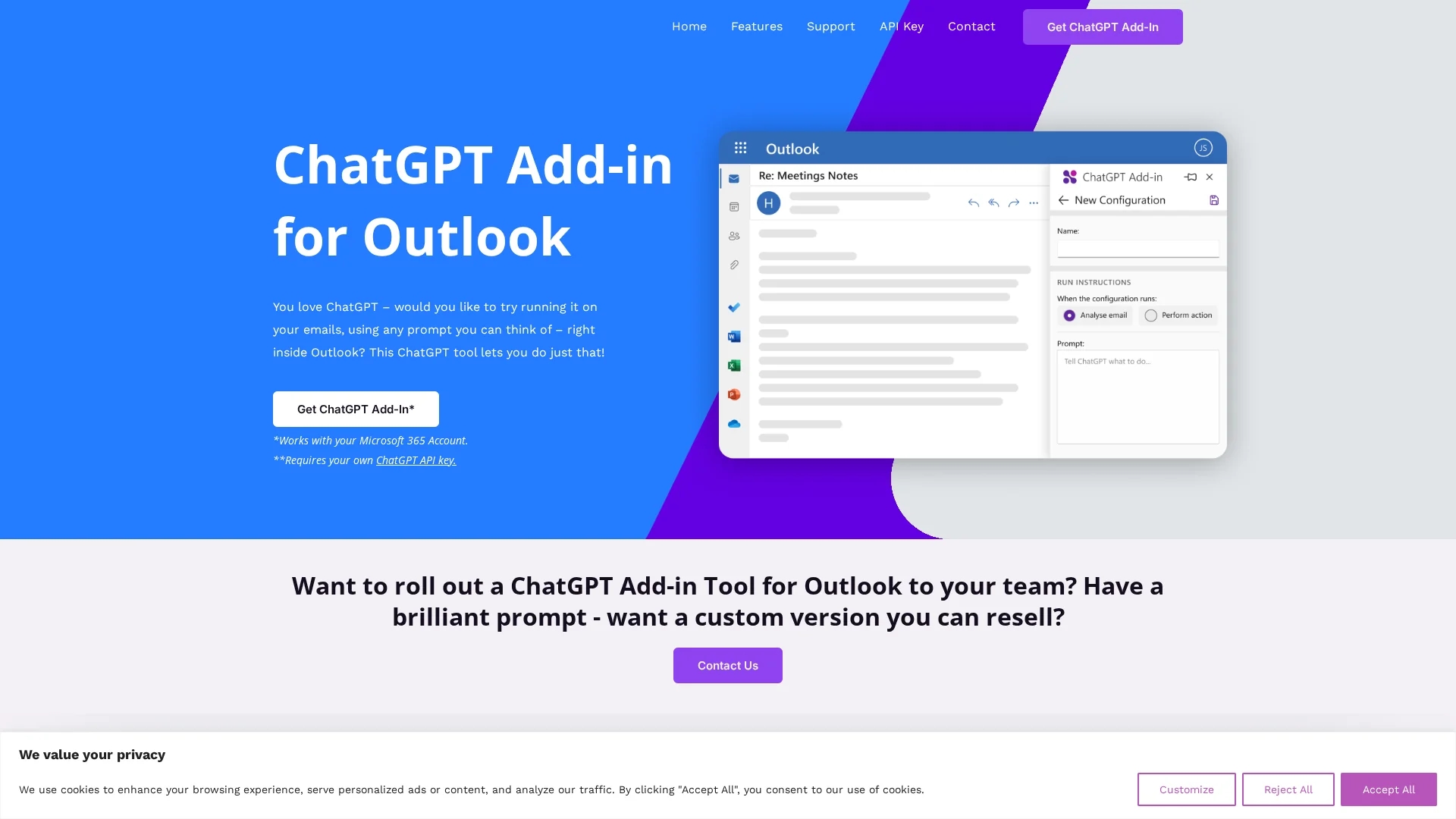
Free Outlook Add-in by Blueberry enabling ChatGPT integration to summarize, highlight, and automate email processing with custom prompts inside Microsoft Outlook.
Disclaimer: Visionary Hub is not affiliated with, endorsed by, or the operator of this tool. All trademarks, logos, and content are the property of their respective owners. Full disclaimer available here
Key Features
ChatGPT Integration
Runs ChatGPT directly within Outlook on inbox messages or new emails.
Customizable Prompts
Enables creation of prompts to guide AI-generated summaries and highlights.
Selective Email Processing
Processes whole emails or specific parts like body, subject, or attachments.
Output Display Options
Shows AI output in a separate window or replaces the original email body.
Get Started
Share & Save
Share on Social Media
Why Choose ChatGPT for Outlook
Custom Prompts:
Allows tailored ChatGPT responses based on user-defined prompts for specific email needs.Flexible Processing:
Processes entire emails or selected parts like body, subject, or attachments for focused output.Multiple Configurations:
Supports managing different setups for various email scenarios and display preferences.
Pricing
Blueberry offers a fixed-price custom version of the ChatGPT Outlook Add-in for £4,000 or less, allowing resell with unique prompts. For other pricing details, contact via the official site.
About ChatGPT for Outlook
Free Outlook Add-in by Blueberry enabling ChatGPT integration to summarize, highlight, and automate email processing with custom prompts inside Microsoft Outlook.
What ChatGPT for Outlook Does
The ChatGPT Add-in for Outlook enables users to run ChatGPT AI on emails within Microsoft Outlook, either on received messages or while composing new emails. It helps users quickly identify important information, summarize long email threads, and generate highlights, improving email handling efficiency.
Users can create custom prompts to guide ChatGPT’s output, process entire emails or selected parts such as body, subject, or attachments, and choose to display results in a separate window or replace the original email content. Multiple configurations allow tailoring to different email scenarios.
This add-in is useful across industries for business professionals, marketers, and customer service teams who rely heavily on Outlook for communication and need to streamline email workflows.
Pros & Cons
Seamless Integration
Works directly inside Microsoft Outlook without switching apps.
Customizable
Supports multiple prompt configurations for diverse email scenarios.
Requires API Key
Users must have their own ChatGPT API key to use the add-in.
Limited Pricing Info
Pricing details mainly available for custom versions, standard plans unclear.
Frequently Asked Questions
It’s a free tool that integrates ChatGPT into Outlook to run AI on emails using custom prompts.
A Microsoft 365 account and your own ChatGPT API key are required.
Yes, Blueberry can create a custom version with your prompts for your 365 domain.
Yes, Blueberry offers custom versions you can resell to unlimited users.
Installation instructions are available on the support page of the official website.
Similar Tools You Might Like
Discover more AI-powered tools that complement your workflow
List Your AI Tool & Reach Thousands of Users
Join 500+ AI innovators already thriving on our platform. Get visibility, feedback, and boost your conversions.
Expand Your Audience
Connect with over 50,000 AI enthusiasts actively looking for tools like yours.
Boost Your Authority
Get verified reviews and ratings to build credibility in the AI marketplace.
Drive Conversions
Our premium placements and targeted audience deliver quality leads and sign-ups.