
CapyParse
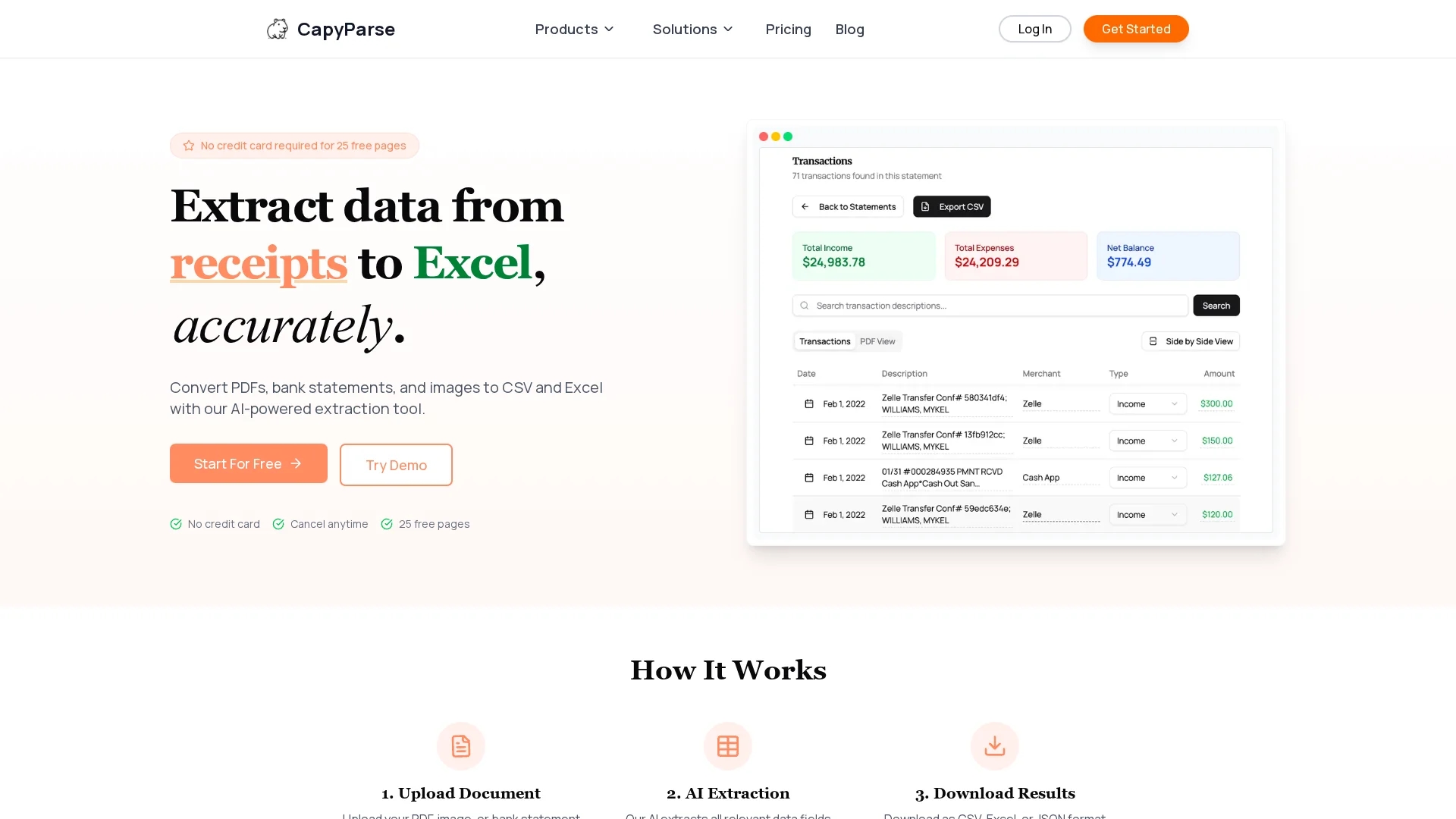
Capyparse is an AI-powered PDF to CSV converter that extracts data from PDFs, bank statements, and images, supporting multiple formats and integrating with accounting software like QuickBooks.
Disclaimer: Visionary Hub is not affiliated with, endorsed by, or the operator of this tool. All trademarks, logos, and content are the property of their respective owners. Full disclaimer available here
Key Features
PDF to CSV Conversion
Transforms PDF documents into CSV format for easy data manipulation.
AI-Powered Extraction
Automatically identifies and extracts relevant data fields using AI.
Multi-File Support
Processes PDFs, JPGs, PNGs, and scanned documents accurately.
Multi-Account Management
Separates and manages transactions from multiple accounts in statements.
Get Started
Share & Save
Share on Social Media
Why Choose CapyParse
AI Accuracy:
Uses advanced AI to extract data accurately from complex and scanned documents.Multi-Format Support:
Handles PDFs, images, and bank statements with flexible export options.Accounting Integration:
Exports data directly to QuickBooks and other accounting software.
Pricing
CapyParse offers a free plan with 25 free pages and basic support. Paid plans include a Standard plan at $20/month with 250 pages and QuickBooks integration, plus a Custom plan with tailored features. Visit the pricing page for details.
About CapyParse
Capyparse is an AI-powered PDF to CSV converter that extracts data from PDFs, bank statements, and images, supporting multiple formats and integrating with accounting software like QuickBooks.
What CapyParse Does
Capyparse converts PDFs, bank statements, and images into structured data formats like CSV, Excel, and JSON, enabling users to automate data extraction and reduce manual entry errors.
It employs AI-powered extraction technology that recognizes tables, text, and complex layouts, including scanned documents, to accurately extract relevant data fields. The tool supports multiple file types and offers multi-account transaction management for consolidated statements.
Common use cases include financial analysis, bookkeeping, and accounting workflows across small businesses, financial professionals, and administrative teams, enhancing productivity and data accuracy.
Pros & Cons
Ease of Use
Simple upload and extraction process with no complex setup required.
Integration
Seamless export to popular accounting software like QuickBooks.
Pricing Transparency
Custom pricing plans require direct contact for details.
Page Limits
Free plan limits extraction to 25 pages before upgrade is needed.
Frequently Asked Questions
Capyparse supports PDFs, JPGs, PNGs, and scanned documents for data extraction.
Yes, Capyparse offers a free plan with 25 free pages and no credit card required.
Yes, exports are available for QuickBooks, Excel, JSON, and other formats.
Yes, it supports multi-account transaction extraction from consolidated statements.
You can sign up for free on the Capyparse website via the 'Get Started' or 'Sign Up' links.
Similar Tools You Might Like
Discover more AI-powered tools that complement your workflow



List Your AI Tool & Reach Thousands of Users
Join 500+ AI innovators already thriving on our platform. Get visibility, feedback, and boost your conversions.
Expand Your Audience
Connect with over 50,000 AI enthusiasts actively looking for tools like yours.
Boost Your Authority
Get verified reviews and ratings to build credibility in the AI marketplace.
Drive Conversions
Our premium placements and targeted audience deliver quality leads and sign-ups.