
AutoCut - Premiere Pro AI plugin
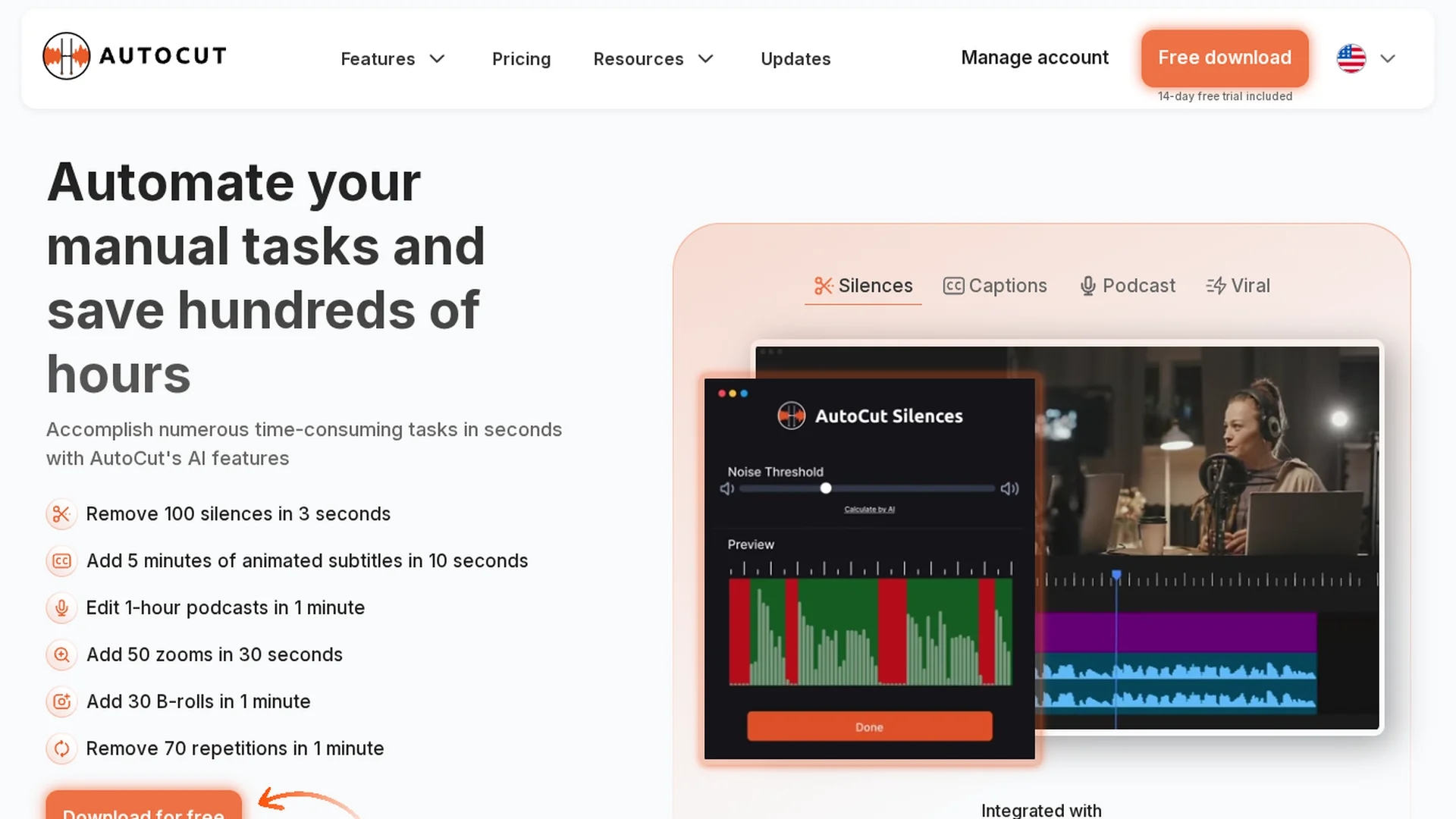
Autocut is an AI-powered Premiere Pro and DaVinci Resolve plugin that automates video editing by removing silences, adding animated captions, zooms, stock footage, and enhancing podcast editing workflows.
Disclaimer: Visionary Hub is not affiliated with, endorsed by, or the operator of this tool. All trademarks, logos, and content are the property of their respective owners. Full disclaimer available here
Key Features
Silence Removal
Automatically detects and cuts silent segments to tighten videos.
Animated Captions
Generates dynamic, synchronized subtitles to boost engagement.
AutoZoom
Applies smart zoom effects to enhance storytelling.
B-Roll Integration
Adds AI-powered stock footage seamlessly into edits.
Get Started
Share & Save
Share on Social Media
Why Choose AutoCut - Premiere Pro AI plugin
Time-saving:
Automates silence removal and repetitive edits to speed up workflows.Comprehensive:
Combines multiple AI editing features in one plugin.Multi-platform:
Compatible with both Premiere Pro and DaVinci Resolve.
Pricing
Autocut offers a 14-day free trial with no credit card required. Pricing plans include a Basic Plan at $6.6/month billed annually ($9.9 monthly) and an AI Plan at $14.9/month billed annually ($19.8 monthly). An Enterprise Plan with team licensing and priority support is also available.
About AutoCut - Premiere Pro AI plugin
Autocut is an AI-powered Premiere Pro and DaVinci Resolve plugin that automates video editing by removing silences, adding animated captions, zooms, stock footage, and enhancing podcast editing workflows.
What AutoCut - Premiere Pro AI plugin Does
Autocut automates repetitive video editing tasks, enabling users to remove silences, add animated captions, apply dynamic zooms, and integrate stock footage efficiently. This reduces editing time and enhances video engagement.
Key features include AI-powered silence detection and removal, automatic generation of animated subtitles, smart zoom effects timed to content, B-roll footage integration, and podcast editing with speaker recognition and camera switching. These tools work within Premiere Pro and DaVinci Resolve to streamline workflows.
Autocut is ideal for video editors, podcasters, and content creators who want to produce polished videos faster. It supports industries such as digital media, marketing, and podcast production by simplifying complex editing processes.
Pros & Cons
Efficiency
Significantly reduces manual editing time.
Feature-rich
Offers diverse AI tools for various editing needs.
Platform Limitation
Requires Adobe Premiere Pro or DaVinci Resolve.
Subscription Cost
Paid plans may be costly for casual users.
Frequently Asked Questions
Autocut supports Adobe Premiere Pro (2023-2025) and DaVinci Resolve (18.6+).
Yes, Autocut offers a 14-day free trial with no credit card required.
Yes, but only on one computer at a time; you must unlink before switching.
Yes, all features are compatible with both free and studio versions.
Yes, subscriptions can be canceled or resumed anytime via your customer area.
Similar Tools You Might Like
Discover more AI-powered tools that complement your workflow

List Your AI Tool & Reach Thousands of Users
Join 500+ AI innovators already thriving on our platform. Get visibility, feedback, and boost your conversions.
Expand Your Audience
Connect with over 50,000 AI enthusiasts actively looking for tools like yours.
Boost Your Authority
Get verified reviews and ratings to build credibility in the AI marketplace.
Drive Conversions
Our premium placements and targeted audience deliver quality leads and sign-ups.